1
Reduction of engineering costs
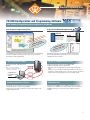
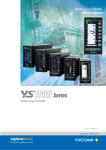
YS1000 Configuration and Programming Software
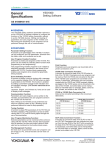
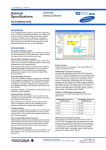
Your Choice of Programming Style: Graphical or Text Based
New Graphic Programming Tool
Original Text Based Programming
YS170
ion
unct
ing f
r
o
t
i
on
ule m
mod
e
n
i
l
onorts
Supp
city
ks
capa
am 0 Bloc
r
g
o
0
Pr
rts 4
po
Sup
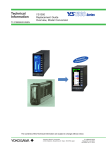
Backwards compatible
with existing programs.
Conversion software for
existing YS170 user
programs is available.
le
patib
m
o
C
SLPC
Backwards compatible
with existing programs.
Conversion tool for
importing programs
from YS80 SLPC ROM
is available.
city
capa teps.
m
a
s
r
.
Prog 1000 us YS170
orts previo
Su5ptpimes of the
2.
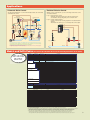
Programming is easier with our intuitive function block programming.
The online module monitoring function allows you to confirm the
performance while programming.
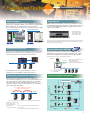
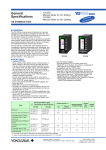
Three connection modes
Connection modes: USB, Ethernet or
RS485
When connecting via RS485 or
Ethernet, a communication option is
required on the main unit.
Configuration and
Programming Software
YSS1000
Backwards compatible with existing YS170 users programs.
Increased programming capacity allows you to create more
sophisitated control schemes.
Full set of computation functions
Ethernet
communications
Dedicated
USB cable
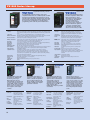
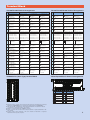
· Supports parameter setting for all YS1000 models
· Support for YS1700 custom programming.
- Calculations done using Engineering units and Floating point
math.
- Includes over one-hundred computation modules for exponents,
logarithms, temperature/pressure correction, and other operations.
- Function blocks (sub-programs) can be saved and reused.
RS485
communication
Password protection function
Passwords can be assigned to user programs to prevent
unauthorized access to proprietary programs.
A password on the main unit prevents unexpected changes in the
engineering parameters.
Calibration tool
Following the YSS1000’s online calibration instructions makes
calibration easy. Calibration records and data can be saved on the
YS1000, allowing you to load or print past calibration data as
needed.
5