1
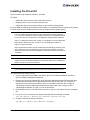
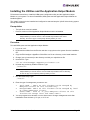
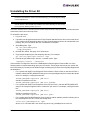
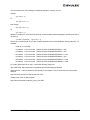
6. Execute the 'lpfc-install' script with no options to install the new driver kit. Type:
./lpfc-install
Once the 'lpfc-install' script has completed successfully, the Emulex lpfc driver is loaded and
Fibre Channel disks that are properly connected to the system are accessible. Reboot the system now to enable the newly added driver options in the ramdisk. You can also reboot the system later if you wish.
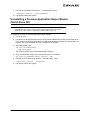
Driver Kit Install Script Options
The following options are available for use with the Emulex install script for Linux:
•
--createramdisk - Creates a new ramdisk image. Use this option after you have rebuilt the driver.
(This is done by default during installation.)
•
-h,--help - Prints a help message describing command line parameters.
•
-u,--uninstall - Uninstalls the currently installed driver kit.
Driver Kit Directory Structure
After installation, the following directory is created on the system.
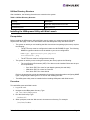
Table 1: Driver Kit Directory Structure
Directory
Description
/usr/src/lpfc
Driver source files.
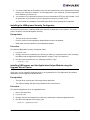
Installing the Driver on Unsupported Linux Distributions
The driver kit supports the Linux distributions listed on page 2. As of Linux kernel 2.6.12, the lpfc driver
is distributed with the Linux kernel sources. To install the Emulex lpfc driver on an unsupported
distribution of Linux, refer to the distribution's Web site or http://kernel.org.
Driver for Linux - Installation Section
Page 5