1
Firewall Guide
Marratech E-meetings normally work fine with the default settings on the smaller firewalls designed for small office or home use. Larger
organizations often have a more strict configuration where everything not explicitly allowed is denied. This is a quick look on how to configure the
firewall for a Marratech E-meeting - for a more in-depth look, we have a firewall guide on our support pages.
Connecting to a server running Marratech Manager
Only two steps are needed to allow a Marratech client to connect to a Marratech Manager through a firewall.
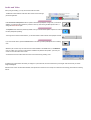
First, the client must be allowed to connect to the HTTP and the HTTPS ports defined in the Marratech Manager. If the server runs on the standard
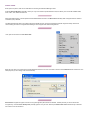
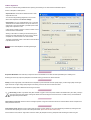
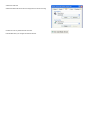
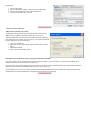
web ports, this is usually already set up in some way. The client can use a web proxy server, which is defined in the client preferences window.
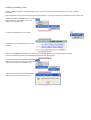
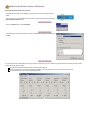
Second, the client must be allowed to send traffic to all UDP data ports defined in Marratech Manager (default is 52000 to 52999) AND it must be
allowed to receive returning traffic.
As the client will initiate all connections, both of these rules can be set up using a Dynamic state rule.
Please consult www.marratech.com for how to safely configure your firewall.
Direct Call
The Marratech client software has an option to run point-to-point with another Marratech Pro client. This has several limitations: It does not support
NAT and can't be used with dynamic state rules in the firewall. You may get it to work by setting up port forwarding for the UDP ports used
(50500-50511). However, running Direct call through NAT or a firewall is not a supported scenario by Marratech.
Read more about Direct Call.