1
5 Removal and replacement procedures for Customer Self-Repair parts ............................................................. 36
Component replacement procedures ................................................................................................................. 36
Battery ............................................................................................................................................... 37
Service door ....................................................................................................................................... 38
Hard drive .......................................................................................................................................... 39
Memory modules .............................................................................................................................. 41
WLAN/Bluetooth combo card ........................................................................................................... 43
WWAN module ................................................................................................................................... 45
Keyboard ........................................................................................................................................... 47
6 Removal and replacement procedures for Authorized Service Provider parts ................................................... 50
Component replacement procedures ................................................................................................................. 50
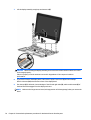
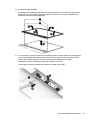
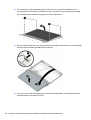
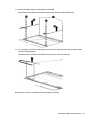
Display subcomponents (bezel, webcam, panel) ............................................................................. 51
Top cover ........................................................................................................................................... 54
RTC battery ........................................................................................................................................ 57
Fingerprint reader assembly ............................................................................................................. 58
Power button board .......................................................................................................................... 59
I/O board ............................................................................................................................................ 61
Touchpad button board .................................................................................................................... 63
Fan ..................................................................................................................................................... 65
System board .................................................................................................................................... 66
Speaker assembly ............................................................................................................................. 70
Heat sink assembly ........................................................................................................................... 72
Power connector and cable ............................................................................................................... 74
Display assembly .............................................................................................................................. 76
7 Computer Setup (BIOS), MultiBoot, and HP PC Hardware Diagnostics (UEFI) in Windows 8 .................................. 82
Using Computer Setup ......................................................................................................................................... 82
Starting Computer Setup .................................................................................................................. 82
Navigating and selecting in Computer Setup ................................................................................... 82
Restoring factory settings in Computer Setup ................................................................................. 83
Updating the BIOS ............................................................................................................................. 83
Determining the BIOS version ........................................................................................ 83
Downloading a BIOS update ........................................................................................... 84
Using MultiBoot ................................................................................................................................................... 85
About the boot device order ............................................................................................................. 85
Choosing MultiBoot preferences ...................................................................................................... 85
Setting a new boot order in Computer Setup ................................................................. 85
Dynamically choosing a boot device using the f9 prompt ............................................. 86
Setting a MultiBoot Express prompt .............................................................................. 86
viii