1
5. Using your Set Top Box
5. USING YOUR SET TOP BOX
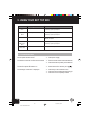
5-1 CHANGING CHANNELS AND LISTS
5-1-1 Switching channels
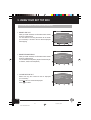
The Set Top Box provides several ways for channel switching:
x Using the and keys on the front panel or P+ and P- on the remote control unit :
The Set Top Box switches to the next service up ( P+ ) or the next service down ( P- ) from the current
channel.
x Entering the numerical code for the channel on the remote control keypad
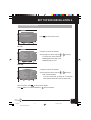
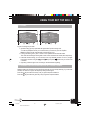
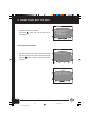
Type in a single digit (1), which is displayed in the 3rd digit position on the front panel display and on
the screen banner, e.g. "1—".
If you do not type in another digit within 2 seconds, the digit is displayed in the first digit position on the
front panel display and on the screen banner, the second and third digits are blanked out and the video
and audio playing process is activated on the new Video service. e.g. "1".
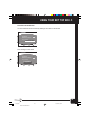
If you type in another digit (2), this is displayed in the 2nd digit position. e.g. "12-".
If you do not type in another digit within 2 seconds, the 2 digits are displayed in the first and second digit
positions on the front panel display and on the screen banner, the third digit is blanked out and the video
and audio playing process is activated on the new Video service. e.g. "12".
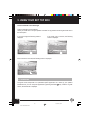
If you type in another digit (3), this last digit is displayed in the first digit position on the front panel display
and on the screen banner and the video and audio playing process is activated on the new Video service.
e.g. "123".
If the numerical code entered does not correspond to a video service in the list, the Set Top Box selects
the first lower Video service in the list.
5-1-2 Info zapping
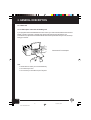
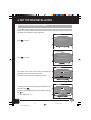
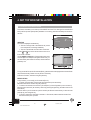
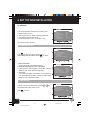
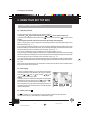
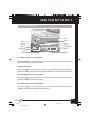
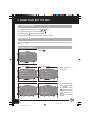
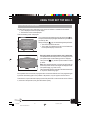
This way of zapping enables you to view data concerning the
current programmes on the different Video services of the list.
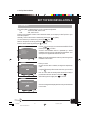
Press the P+ or P- keys (or i key and then
and
keys) and hold them down.
The screen banner is displayed showing data concerning the
programme on the next video service up ( P+ ) or down ( P- ).
The current audio and video streams are still played.
As you release the key, the video and audio playing process is
activated onto the service whose number is currently displayed
on the screen banner.
5-1-3 Quick return key (
262
A
Undefined
RAI2
TELEFILM
14:39
? 1
1
ENGLISH
ITALIAN
)
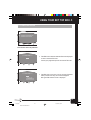
The key enables you to zap between the current channel and the last channel viewed
You can use this key e.g. when waiting for a feature film to begin.
20
Ch05.p65
20
BLEU PANTONE 293C
10/12/02, 09:52