1
4.7 READY MODE
When entering READY mode, the laser console fan will turn on and pressing the footswitch will
activate laser radiation. There is a delay of two (2) seconds between switching to READY mode
and the ability of the laser console to emit a laser beam.
NOTE:
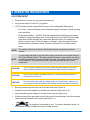
The aiming beam is on only when the laser is in READY mode or when adjusting the
brightness of the beam while in Settings mode. If the aiming beam is not visible in
either instance, remove the handpiece and confirm the beam is actually on by
shining the end of the trunk fiber on a plain, non-reflective surface. DO NOT look
directly at the output end of the trunk fiber. If the aiming beam is not on, turn off the
laser console, then remove and re-install the trunk fiber (see Section 2.6). If the
aiming beam is still not on, turn off the laser console and call Biolase Service.
4.8 WIRELESS FOOTSWITCH
The wireless footswitch is powered by two (2) AAA batteries.
When the wireless footswitch is pressed in READY mode and the laser fires, a beeping sound
indicates that laser energy is present. A green LED will begin flashing and a blue LED will light
at the top corners of the laser console, confirming the footswitch and laser are paired.
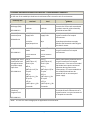
In the top left corner of most screens is a Signal Strength Indicator
which displays the
signal strength between the laser console and the footswitch (strongest is five (5) bars).
Pressing and releasing the footswitch while in Standby mode will update this indicator.
Although the unit will work with a signal level as low as one (1) bar, a weaker signal level will
make the connection between the footswitch and laser console more vulnerable to wireless (RF)
interference from other sources, such as cell phones or microwaves. To improve the signal
strength, reposition either the footswitch or the laser console until the signal indicator achieves
the strongest possible level for optimal operation.
NOTE:
When the footswitch is not in use, it will go into SLEEP mode to conserve battery
power. It automatically reactivates when it is pressed.
4.9 PEAK POWER DISPLAY
This number is shown only when the system is in pulse mode and presents the value of the
peak power based on the Power Setting and Pulse Mode.
4.10 PULSE MODE SELECTION
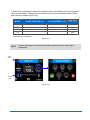
Pulse Mode selection graphically indicates whether the system is in Continuous (CW) mode or
in Pulse mode.
In Continuous mode, laser power is constantly delivered when the laser console is in Ready
mode and the wireless footswitch is activated.
EPIC™ S-Series User Manual
pg. 22
5400463 Rev C