Transcript
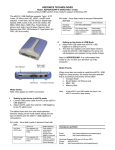
Addonics 4-in-1 DigiAdapter Installation Manual
(Model: AD4IN1PCMCIA)
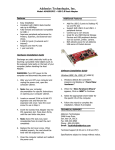
Thank you for purchasing Addonics 4-in-1 Digidrive Adapter. This 4-in-1 Digidrive Adapter provides
you the easiest way to Read/Write to your SecureDigital Card, Multimedia Card, Memory Stick and
SmartMedia Card via PC card(PCMCIA)adapter. This drive is to be used for all systems running on
the Intel or AMD (or equivalent) Microprocessors.
Introduction:
System Requirements:
Features:
!
!
!
PC:
Converts SM/SD/MMC and MS to standard
Type II PC Card
Fast Access Speed, Transfers data from
memory cards to any PCMCIA interface
equipped device like card reader, notebook,
Desktop etc.
Conforms to 8-bit and 16-bit access.
Hardware
IBM PC compatible computer with PCMCIA support.
Software
Microsoft Windows 95/98/98SE/Me/NT4.0/2000/XP
MAC: Hardware
Power Book with PCMCIA support
Software
MAC OS 9.0 or higher
How to USE
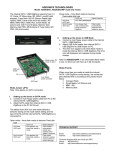
Insert and Push the Card in the 4-in-1 DigiAdapter Socket until it stops.
Now insert the DigiAdapter to the notebook PCMCIA socket.
Note: Insert only one card at one time.
!
!
In Windows Machine, you will see a new Removable Disk Icon.
In MAC OS, a new UNTITLED DISK icon will show up on the screen.
Technical Support
If you need assistance to get your unit functioning properly, please call Addonics Technical Support. Our
technical staff will be happy to assist you, but they will need your help to do so. Calling the technical support
staff without all the proper information can be both time consuming and frustrating. Please have all the
information handy like the model number, operating system etc.
Contact Information
Addonics Technologies
2466 Kruse Drive
San Jose CA, 95131
Phone:
Fax:
408-433-3899
408-433-3898
TECHNICAL SUPPORT
Phone:
408-433-3855
Email:
[email protected]