1
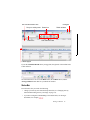
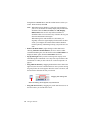
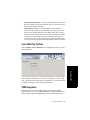
• See when a call is in wrap-up mode (you have transferred it, sent it to
voice mail, or hung up):
:
• Toggle between Ready and Not Ready
.
• See the number of unopened voice mails
.
• Turn Do Not Disturb (DND) on and off
Not Disturb On and Off” on page 15).
(see “Turning Do
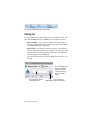
• If you’re using IPTalk, you can mute the call (using the Mute toggle
button) and control the volume using the volume control.
Mute button (toggle)
Volume control
• Shrink MaxAgent to a single tool bar and restore it to normal size by
selecting from the drop-down menu
• Configure MaxAgent
page 55).
• Open help
.
(see “Configuring Your MaxAgent” on
.
Toolbar Buttons
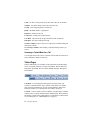
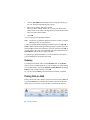
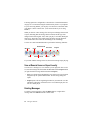
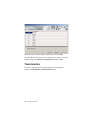
Toolbar buttons provide single-click functions to connect, hangup, transfer,
send to voicemail, hold, conference, send calls to AA (auto attendant),
flash, record, redial, intercom, and enter account code. The Login button
lets you log in to other workgroups or log out of a workgroup.
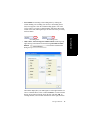
You can choose the buttons you want and the order in which you want
them. See “Customizing the Display” on page 17.
The Dialer field and Dial button are also in the toolbar. Click the Dial
button to pop up the dial pad.
10
MaxAgent Manual