1
DK-A1H
DK-A1H(BK)
Listening to the radio (continued)
ENGLISH
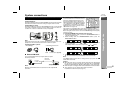
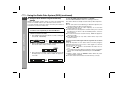
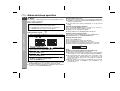
Memorising a station
Radio
You can store 40 AM and FM stations in memory and recall them at
the push of a button. (Preset tuning)
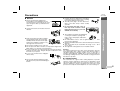
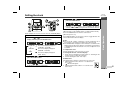
1
2
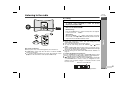
Perform steps 1 - 3 in “Tuning” on page 14.
3
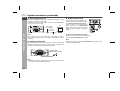
Within 1 minute, press the
or
button to select the
preset channel number.
Store the stations in memory, in order, starting with preset
channel 1.
4
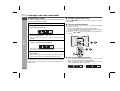
Within 1 minute, press the MEMORY button on remote
control to store that station in memory.
Press the MEMORY button on remote control to enter the
preset tuning saving mode.
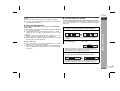
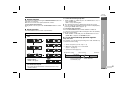
To recall a memorised station
Press the
or
desired station.
button for less than 0.5 seconds to select the
To scan the preset stations
The stations saved in memory can be scanned automatically.
(Preset memory scan)
1 Press the
or
button for more than 0.5 seconds.
The preset number will flash and the programmed stations will be
tuned in sequentially, for 5 seconds each.
2 Press the
or
button again when the desired station is
located.
iPod
ALARM
ALARM
ON/OFF
SNOOZE
DIMMER
FUNCTION
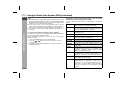
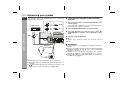
If the preset number indicators disappear before the station is
memorised, repeat the operation from step 2.
5
CLOCK
SNOOZE/
DIMMER
VOL
SLEEP
ALARM
DISPLAY
PLAY
MODE
Repeat steps 1 - 4 to set other stations, or to change a
preset station.
When a new station is stored in memory, the station previously
memorised for that preset channel number will be erased.
Note:
The backup function protects the memorised stations for a few days
should there be a power failure or the AC power lead becomes
disconnected.
E-15
TUNER
AUX
CLOCK
E SOUND
/DEMO
TUNING
MEMORY
MEMORY
ASPM
CLEAR
EQ
PTY
DISPLAY
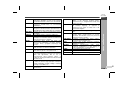
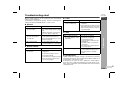
To erase entire preset memory
1
2
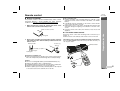
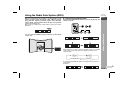
Press and hold the CLEAR button on remote control for more
than 3 seconds. “TUN CLEAR” will be displayed.
Within 10 seconds, press the MEMORY button on remote
control. “COMPLETE” will be displayed.