1
52
Chapter 6
Performing File-Level Backups
If the virtual machine is powered on, an error message “Unable to access
file <unspecified filename> since it is locked” may appear when you try to
delete the snapshot, but the snapshot may thereafter disappear from the
Snapshot Manager window. If a “Consolidate Helper-0” snapshot appears
after you remove the snapshot, power off the virtual machine.
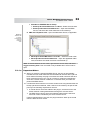
6. VMware recommends that you create and delete a snapshot at this point. You
can do this from the Snapshot Manager window in vSphere Client. Note that
the server tries to consolidate the redo logs during this operation, and
therefore, it may take a few minutes. Delete the Consolidate Helper snapshot,
if present.
7. If some unwanted redo logs are still present on the datastore, perform step 6
again. Wait for a few minutes (approximately 2-3 minutes) to allow any
memory cache to be cleared before performing this step.