1
Chapter 2 Making a Simple Project
font size and color of the labels)
6.
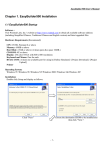
Switch to the (Graphics) tab and select the (Use Vector Graphics) check box. Select a
desired shape. The switch shown in the following figure is selected. For the making of the
Vector Graph, refer to Chapter 5.
7.
Switch to the Position tab. There are four input boxes showing the position and size of the
part. The “Left” input box holds the horizontal position of the upper left corner of the part, the
“Upper” input box holds the vertical position of that corner, and the resolution of these input
boxes is in pixels. The origin of the screen is the upper left corner. So the “Left” value should
not exceed the width of the screen and the “Upper” value should not exceed the length. For
a screen of the resolution of 320*240, the maxim of “left” is 319 and the maxim of “upper” is
239. “Width” is the width of the part shown in the screen and “Length” is the length of it.
21