1
AW00061107000
Installing a GigE Vision Camera
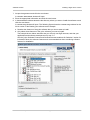
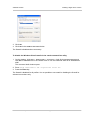
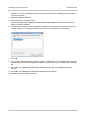
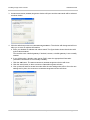
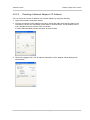
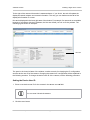
3. Click OK.
4. Click OK in the Windows Firewall window.
The firewall is disabled where necessary.
To disable the Windows Vista firewall via the netsh command line utility
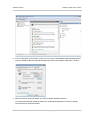
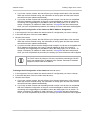
1. On the desktop, click Start > All Programs > Accessories > right click Command Prompt and
click Run as administrator in the context menu to run the command shell as an administrator
shell.
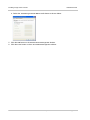
The command shell window opens.
2. Enter netsh advfirewall set allprofiles state off
3. Press the Enter key.
The firewall is disabled for all profiles. It is not possible to use netsh for disabling the firewall for
selected connections only.
Installation and Setup Guide for Cameras Used with Basler’s pylon API
35