1
Page 18 AN-X-PBCAPT
Selecting Frames of Interest
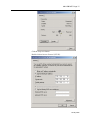
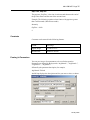
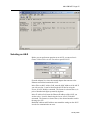
Select Capture/Dump or click the Dump to Text button.
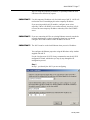
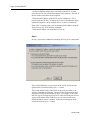
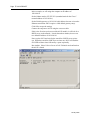
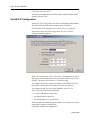
AnxPbCapt displays the TextDump dialog.
Browse or type the capture file name into the FileName box. AnxPbCapt
appends the option file name to the name you supply, and then appends
the extension “.txt”. For example, if the capture file is Test1413.PbcCapt
and the option file is QTS_PB_All.opt, the text file created is
Test1413_QTS_PB_All.txt
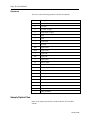
Browse or type the Option File name into the OptionFile box. Option
files control which frames are selected from the capture file, and the
format they are saved in. To display all messages, select the
QTS_PB_All.opt option file. For detailed information on option files,
refer to page 20.
Click Edit to edit the option file. If you make changes to the option file,
you may need to browse it in again in order for the changes to take
effect.
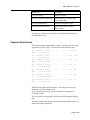
If you want to select just a portion of the file, enter starting (StartRef)
and ending (EndRef) reference numbers. Leave both as 0 if you want to
include all the network frames. Normally you locate the event of
interest, then use the starting and ending reference numbers to display
frames around that event.
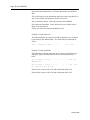
To select frames from the start of the capture to a specific reference
number, set StartRef to 0 and set EndRef to the desired frame.
To select frames from a specific frame to the end of the capture, set
StartRef to the desired reference number and EndRef to 0.
January 2008