1
226
en | Alarms page
Bosch Video Management System
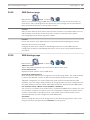
Record this camera
Select the check box to enable alarm recording for this camera in case of an alarm. If an alarm
is triggered, this camera is recorded in alarm recording quality. The duration of the recording
is the duration of the alarm state plus pre- and post-alarm time. This setting directly changes
the setting for alarm recording in the Alarm Options dialog box and vice versa.
29.3
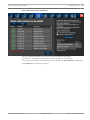
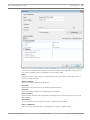
Select Resource dialog box
Main window >
Alarms >
or
> Alarm Image Panes column > Audio File
column > Click ...
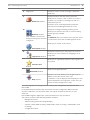
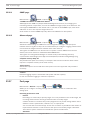
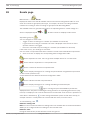
Allows you to select an audio file that is played in case of an alarm.
Play
Click to play the selected audio file.
Pause
Click to pause the selected audio file.
Stop
Click to stop the selected audio file.
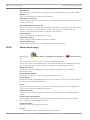
Manage...
Click to display the Resource Manager dialog box.
29.4
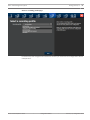
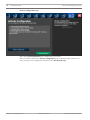
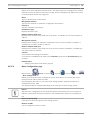
Alarm Options dialog box
Main window >
Alarms >
or
> Alarm Options column > ...
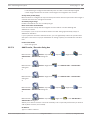
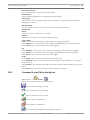
Allows you to configure the following settings for alarms:
–
Cameras that start recording in case of an alarm
–
Enabling protection for these alarm recordings (only for NVR recording)
–
Triggering PTZ commands in case of alarm
–
Notifications that are sent in case of an alarm
–
Workflow that has to be processed in case of an alarm
–
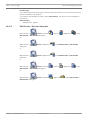
Assigning cameras that are displayed in analog monitor groups in case of an alarm.
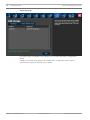
Cameras tab
Nr
Displays the camera number as configured on the Cameras and Recording page.
Name
Displays the camera name as configured on the Cameras and Recording page.
Location
Displays the location as configured on the Maps and Structure page.
Record
Select a check box to enable alarm recording for this camera in case of an alarm. If an alarm is
triggered, this camera is recorded in alarm recording quality. The duration of the recording is
the duration of the alarm state plus pre- and post-alarm time. This setting directly changes the
setting for alarm recording in the Select Image Pane Content dialog box and vice versa.
Protect Recording (only for NVR recording)
Select a check box to protect the alarm recording of this camera.
Auxiliary Command
Click a cell to select an auxiliary command to be executed in case of an alarm.
2013.07 | V1 | Configuration Client
Configuration Manual
Bosch Sicherheitssysteme GmbH