1
Changing
picture
the position
of the window
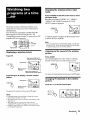
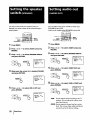
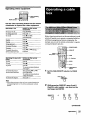
Press POSITION.
Each time you press POSITION, the window picture
will move counterclockwise on the screen.
Freezing
the window
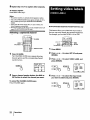
When watching TV programs, you can adjust the
quality of the picture to suit your taste.
You can adjust the picture of video input(s) as well.
These settings are stored separately from those for the
TV picture.
picture
This feature is useful when you want to write down a
recipe from a cooking program, a displayed address or
a phone number and so on,
Press FREEZE.
RESET
+0or_0_
MODE
MENU
RETURN
1
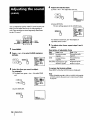
Press MENU.
2
Make sure the cursor (1_) is beside VIDEO
To restore the normal screen, press FREEZE again.
and press RETURN.
II
Swapping
pictures
the main and window
P PICTUflE
HUE
COLOR
BRleHT
SHARP
V _ENU
I DEO
Use ¢1i_
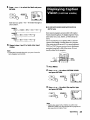
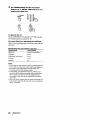
Press SWAP.
Each time you press SWAP, the images from the main
and window pictures switch places along with the
sound.
3
t
IIIIIIIIItlEIM
_#"""
IWlII""
UmlI----Exit
W
Select the item you want to adjust.
For example:
(l) To adjust brightness,
BRIGHT and,
press + t1"or - • to select
PICTURE mmamlm=
COLOR IIIII-'--='BRIGHT IIIIIIII1_,
SHARP
IVIDEO
:_NU
Us_ € _i
Exl[ ii
::.*
I
6
VIDEO
1
Note
BRIGHTNESS
• T_e ch_ra3els being received through the AUX jack cannot be
displayed as a window picture (KV-32VIS/32V16/34V15C
only).
16
(2) press RETURN.
Operations
I