1
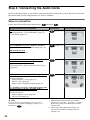
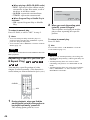
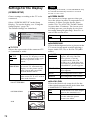
◆ PAUSE MODE (DVD VIDEO/DVD-RW
only)
Selects the picture in pause mode.
AUTO
The picture, including subjects
that move dynamically, is
output with no jitter. Normally
select this position.
FRAME
The picture, including subjects
that do not move dynamically,
is output in high resolution.
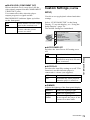
◆ CD DIRECT
Eliminates the use of unnecessary circuits
when playing CDs. This setting will be
activated when you open or close the disc
tray.
This function affects the output from the
following jacks:
– LINE OUT L/R (AUDIO) 1/2 jacks
– 5.1CH OUTPUT jacks
OFF
Select this when playing CD
discs, including CDs with DTS
tracks.
ON
Eliminates the use of
unnecessary circuits needed to
play CDs.
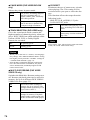
◆ TRACK SELECTION (DVD VIDEO only)
Gives the sound track which contains the
highest number of channels priority when you
play a DVD VIDEO on which multiple audio
formats (PCM, DTS, or Dolby Digital
format) are recorded.
OFF
No priority given.
AUTO
Priority given.
Notes
• When you set the item to “AUTO,” the language
may change. The “TRACK SELECTION” setting
has higher priority than the “AUDIO” settings in
“LANGUAGE SETUP” (page 71).
• If PCM, DTS, and Dolby Digital sound tracks
have the same number of channels, the player
selects PCM, DTS, and Dolby Digital sound
tracks in this order.
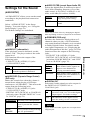
◆ MULTI-DISC RESUME (DVD VIDEO/
VIDEO CD only)
Switches the Multi-disc Resume setting on or
off. Resume playback point can be stored in
memory for up to 6 different DVD VIDEO/
VIDEO CD discs (page 33).
74
ON
Stores the resume settings in
memory for up to 6 discs (The
settings remain in memory even
if you select “OFF.”)
OFF
Does not store the resume
settings in memory. Playback
restarts at the resume point only
for the current disc in the player.
Note
If you select “ON” when playing CDs with DTS
tracks, the sound will become noisy.