1
4
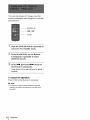
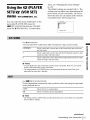
Tern
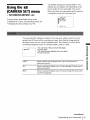
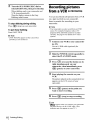
the SEL/PUSH
select
[OK], then press
EXEC
dial to
the dial.
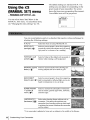
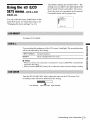
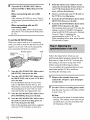
Tern
the SEL/PUSH
select [NORMAL]
EXEC
dial to
er [PREVIEW],
then press the dial.
The title lights up.
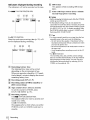
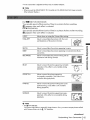
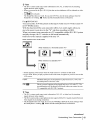
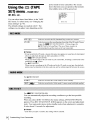
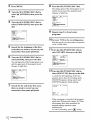
When you select [NORMAL]
You can record inlo the VCR normally•
When you select [PREVIEW]
You can make a time-lapse dubbing by
setting lhe VCR to automatically repeat 5
seconds' recording and 25 seconds'
standby.
O
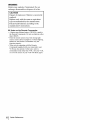
Notes
• You can pu_ a title only into the tape of the VCR.
• If you set the background color 1o [FADE], the
picture may nol appear properly, depending ol/the
conneded VCR.
[c]/
30 s
30 s
•
';_" Tips
• The title color changes as follows:
[WHITE[ _
[YELLOW] _
[VIOLET] _-+
[RED[ _+ [CYAN] _
]GREEN[ _-+ [BLUE]
• The title size changes as follows:
[SMALL[ _
[LARGE[
• The background
color chmlges as follows:
[FADE] _
]WHITE[ _
[YELLOW]
[VIOLET] _
[RED] _-+ [CYAN[ _
[GREEN[
[BLUE[ _
[BLACK l
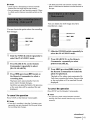
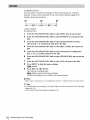
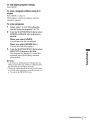
a. Recording time (VCR)
b. Waiting time (VCR)
c. Playback time (cm_acorder)
€
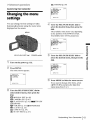
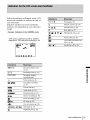
Make sure that your camcorder
connected,
recording
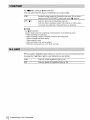
You can choose either normal recording
([NORMAL]) or interval recording
([PREVIEW]).
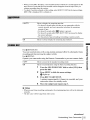
Tern
the SEL/PUSH
EXEC
select
dial.
[MODE
then press the
SELl,
Tern
and VCR are
and that the VCR is set to
pause.
the SEL/PUSH
select [START], then
EXEC
dial to
press
the dial.
dial te
-_continued
Dubbing/Editing 67