1
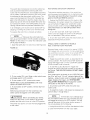
3. Correct the cause of the overload situation (i.e.
the removal of too much stock or use of too high a
feed rate).
4. Plug the switch box power cord into the electrical
outlet.
5. Restart the router as described in the section
ROUTER AND SWITCH BOX OPERATION on
Page t 9.
[,_WARNING]
For your own SAFETY and the
SAFETY OF OTHERS, do the following when the
router table is not in use:
1. Toggle the switch lever to the OFF position and
remove the key.
2. Turn the router OFF.
3. Unplug the switch box power cord from the electrical outlet.
4. Remove the router bit from the router.
5. Make sure the router collet assembly is below the
top of the router table.
6. Store the switch box key in a safe location where
it is not available to children or other unauthorized
persons.
['_WARNINGI
In the event of a power failure.
blown fuse, or router "stalling out while routing, push
the switch cover to toggle the switch to the OFF
position and remove the key from the switch box
until the source of the problem has been corrected.
In addition, UNPLUG the switch box from the electrical outlet.
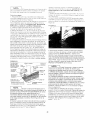
USING THE ROUTER TABLE
[,_WARNING
1 BEFORE each and every use,
make sure that the floor stand is STABLE on the
floor and DOES NOT rock back and forth. If it does.
level the floor stand as described in a prior section.
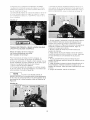
The adjustable fence on your table is provided as a
guide against which the workpiece should be held for
accuracy in routing. FREE HAND ROUTING (not
holding work against the fence) is HAZARDOUS and
should be STRICTLY AVOIDED without piloted
router bits.
2O