1
Selecting Day or Night Service
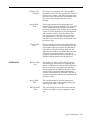
CMS provides two modes of call management: Day Service and Night
Service. During Day Service, one of your shift configurations is active and
CMS routes each call to an agent. During Night Service, CMS answers each
incoming call, connects it to the appropriate voice announcement unit, and
disconnects the call after the message is over. Depending upon the needs of
your business, you may choose to use a tape answering machine instead of
the Dacon voice announcement unit during Night Service so that callers can
leave a recorded message after hearing the announcement. For more
information, see "Caller Message Recording During Night Service", later in
this section.
You may want callers to hear a different message when Night Service is in
effect than when Day Service is in effect. If that is the case, record two
announcements, a Day Service and a Night Service announcement, on each
announcement unit.
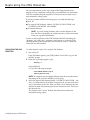
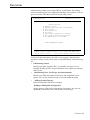
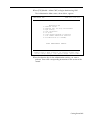
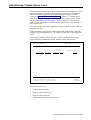
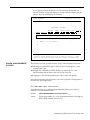
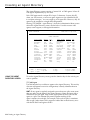
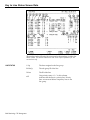
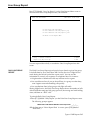
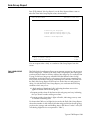
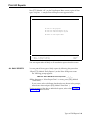
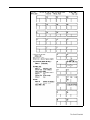
When you start call management, CMS is automatically in Day Service mode.
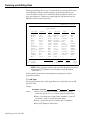
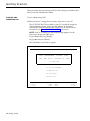
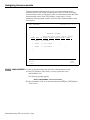
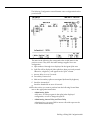
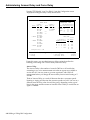
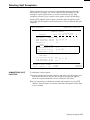
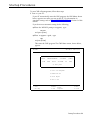
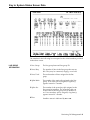
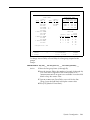
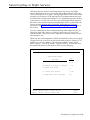
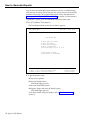
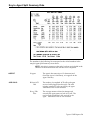
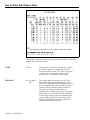
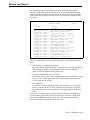
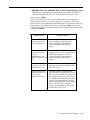
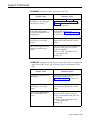
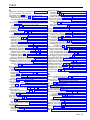
Change the mode of service from the System Status screen by pressing [F1]
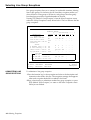
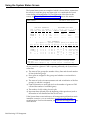
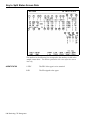
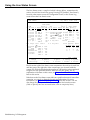
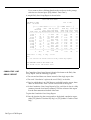
(labeled “Set Opt/Chg Mode”). The Set Options/Modes screen, shown
below, appears. Press [F5] (labeled “Chg Serv Mode”) , and continue with
the instructions below for the mode to which you are changing.
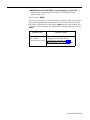
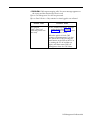
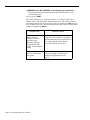
DAY CMS1.0 3:36p 04/18
SET OPTIONS/MODES
OPTION AND MODE SETTINGS
Value
Option/Mode
F1 Service Level Limit
20 sec
F2 Abandoned vs. Incoming Call Threshold
10 sec
F3 Audible Alarm (ON/OFF)
ON
F4
5 rings
Transfer Return Threshold
F5 Change Mode of Service (Day/Night)
F Service F Abandon F Alarm F Return F Chg Serv
1 Level 2 Thresh 3 On/Off 4 Thresh 5 Mode
DAY
F10 - Help
F System
8 Status
Selecting Day or Night Service 5-49