1
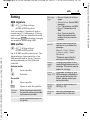
BA Cover CX65/CXT/CXV.QXD
05.03.2004
9:59 Uhr
Seite 1
s
s
mobile
mobile
Issued by
Information and Communication mobile
Haidenauplatz 1
D-81667 Munich
© Siemens AG 2004
All rights reserved. Subject to availability.
Rights of modification reserved.
Siemens Aktiengesellschaft
www.siemens-mobile.com
Designed for life
CX65
CXT65
CXV65
cyan magenta yellow black
L I E B R E I C H ,
Medienproduktion
left page (1) of CX 65 Ulysses FUG en, A31008-H7100-A1-1-7619 (04.03.2004, 14:15)
Table of Con- Safety precautions ..................... 3
tents
Siemens AG 2003, I:\Mobil\R65\CX65_Ulysses\en\_von_itl\fug\CX65IVZ.fm
Telephone list (schematic) ......... 5
Display symbols ......................... 7
Getting started ........................... 9
Inserting the SIM card/battery .... 9
Charging the battery .............. 10
Changing CLIPIt™ covers ........ 11
Switching phone on and off/
entering PIN ............................. 12
Enter PIN ............................... 12
Emergency number (SOS) ...... 12
See also Index at the end General instructions ................ 13
of this User
Standby mode ....................... 13
Guide
Signal strength ...................... 13
Digital Rights Mgmt. (DRM) .... 13
Main menu ............................ 13
Standard functions .................. 15
Highlighting mode ................. 16
Menu speed dialling ............... 16
Security .................................... 17
Codes .................................... 17
Preventing accidental
activation ............................... 18
Text entry ................................. 19
My phone ................................. 23
Calling ...................................... 24
Default book ............................ 30
Addressbook ............................ 31
New entry .............................. 31
Change entry ......................... 33
Dialling an entry .................... 33
Groups ................................... 34
1
Phonebook ............................... 35
New entry .............................. 35
Call (search for an entry) ........ 36
Change entry ......................... 36
<Special books> ..................... 37
Call records ............................... 38
Durat/charges ........................... 39
Camera ..................................... 40
Photo mode ........................... 40
Video mode ............................ 41
Inbox ........................................ 42
SMS ........................................... 43
Write/send .............................. 43
Read ....................................... 45
Setting ................................... 47
MMS ......................................... 49
Create ................................... 49
Templates .............................. 51
Sending an MMS .................... 52
Receiving an MMS .................. 53
Reading an MMS .................... 54
Setting ................................... 55
E-mail ........................................ 57
Write ...................................... 57
Receive/read ........................... 58
Setting ................................... 59
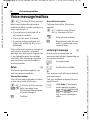
Voice message/mailbox ............ 60
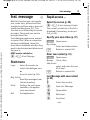
Inst. message ........................... 61
Start menu ............................. 61
Login ..................................... 62
Contact lists ........................... 62
Starting to Inst. Message ........ 65
Msg. history ........................... 66
Setting ................................... 66
See also Index at the end of this User Guide
VAR Language: English; VAR issue date: 18-Februar-2004
Table of Contents
left page (2) of CX 65 Ulysses FUG en, A31008-H7100-A1-1-7619 (04.03.2004, 14:15)
Table of Contents
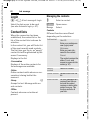
CB services ............................... 68
Surf & fun ................................. 69
Internet ................................ 69
Bookmarks ............................. 71
Games and Applications ......... 72
Downl. assis. .......................... 72
Setup ........................................ 74
Profiles .................................. 74
Themes .................................. 76
Display ................................... 77
Dynamic light ........................ 79
Ring tones ............................. 80
Call setup ............................... 82
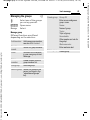
Phone setup ........................... 84
Clock ..................................... 86
Connectivity .......................... 87
Security ................................. 90
Network ................................ 92
Accessories ............................ 94
My menu .................................. 95
Fast access key ......................... 96
Organiser ................................. 98
Calendar ................................ 98
Appointments ........................ 99
Tasks ................................... 100
Notes ................................... 101
Missed appts. ....................... 101
Dictating mac ...................... 102
Time zones .......................... 103
Extras ...................................... 104
SIM services (optional) ......... 104
Alarm clock .......................... 104
Sound recorder ..................... 105
Calculator ............................. 106
Unit converter ...................... 106
Stopwatch ............................ 107
Countdown .......................... 108
Remote synchronisation ....... 108
Media player ........................... 110
My stuff .................................. 111
Mobile Phone Manager .......... 113
Questions & Answers ............. 115
Customer Care ........................ 118
Care and maintenance ........... 120
Product data ........................... 121
Accessories ............................. 122
Battery quality statement ...... 124
Guarantee certificate (UK) ..... 125
Guarantee certificate (IRL) ..... 126
Menu tree ............................... 127
SAR – European Union
(RTTE) ..................................... 133
SAR – International
(ICNIRP) .................................. 135
Index ....................................... 136
See also Index at the end of this User Guide
Siemens AG 2003, I:\Mobil\R65\CX65_Ulysses\en\_von_itl\fug\CX65IVZ.fm
VAR Language: English; VAR issue date: 18-Februar-2004
2
left page (3) of CX 65 Ulysses FUG en, A31008-H7100-A1-1-7619 (04.03.2004, 14:15)
3
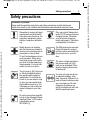
Safety precautions
Siemens AG 2003, I:\Mobil\R65\CX65_Ulysses\en\_von_itl\fug\CX65_SecurityInfo.fm
Information for parents
Please read the operating instructions and safety precautions carefully before use.
Explain the content to your children and the hazards associated with using the phone.
Remember to comply with legal
requirements and local restrictions when using the phone. For
example in aeroplanes, petrol
stations, hospitals or while driving.
Only use original Siemens batteries (100 % mercury-free) and
charging devices. Otherwise
you risk serious damage to
health and property. The battery
could explode, for instance.
Mobile phones can interfere
with the functioning of medical
devices such as hearing aids or
pacemakers. Keep at least
20 cm/9 inches between phone
and pacemaker. When using
the mobile phone hold it to the
ear which is further away from
the pacemaker. For more information consult your doctor.
The SIM card may be removed.
Caution! Explain the content
and the hazards asociated with
using the phone to your children.
The ring tone (p. 80), info tones
(p. 84) and handsfree talking
are reproduced through the
loudspeaker. Do not hold the
phone to your ear when it rings
or when you have switched on
the handsfree function (p. 26).
Otherwise you risk serious permanent damage to your hearing.
Do not use an optical magnifier
to look at the activated infrared
interface [Class 1 LED product
(classification as per
IEC 60825-1)].
The mains voltage specified on
the power supply unit (Volt)
must not be exceeded. Otherwise the charging device may
be destroyed.
You may only open the phone
to replace the battery, faceplate, keypad or SIM card. You
must not open the battery under
any circumstances. All other
changes to this device are
strictly prohibited and will invalidate the operating licence.
VAR Language: English; VAR issue date: 18-Februar-2004
Safety precautions
left page (4) of CX 65 Ulysses FUG en, A31008-H7100-A1-1-7619 (04.03.2004, 14:15)
Safety precautions
Important
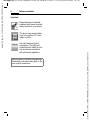
Please dispose of unwanted
batteries and phones as permitted by the laws in your country.
The phone may cause interference in the vicinity of TV sets,
radios and PCs.
Use only Siemens original
accessories. This will avoid
potential risks to health or property and ensure compliance
with all relevant regulations.
Improper use will invalidate the guarantee!
These safety instructions also apply to Siemens original accessories.
Siemens AG 2003, I:\Mobil\R65\CX65_Ulysses\en\_von_itl\fug\CX65_SecurityInfo.fm
VAR Language: English; VAR issue date: 18-Februar-2004
4
left page (5) of CX 65 Ulysses FUG en, A31008-H7100-A1-1-7619 (04.03.2004, 14:15)
5
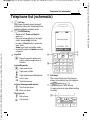
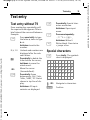
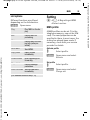
Telephone list (schematic)
1
Siemens AG 2003, I:\Mobil\R65\CX65_Ulysses\en\_von_itl\fug\CX65_Overview.fm
2
3
A Call key
Dial phone number/name displayed/
highlighted, take calls. Show last phone
numbers dialled in standby mode.
B On/Off/End key
• Switched off: Press and hold to
switch on.
• During a conversation or in an application: press briefly to finish.
• In menus: Press briefly to go back a
level. Hold
down to go back to standby mode.
• In standby mode: hold down to switch
off phone.
Joystick
Z
£
X
Service provider
01.05.2004 10:10
NewMMS Menu
the joystick down vertiC Press
cally to start an application or
function.
In standby mode:
C Open main menu.
G Open user profiles.
H Open phonebook/addressbook.
E Inbox open
D Start the camera.
In lists, messages and menus:
I
D
Scroll up and down.
Back one level.
During a call:
I
E
Set volume.
Call options.
4 Soft keys
5
The current functions of this key are
shown in the bottom line of the display
as §Text§/symbol (e.g. p).
Additional key for WAP access
(if required, and no other default setting
is made).
VAR Language: English; VAR issue date: 18-Februar-2004
Telephone list (schematic)
left page (6) of CX 65 Ulysses FUG en, A31008-H7100-A1-1-7619 (04.03.2004, 14:15)
Telephone list (schematic)
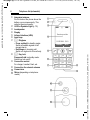
1 Integrated antenna
2
3
4
5
6
7
8
9
:
11
12
Do not obstruct the phone above the
battery cover unnecessarily. This
reduces the signal quality.
LED for Dynamic Light (p. 79)
Loudspeaker
Display
Infrared interface (IrDA)
Input keys
* Ringtone
• Press and hold in standby mode:
Switch all audible signals on/off
(except alarm).
• Hold down on incoming call:
Switch off ringtone for this call only.
# Key lock
Press and hold in standby mode:
Switch key lock on/off.
Connection socket
For charger, headset, flash, etc.
Connection for external antenna
Camera lens
Mirror (depending on telephone
model)
Z
£
X
Service provider
01.05.2004 10:10
NewMMS Menu
Siemens AG 2003, I:\Mobil\R65\CX65_Ulysses\en\_von_itl\fug\CX65_Overview.fm
VAR Language: English; VAR issue date: 18-Februar-2004
6
left page (7) of CX 65 Ulysses FUG en, A31008-H7100-A1-1-7619 (04.03.2004, 14:15)
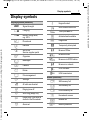
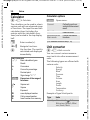
Display symbols
Display symbols (selection)
Siemens AG 2003, I:\Mobil\R65\CX65_Ulysses\en\_von_itl\fug\CX65_Displaysymbols.fm
Z
Y
W
L
P
O
Q
M
R
S
N
T
Ç
¿
¾
¼
¹
Signal strength
Charging
Battery charge level,
e.g. 50 %
Phonebook
Records
Surf & fun
Service supplier portal
Organiser
Messages
Camera
Extras
File management
Settings
All calls are diverted
Ringing tone off
Short ring (beep) only
Ringer only if the caller is
stored in the Phonebook.
Alarm set
Ä
Å
T9Abc
£
¢
¤
±
²
³
´
¯
®
Keypad locked
Auto answer feature on
Text input with T9
Activated and available
Registered
Temporarily interrupted
Browser Offline
Browser online
Browser via GPRS online
Browser no network
IrDA activated
IrDA transmission
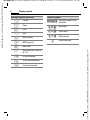
Events (selection)
ã
ä
å
Æ
Â
Ê
SIM memory full
SIM memory full
Phone memory full
No network access
Missed call
Memory assistant
7
VAR Language: English; VAR issue date: 18-Februar-2004
Display symbols
left page (8) of CX 65 Ulysses FUG en, A31008-H7100-A1-1-7619 (04.03.2004, 14:15)
Display symbols
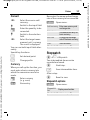
Message symbols (selection)
p
q
r
s
t
w
x
y
z
{
À
Unread
Camera symbols
Ø
Read
Draft
Sent
MMS not sent
MMS received
Ù
Ú
Û
×
Switches between photo
and video
Brightness
Zoom factor
White balance
Flash connected
MMS read
MMS with DRM contents
(p. 13)
E-mail forwarded
E-mail with attachment
Voice mail received
Siemens AG 2003, I:\Mobil\R65\CX65_Ulysses\en\_von_itl\fug\CX65_Displaysymbols.fm
VAR Language: English; VAR issue date: 18-Februar-2004
8
left page (9) of CX 65 Ulysses FUG en, A31008-H7100-A1-1-7619 (04.03.2004, 14:15)
9
Getting started
3
Inserting the SIM card/
battery
The service provider supplies you
with a SIM card on which all the
important data for your line is
stored. If the SIM card has been
delivered in credit-card size, snap the
smaller segment out and remove
any rough edges.
Siemens AG 2003, I:\Mobil\R65\CX65_Ulysses\en\_von_itl\fug\CX65_Startup.fm
Press the grooved area 1, then push
cover towards the front in the direction indicated by the arrow 2.
1
2
• Place the SIM card in front of the
slot with the contact surface facing downwards. Then press the SIM
card slightly to push it in 3
(ensure that the chamfered corner
is in the correct position).
• Insert the battery sideways into
the phone 4, then press it downwards 5 until it engages.
5
4
• To remove, press the retaining tab
on the side of the battery, then lift
the battery out.
• Place the cover in position and
push it towards the front 6 until
it latches into place.
6
VAR Language: English; VAR issue date: 18-Februar-2004
Getting started
left page (10) of CX 65 Ulysses FUG en, A31008-H7100-A1-1-7619 (04.03.2004, 14:15)
Getting started
Additional information
Please switch off your phone before
removing the battery!
Only 3 V SIM cards are supported. Please
contact your service provider if you have an
older card.
Operating time
Charging the battery
Call time: 100 to 330 minutes
Stand-by time: 60 to 300 hours.
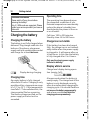
Charging the battery
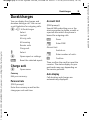
The battery is not fully charged when
delivered. Plug charger cable into the
bottom of the phone, plug power
supply unit into a mains power socket
and charge for at least two hours.
The operating time depends upon
the respective conditions of use.
Extreme temperatures considerably
reduce the phone’s standby time.
Avoid placing the phone in the sun
or on a heater.
Charge icon not visible
If the battery has been discharged
fully, the charge icon is not immediately visible when the power supply
is plugged in. It will appear after up
to two hours. In this case the battery
is fully charged after 3 to 4 hours.
Only use the plug-in power supply
included in delivery!
Display while in service
Y
Display during charging.
Charging time
An empty battery is fully charged
after about 2 hours. Charging is only
possible within a temperature range
of +5 °C to 45 °C. If the temperature
rises/falls 5 °C above/below this, the
charge symbol flashes a warning.
The mains voltage specified on the
power supply unit must not be
exceeded.
Charge level display during operation (empty–full):
VWX
A beep sounds when the battery is
nearly empty. The charge level of the
battery is only displayed correctly
after an uninterrupted charging/discharging cycle. You should therefore
not remove the battery unnecessarily
and where possible not finish the
charging process prematurely.
Siemens AG 2003, I:\Mobil\R65\CX65_Ulysses\en\_von_itl\fug\CX65_Startup.fm
VAR Language: English; VAR issue date: 18-Februar-2004
10
left page (11) of CX 65 Ulysses FUG en, A31008-H7100-A1-1-7619 (04.03.2004, 14:15)
Additional information
The power supply unit heats up when used
for long periods. This is normal and not
dangerous.
If the battery is removed for longer than
30 seconds, the clock must be reset.
Changing CLIPIt™
covers
11
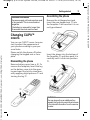
Assembling the phone
Remove the old keypad mat and
insert the new keypad mat 3 into
the faceplate. Take care that it is correctly positioned.
3
Siemens AG 2003, I:\Mobil\R65\CX65_Ulysses\en\_von_itl\fug\CX65_Startup.fm
You can use CLIPIt™ covers (accessories) to adjust the appearance of
your phone according to your personal taste.
Please switch the phone off before
changing the keypad mat or faceplate.
Dismantling the phone
Remove battery cover (see p. 9). To
remove the faceplate, insert the lug
on the battery cover into the opening and open the lock by simultaneously applying slight pressure 1 and
turning the lug 2.
2
Insert the phone into the bottom of
the faceplate 4 and then push it in
carefully until it clicks into position
5.
5
4
1
CLIPit™ Covers
The new keypad has an additional key
beneath the joystick to permit direct access
to the Internet information from the service
provider.
VAR Language: English; VAR issue date: 18-Februar-2004
Getting started
left page (12) of CX 65 Ulysses FUG en, A31008-H7100-A1-1-7619 (04.03.2004, 14:15)
Switching phone on and off/entering PIN
Switching phone on and off/entering PIN
Switching phone on and
off
B
Hold down the On/Off/End
key.
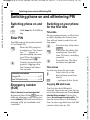
Enter PIN
The SIM card can be protected with
a 4 to 8-digit PIN.
J
C
Switching on your phone
for the first time
Time/date
During commissioning, set the clock
so that it displays the correct time.
You will not have to make this setting again.
Enter the PIN using the
number keys. The characters **** appear to
ensure nobody can read
your PIN on the display.
Correction with ].
C
Confirm by pressing the
joystick. Logging on to
the network will take a
few seconds.
C
Additional information
Change PIN.......................................p. 17
Clear SIM card barring ......................p. 18
Emergency number
(SOS)
Only to be used in real emergencies!
By pressing the soft key §SOS§ you can
make an emergency call on any network without a SIM card and without
entering a PIN (not available in all
countries).
J
Press this key, then select
§Change§.
First enter the date (day/
month/year), then the
time (24 hours, including
seconds).
Press this key. The time
and date are updated.
Time zones
Set the time zone for your area.
Select the city in the
desired time zone from
the list ...
§Set§
... and specify this firmly.
I
Copying SIM addresses
The first time the SIM card is
inserted, the entries on it can be copied to the Addressbook. Please do not
interrupt this procedure. During this
time, do not accept incoming calls. Follow the instructions in the display.
You can also copy data from the SIM
card at a later time (p. 36).
Siemens AG 2003, I:\Mobil\R65\CX65_Ulysses\en\_von_itl\fug\CX65_Startup.fm
VAR Language: English; VAR issue date: 18-Februar-2004
12
left page (13) of CX 65 Ulysses FUG en, A31008-H7100-A1-1-7619 (04.03.2004, 14:15)
13
General instructions
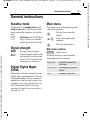
Standby mode
Main menu
The phone is in standby mode and is
ready for use when the name of the
service provider appears on the display.
The main menu is displayed graphically with symbols:
B
Hold down the On/Off/End
key to return to standby
mode from any situation.
Siemens AG 2003, I:\Mobil\R65\CX65_Ulysses\en\_von_itl\fug\CX65_Startup.fm
Signal strength
Z
[
Strong receive signal.
A weak signal reduces the
call quality and may lead
to loss of the connection.
Change your location.
Digital Rights Mgmt.
(DRM)
Remember that you telephone has
digital rights management. The use
of downloaded pictures, sounds or
appliations can be restricted by the
suppliers, e.g. copy protection, use
for a limited period of time only,
number of times it can be used etc.
(see also p. 73).
C
FI
C
Call up from standby
mode.
Select the application
symbols.
Start an application.
Main menu options
§Options§
Open menu.
Different functions are available
depending on the context:
Big letters
Selection between two
font sizes.
Illumination
Set display light brighter/
darker.
Help
Display of a help text.
VAR Language: English; VAR issue date: 18-Februar-2004
General instructions
left page (14) of CX 65 Ulysses FUG en, A31008-H7100-A1-1-7619 (04.03.2004, 14:15)
General instructions
User guide
Symbols
Menu controls
The following symbols are used to
explain operation:
The steps needed to reach a function
are shown in a condensed form in the
user guide, e. g. to display call list for
missed calls in condensed form:
C ¢P¢Calls missed
This comprises the following steps:
C
¢
C
Open the main menu.
Select P, then function
Calls missed.
J
B
A
<>
Enter numbers or letters.
On/Off/End key.
Call key
Soft keys
§Menu§
Displays a soft-key function.
C
Press the joystick vertically,
e.g., to call up the menu.
Confirm.
DFE
H I G
=
Press the joystick in the
direction indicated.
Function dependent on
service provider, may
require special registration.
Siemens AG 2003, I:\Mobil\R65\CX65_Ulysses\en\_von_itl\fug\CX65_Startup.fm
VAR Language: English; VAR issue date: 18-Februar-2004
14
left page (15) of CX 65 Ulysses FUG en, A31008-H7100-A1-1-7619 (04.03.2004, 14:15)
Standard functions
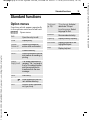
Option menus
Functions which appear repeatedly
in the options menu are listed here.
Siemens AG 2003, I:\Mobil\R65\CX65_Ulysses\en\_von_itl\fug\CX65_Startup.fm
§Options§
Open menu.
Edit
Open the entry to edit.
View
Display entry.
Delete/
Delete all
Delete entry/delete all
entries after confirmation.
New entry
Create new entry.
Send...
Select transmission service
and medium for sending or
printing.
Reply/
Reply to all
The sender becomes the
recipient, "Re." is placed in
front of the subject matter
and the received text is
transferred into the new
message.
Save
Store entry.
Save to 9
Save recipients in the current address directory.
Sort
Set sort criteria (alphabetical, type, time).
Text input
(p. 19)
T9 preferred: Activate/
deactivate T9 input.
Input language: Select
language for text.
Rename
Rename selected entry.
Capacity
Display memory capacity.
Attributes
Display properties of the
highlighted object.
Help
Display help text.
15
VAR Language: English; VAR issue date: 18-Februar-2004
Standard functions
left page (16) of CX 65 Ulysses FUG en, A31008-H7100-A1-1-7619 (04.03.2004, 14:15)
Standard functions
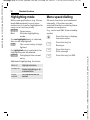
Highlighting mode
Menu speed dialling
With some applications (e.g. Phonebook/Addressbook) one or more
entries in a list can be highlighted to
carry out a function jointly.
All menu functions are numbered
internally. A function may be
selected directly by entering these
numbers in sequence.
§Options§
E.g., write new SMS (from standby
mode):
Mark
Open menu.
Activate highlighting
mode.
If a non-highlighted entry is selected,
this can be highlighted:
§Mark§
The current entry is highlighted.
If a highlighted entry is selected, the
highlighting can be deleted:
§Unmark§
Dehighlight the current
entry.
Additional highlighting functions:
Mark all
Highlight all entries.
Unmark all
Delete highlighting on all
marked entries.
Delete
marked
All selected entries are
deleted.
C
Press this key to display
the main menu.
5
Press this key for
Messages.
1
1
Press this key to
Write message.
Press this key for SMS.
Siemens AG 2003, I:\Mobil\R65\CX65_Ulysses\en\_von_itl\fug\CX65_Startup.fm
VAR Language: English; VAR issue date: 18-Februar-2004
16
left page (17) of CX 65 Ulysses FUG en, A31008-H7100-A1-1-7619 (04.03.2004, 14:15)
17
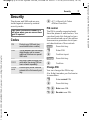
Security
The phone and SIM card are protected against misuse by several
security codes.
Keep these confidential numbers in a
safe place where you can access them
again if required.
Siemens AG 2003, I:\Mobil\R65\CX65_Ulysses\en\_von_itl\fug\CX65_Startup.fm
Codes
PIN
Protects your SIM card (personal identification number).
PIN2
This is needed to set the charge
detail display and to access
additional functions on special
SIM cards.
PUK
PUK2
Key code. Used to unlock SIM
cards after the wrong PIN has
been entered repeatedly.
Phone
code
Protects your phone. Must be
entered at the first security setting.
C ¢T¢Security¢Codes
¢Select function.
PIN control
The PIN is usually requested each
time the phone is switched on. You
can deactivate this feature but you
risk unauthorised use of the phone.
Some service providers do not permit deactivation of the controls.
§Select§
Press this key.
J
Enter PIN.
C
Confirm input.
§Change§
Press this key.
C
Confirm.
Change PIN
You can change the PIN to any
4 to 8-digit number you find easier
to remember.
J
C
J, C
J, C
Enter current PIN.
Press this key.
Enter new PIN.
Re-enter new PIN.
VAR Language: English; VAR issue date: 18-Februar-2004
Security
left page (18) of CX 65 Ulysses FUG en, A31008-H7100-A1-1-7619 (04.03.2004, 14:15)
Security
C ¢T¢Security¢Codes
¢Select function.
Change PIN2
(Display only if PIN 2 is available).
Proceed as with Change PIN.
Chg.phonecode
(Change phone code)
You define the phone code (4–8 digits) when you call up a phone-code
protected function for the first time
(e.g. Direct call, p. 28). It is then valid
for all phone-code protected functions.
Following the third unsuccessful
attempt, access to the phone code
and the functions that use it is
denied. Contact the Siemens Service
(p. 118).
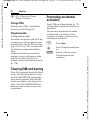
Clearing SIM card barring
If the PIN is entered incorrectly three
times, the SIM card is barred. Enter
the PUK (MASTER PIN) provided by
your service provider with the SIM
card in accordance with the instructions. If the PUK (MASTER PIN) has
been lost, please contact your service provider.
Preventing accidental
activation
Even if PIN use is deactivated (p. 17)
confirmation is required to switch on
the phone.
This prevents accidental activation
of the phone, e.g. when you are
carrying it in a bag or when you are
travelling in an aircraft.
B
C
§Cancel§
Press down.
Press. The phone switches
on.
Press or take no action.
The phone does not
switch on.
Siemens AG 2003, I:\Mobil\R65\CX65_Ulysses\en\_von_itl\fug\CX65_Startup.fm
VAR Language: English; VAR issue date: 18-Februar-2004
18
left page (19) of CX 65 Ulysses FUG en, A31008-H7100-A1-1-7619 (04.03.2004, 14:15)
19
Text entry
Text entry without T9
Press number key repeatedly until
the required letter appears. After a
brief interval the cursor will advance.
Example:
2
Siemens AG 2003, I:\Mobil\R65\CX65_Ulysses\en\_von_itl\fug\CX65_Text.fm
Ä, ä, 1–9
]
F
#
Press briefly: Special characters are shown.
*
Hold down: Open input
menu.
Press once/repeatedly:
Press once briefly to type
the letter a, twice to type
b etc.
0
Hold down to write the
number.
1
Umlauts and numbers are
displayed after the relevant letters.
Special characters
Press briefly to delete the
letter before the cursor,
hold down to erase the
whole word.
Move the cursor
(forwards/back).
Press briefly: Swap
between abc, Abc, T9abc,
T9Abc, T9ABC, 123. Status
shown in top line of display.
Hold down: All inputvariants are displayed.
.,?!’"0+-()@/:_
Hold down: Writes 0.
Writes blank. Press twice
= jumps a line.
Press briefly. The symbols
chart is displayed
*
1)
¿
¡
_
;
!
?
,
.
+
-
"
’
:
(
)
/
*
¤ ¥ $ £ € & #
[
]
{
\ @
} % ~ < = >
| ^ § Γ ∆ Θ Λ Ξ Π
Σ Φ Ψ Ω
1) Line break
I, F
Navigate to characters.
§Select§
Confirm.
VAR Language: English; VAR issue date: 18-Februar-2004
Text entry
left page (20) of CX 65 Ulysses FUG en, A31008-H7100-A1-1-7619 (04.03.2004, 14:15)
Text entry
Input menu
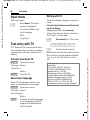
Writing with T9
With text input:
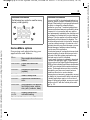
Since the display changes as you proceed,
*
Press down: The input
menu is displayed:
Text format (SMS only)
Input language
Mark
Copy/Insert
Text entry with T9
"T9" deduces the correct word from
the individual key entries by making
comparisons with an extensive dictionary.
Activate, deactivate T9
§Options§
Open text menu.
Text input Select.
T9 preferred
Select.
§Change§
Activate T9.
Select input language
Select the language in which you
want to compose your message.
§Options§
Open text menu.
Text input Select.
Input language
Select.
§Select§
Confirm, the new language
is set. Languages with T9
support are marked with
the T9 symbol.
it is best if you finish a word without looking at the display.
Simply press the keys once only
where the relevant letter is located.
For "hotel", for example:
# Press briefly for Abc then
46835
1 A blank ends a word.
T9
Do not use special characters such as
Ä but rather use the standard characters, e.g. A; T9 will do the rest for
you.
T9® Text Input is licensed under one or more of
the following:
U.S. Pat. Nos. 5,818,437, 5,953,541,
5,187,480, 5,945 928 and 6,011,554;
Canadian Pat. No. 1,331,057;
United Kingdom Pat. No. 2238414B;
Hong Kong Standard Pat. No. HK0940329;
Republic of Singapore Pat. No. 51383;
Euro.Pat. No. 0 842 463 (96927260.8)
DE/DK, FI, FR, IT, NL, PT, ES, SE, GB;
and additional patents are pending worldwide.
Siemens AG 2003, I:\Mobil\R65\CX65_Ulysses\en\_von_itl\fug\CX65_Text.fm
VAR Language: English; VAR issue date: 18-Februar-2004
20
left page (21) of CX 65 Ulysses FUG en, A31008-H7100-A1-1-7619 (04.03.2004, 14:15)
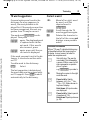
T9 word suggestions
If several options are found in the
dictionary for a key sequence (a
word), the most probable is displayed first. If the word you want has
not been recognised, the next suggestion from T9 may be correct.
The word must §highlighted§ be displayed. Then press
^
Siemens AG 2003, I:\Mobil\R65\CX65_Ulysses\en\_von_itl\fug\CX65_Text.fm
^
again. The displayed word
is replaced with a different word. If this word is
also incorrect, press
again. press until the correct word is displayed.
If the word you want is not in the dictionary, it can also be written without T9.
To add a word to the dictionary:
§Spell§
Select.
The last suggestion is deleted and
the word may now be entered without T9 support. Press §Save§ to add it
automatically to the dictionary.
21
Correct a word
F
^
]
Move left or right, word
by word, until the
required word is
§highlighted§.
Scroll through the T9
word suggestions again.
Deletes the character to
the left of the cursor and
displays a new possible
word!
Additional information
Within a "T9-word", individual letters may
not be edited without first removing the
T9-status. In most cases it is better to
rewrite the complete word.
Set a full stop. The word is
concluded if it is followed by
a space. Within a word, a full
stop represents an apostrophe or hyphen:
e.g. §provider.s§ = provider’s.
0
E
#
*
Moving the cursor to the right
ends the word.
Press briefly: Switch
between: abc, Abc, T9abc,
T9Abc, 123. Status shown in
top line of display.
Hold down: All input modes
are displayed.
Press briefly: Select special
characters (p. 19).
Hold down: Open input menu
(p. 20).
VAR Language: English; VAR issue date: 18-Februar-2004
Text entry
left page (22) of CX 65 Ulysses FUG en, A31008-H7100-A1-1-7619 (04.03.2004, 14:15)
Text entry
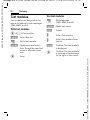
Text modules
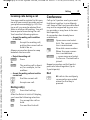
Use text modules
Text modules can be stored in the
phone for adding to your messages
(SMS, MMS, e-mail).
J
Write message
(SMS, MMS, e-mail).
§Options§
Open text menu.
§Insert§
Select.
Write text modules
¢M¢Text modules
C
§Options§
Select New text.
J
Write text module.
§Options§
C
Open menu and select
Save. Accept the specified
name or allocate a new
one.
Save.
I
I
§Select§
C
Select Text modules.
Select text module from
the list.
Confirm. The text module
is displayed.
Confirm. The text module
is inserted in the message
to the right of the cursor.
Siemens AG 2003, I:\Mobil\R65\CX65_Ulysses\en\_von_itl\fug\CX65_Text.fm
VAR Language: English; VAR issue date: 18-Februar-2004
22
left page (23) of CX 65 Ulysses FUG en, A31008-H7100-A1-1-7619 (04.03.2004, 14:15)
23
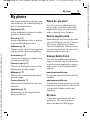
My phone
Adjust your phone according to your
own wishes in the following ways to
give it a personal touch:
Ringtones (p. 80)
Assign individual ringtones to caller
groups or special dates
Pictures (p. 111)
Assign individual pictures or photos
to your Addressbook entries.
Siemens AG 2003, I:\Mobil\R65\CX65_Ulysses\en\_von_itl\fug\CX65_MyPhone.fm
Animations (p. 78)
Choose a start-up and closing animation as well as a personal greeting.
Screensaver (p. 77)
Choose an analogue or digital clock,
or a personal picture.
Where do I get what?
You can purchase additional ringtones, logos, animations and Java
applications from your service provider or directly from Siemens.
Service supplier portal
Depending on your service provider,
you will find direct access to his portal on your telephone via menu
items or bookmarks. Please contact
your service provider for more information on these services.
Siemens Mobile Portal
(Operator) Logo (p. 77)
Choose an individual picture (to be
displayed in standby mode)
You will find additional ringtones,
logos, animations and screensavers
as well as more application, games
and services in the Internet at this
address:
Wallpaper (p. 77)
Choose your own permanent background image.
www.siemens-mobile.com
Or you can download them directly
via WAP:
Colour scheme (p. 77)
Select a colour scheme for the user
interface.
wap.siemens-mobile.com
You will also find a service for saving
data here as well as a list of the countries in which these services are
available.
Applications (p. 72)
Download your own applications
from the Internet.
My menu
Create your own menu with frequently (p. 95) used functions,
phone numbers or WAP pages.
VAR Language: English; VAR issue date: 18-Februar-2004
My phone
left page (24) of CX 65 Ulysses FUG en, A31008-H7100-A1-1-7619 (04.03.2004, 14:15)
Calling
Calling
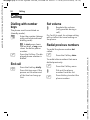
Dialling with number
keys
The phone must be switched on
(standby mode).
J
Enter the number (always
with prefix/international
dialling code).
] A short press clears
the last digit, a long press
clears the entire phone
number.
A
Press the Call key. The displayed phone number is
dialled.
End call
B
Press the End key briefly.
Press this key even if the
person on the other end
of the line has hung up
first.
Set volume
I
Regulate the volume
(only possible during a
call).
If a Car Kit is used, its volume setting
will not affect the usual setting on
the phone.
Redial previous numbers
To redial the phone number last
called:
A
Press the Call key twice.
To redial other numbers that were
dialled previously:
A
I
A
Press the Call key once.
Pick out the phone
number from the list.
Press this key to select the
phone number.
Siemens AG 2003, I:\Mobil\R65\CX65_Ulysses\en\_von_itl\fug\CX65_Phone.fm
VAR Language: English; VAR issue date: 18-Februar-2004
24
left page (25) of CX 65 Ulysses FUG en, A31008-H7100-A1-1-7619 (04.03.2004, 14:15)
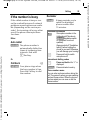
If the number is busy
Reminder
If the called number is busy or cannot be reached because of network
problems several options are available (depending on the service provider). An incoming call or any other
use of the phone interrupts these
functions.
§Prompt§
Either
Auto redial
Siemens AG 2003, I:\Mobil\R65\CX65_Ulysses\en\_von_itl\fug\CX65_Phone.fm
§Auto dial§ The phone number is
automatically dialled ten
times at increasing time
intervals. End with:
B End key.
A beep reminds you to
redial the displayed
phone number after
15 minutes.
Additional information
Store phone number in the
Ð
Addressbook/Phonebook.
§Handsfr.§Handsfree switch
on (playback from loudspeaker).
Always switch off "handsfree
talking" before holding the
phone to your ear! Otherwise,
you will damage your hearing!
Press and hold to switch
microphone off.
*
Or
Call back
25
b
§Call back§ Your phone rings when
the busy number is free.
Press the Call key to dial
the number.
International dialling codes
Press and hold until a "+" is
displayed.
§Country§ Press and select country.
0
Phone number memo
You can enter a phone number during the
call. The person to whom you are speaking
can hear these entries. When the connection has ended you can save or dial the
phone number.
VAR Language: English; VAR issue date: 18-Februar-2004
Calling
left page (26) of CX 65 Ulysses FUG en, A31008-H7100-A1-1-7619 (04.03.2004, 14:15)
Calling
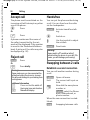
Accept call
Handsfree
The phone must be switched on. An
incoming call will interrupt any other
use of the phone.
You can put the phone aside during
a call. You can then hear the caller
via the loudspeaker.
C
Press.
Or
A
Press.
A phone number and the name of
the caller transmitted by the network will be displayed if the number
is saved in the Phonebook/Addressbook. A picture of the caller may also
be displayed (p. 32).
Reject call
§Reject§
Or
B
Press.
Press briefly.
Warning!
Please make sure you have accepted the
call before holding the phone to your ear.
This will avoid damage to your hearing from
loud ringtones.
Additional information
Press and hold to switch off
the ringing tone and vibration.
Missed call display.
*
Â
§Handsfr.§ Activate handsfree talking.
C
I
Switch on.
Use the joystick to adjust
the volume.
§Handsfr.§ Deactivate.
Warning!
Always switch off "handsfree talking"
before holding the phone to your ear! Otherwise, you will damage your hearing!
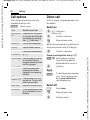
Swapping between 2 calls
Establish a second connection
You can call another number during
a call.
§Options§
Open call menu.
Hold
The current call is put on
hold.
J
Now dial the new phone
number or
§Options§, select the Phonebook, Addressbook, or
phone number.
When the new connection is established:
§Swap§
Swapping between calls.
Siemens AG 2003, I:\Mobil\R65\CX65_Ulysses\en\_von_itl\fug\CX65_Phone.fm
VAR Language: English; VAR issue date: 18-Februar-2004
26
left page (27) of CX 65 Ulysses FUG en, A31008-H7100-A1-1-7619 (04.03.2004, 14:15)
Incoming calls during a call
Conference
You may need to register for this service with your service provider and set
your phone accordingly (p. 82). During a call, you may be advised that
there is another call waiting. You will
hear a special tone during the call.
You have the following options:
Call up to 5 parties one by one and
link them together in a multiparty
call. Some of the functions described
may not be supported by your service provider or may have to be enabled specially.
• Accept the waiting call in addition
to the first
§Swap§
Siemens AG 2003, I:\Mobil\R65\CX65_Ulysses\en\_von_itl\fug\CX65_Phone.fm
27
Accept the waiting call,
putting the current call on
hold to do so.
A connection has already been
established:
§Options§
Always proceed as above to swap
between the two calls.
J
• Reject the waiting call
§Options§
§Reject§
Or
§Divert§
Press.
The waiting call is diverted, for example, to the
mailbox.
• Accept the waiting call and end the
current call
B
C
End the current call.
Accept new call.
Ending call(s)
B
Press the End key.
After the Return to held call? display,
you have the following selection:
§Yes§
You accept the call on
hold.
§No§
You end the 2nd call.
Open menu and select
Hold. The current connection is maintained.
Now dial a new number.
When the new connection is established ...
… open menu and select
Conference. The held call is
joined.
Repeat procedure until all participants are linked together (up to
5 participants).
End
B
All calls in the multiparty
conversation are ended
when the End key is
pressed.
VAR Language: English; VAR issue date: 18-Februar-2004
Calling
left page (28) of CX 65 Ulysses FUG en, A31008-H7100-A1-1-7619 (04.03.2004, 14:15)
Calling
Call options
Direct call
The following functions are only
available during a call:
If this is active, only one number can
be dialled.
§Options§
Open menu.
Hold
Maintain current call.
Microphone
on
If switched off, the person
on the other end of the line
cannot hear you (muting).
Also: * Hold down
Handsfree
Call via the loudspeaker.
Volume
Adjust handset volume.
Default book Phonebook/Addressbook.
Conference
(p. 27)
Switch on
¢T¢Security
¢Direct call
C
C
Confirm selection.
J
Enter phone code.
When first prompted you define and
enter the phone code (4–8 digits).
C
Confirm selection.
Please do not forget this code (p. 17)!
Time/charge Display duration of call up
to now and (if set) the
charges incurred while the
call is in progress.
Ï/ J Select phone number
Send DTMF
C
Enter tone sequences
(numbers) for remote
inquiries to an answering
machine.
from the Phonebook/
Addressbook or enter it.
Confirm.
Apply
§Carola§
To dial the phone number
(e.g. Carol’s phone number), press and hold the
right display key.
Call
transfer=
Connect current call to a
second call. For you, both
calls are now ended.
Main menu
Access to the main menu.
Switch off
Call status
List all held and active calls
(e.g. participants in a conference).
#
Press down:
J
Enter phone code.
C
Confirm input.
Siemens AG 2003, I:\Mobil\R65\CX65_Ulysses\en\_von_itl\fug\CX65_Phone.fm
VAR Language: English; VAR issue date: 18-Februar-2004
28
left page (29) of CX 65 Ulysses FUG en, A31008-H7100-A1-1-7619 (04.03.2004, 14:15)
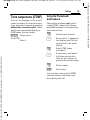
Tone sequences (DTMF)
You can, for example, enter control
codes (numbers) for remote access
to an automatic answering machine
while another connection exists. These
entries are transmitted directly as
DTMFcodes (control codes).
§Options§
Send DTMF
Using the Phonebook/
Addressbook
Store phone numbers and control
codes (DTMF codes) in the Phonebook/Addressbook in the same way
as a normal entry.
Open menu.
J
Select.
0
J
0
Siemens AG 2003, I:\Mobil\R65\CX65_Ulysses\en\_von_itl\fug\CX65_Phone.fm
29
Enter phone number.
Press until a "+" appears in
the display (wait for the
connection to be established).
Enter DTMF codes
(numbers).
If necessary, wait again
for three seconds at a
time for the receiver to
process the entries safely.
J
Enter a name.
§Save§
Store entry.
You may also store just the DTMF
codes (numbers) and then send
them during the call.
VAR Language: English; VAR issue date: 18-Februar-2004
Calling
left page (30) of CX 65 Ulysses FUG en, A31008-H7100-A1-1-7619 (04.03.2004, 14:15)
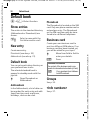
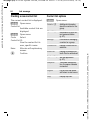
Default book
Default book
C ¢L¢Select function.
Show entries
The entries in the standard directory
(Addressbook or Phonebook) are
shown.
J/
I
Select a name with the
first letter and/or scroll.
New entry
Create new entry.
Phonebook (see also p. 35)
Addressbook (see also p. 31)
Default book
You can set a particulary directory as
your preferred one to use.
The selected standard book is
opened in standby mode with the
joystick.
H
Open Phonebook or
Addressbook
Addressbook
In the Addressbook, a lot of data can
be recorded for each entry and additional functions such as pictures,
birthdays, chat can be used.
Phonebook
The Phonebook is located on the SIM
card. Only one phone number can be
entered per entry. The Phonebook
on the SIM card can easily be transferred into a different telephone.
Business card
Create your own business card to
sent to a different GSM-phone. If no
business card has been created yet,
you will be asked for your input.
H
Move from field to field to
enter your details.
§Save§
Press.
Additional information
The content of the business card corresponds to international standards (vCard).
Copy numbers from AddressÏ
book/Phonebook.
Groups
See p. 34.
<Info numbers>
See p. 37.
Siemens AG 2003, I:\Mobil\R65\CX65_Ulysses\en\_von_itl\fug\CX65_Pref_Book.fm
VAR Language: English; VAR issue date: 18-Februar-2004
30
left page (31) of CX 65 Ulysses FUG en, A31008-H7100-A1-1-7619 (04.03.2004, 14:15)
31
Addressbook
The Addressbook can store up to
1000 entries, each with a variety of
telephone and fax numbers as well as
additional address details. These
entries are managed separately from
those in the Phonebook in the phone
memory. However, you can exchange
data between the Addressbook and
the Phonebook on the SIM card.
Possible input fields
Fax:
Birthday: >>
New entry
Fax 2:
Picture:
Siemens AG 2003, I:\Mobil\R65\CX65_Ulysses\en\_von_itl\fug\CX65_Adressbook.fm
The address book is set as standard:
H
C
I
J
Open Addressbook
(in standby mode)
Display input fields.
Select requiredinput
fields.
Fill in input fields. The
maximum number of
characters available is
shown at the top of the
display.
At least one name must
be entered. Always enter
phone number with prefix.
Last name:
URL:
First name:
Inst. message >>
Phone number:
Group:
Phone no./office:
Company:
Phone no./mobile: Address: >>
E-mail address:
E-mail 2:
All fields
Additional information
Group:
Allocation to a group
(p. 34).
Address:
Extension to enter the
complete address:
Street:, Post code:, City:,
Country:
Com. services
Information if the entry is
being used as a chat contact (p. 61):
Nickname:, WV user ID:,
ICQ number:,
AIM screen name:
VAR Language: English; VAR issue date: 18-Februar-2004
Addressbook
left page (32) of CX 65 Ulysses FUG en, A31008-H7100-A1-1-7619 (04.03.2004, 14:15)
Birthday:
Picture:
Addressbook
After activation, the date
of birth is entered.
Display/find entry
Reminder: The telephone
reminds you one day
before the birthday at the
time entered.
H
Assign a picture to the
entry. It is displayed if you
are called by the corresponding phone number.
I
C
Save the entry.
Additional information
switch to PhoneÎ Temporary
book.
Synchronisation
With the mobile phone manager, (p. 113)
you can synchronise your Addressbook
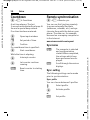
with Outlook® and other Siemens telephones.
Using Remote sync. you can synchronise
your mobile with an organiser stored on the
Internet (see also p. 108).
Select required entry.
Display.
Display options
§Options§
All fields/Reduced fields
Display of number of
input fields.
§Save§
Open Addressbook
(in standby mode).
The options menu only
ever offers the functions
for the currently selected
input field.
Move to ...
Allocate current or highlighted entries to a group.
View
Display an allocated picture.
Copy to SIM Copies name and one
phone number to the SIM
card (Phonebook).
New SMS,
New MMS,
New e-mail
Create a message with the
selected entry.
Browser
Start WAP browser and
visit URL.
Inst. message
Begin chat p. 61.
(For standard functions see p. 15)
Siemens AG 2003, I:\Mobil\R65\CX65_Ulysses\en\_von_itl\fug\CX65_Adressbook.fm
VAR Language: English; VAR issue date: 18-Februar-2004
32
left page (33) of CX 65 Ulysses FUG en, A31008-H7100-A1-1-7619 (04.03.2004, 14:15)
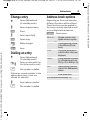
Change entry
Siemens AG 2003, I:\Mobil\R65\CX65_Ulysses\en\_von_itl\fug\CX65_Adressbook.fm
H
I
Open Addressbook
(in standby mode).
Select required entry.
§Edit§
Press.
I
Select input field.
§Edit§
Open entry.
J
Make changes.
§Save§
Save.
Dialling an entry
H
Open Addressbook
(in standby mode).
J/
Select a name with the
first letter and/or scroll.
I
A
I
A
Address book options
Depending on the actual situation,
different functions will be offered.
These functions can be applied to
the entry currently selected as well
as to multiple selected entries:
§Options§
Move to ...
Select phone number.
The number is dialled.
Open menu.
Allocate current or highlighted entries to a group.
Copy to SIM Copies name and number
to the SIM card (Phonebook).
Filter
Only those entries which
match the filter criteria are
displayed.
Import
Set up readiness to receive
for a Phonebook entry via
IrDA (p. 87) or SMS (p. 43).
Sort
Specify sorting criteria for
output of the Addressbook
entries.
Search
Enter search term.
The number is dialled.
If there are several numbers in the
address book entry, these are
offered for selection.
33
(For standard functions see p. 15)
VAR Language: English; VAR issue date: 18-Februar-2004
Addressbook
left page (34) of CX 65 Ulysses FUG en, A31008-H7100-A1-1-7619 (04.03.2004, 14:15)
Addressbook
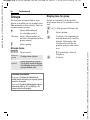
Groups
Ringing tone for group
Nine groups are specified in your
phone to enable you to arrange your
Addressbook entries clearly. You can
rename seven groups.
Assign a ringtone to a group that
plays when one of its members calls
you.
H
Open Addressbook
(in standby mode).
<Groups> Select (the number of
entries is listed behind the
group name).
I
C ¢T¢Ring tones¢Group calls
Select group.
I
If a ringtone has
C Confirm.
already been set, it will be
played. Otherwise, the
ringtone list will be displayed and you can select
one.
Select group.
Groups menu
§Options§
Open menu.
Rename
group
Change name of group.
Group
symbol
Assign a symbol to a group.
The symbol must then appear
in the display when one of the
group members calls.
I If necessary, select a
ringtone.
C
Additional information
No group: Contains all Addressbook
entries that do not belong to a group (name
cannot be changed).
Received: Contains Addressbook entries
received by IrDA (p. 87) or SMS (p. 43)
(name cannot be changed).
Confirm.
Siemens AG 2003, I:\Mobil\R65\CX65_Ulysses\en\_von_itl\fug\CX65_Adressbook.fm
VAR Language: English; VAR issue date: 18-Februar-2004
34
left page (35) of CX 65 Ulysses FUG en, A31008-H7100-A1-1-7619 (04.03.2004, 14:15)
35
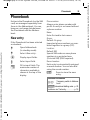
Phonebook
Entries in the Phonebook (on the SIM
card) are managed separately from
those in the Addressbook. You can,
however, exchange data between
the Phonebook and the Addressbook.
Phone number:
Always enter phone number with
prefix. An entry is not saved without
a phone number.
New entry
Group:
Default: No group
Important phone numbers are combined together in a group (VIP).
Siemens AG 2003, I:\Mobil\R65\CX65_Ulysses\en\_von_itl\fug\CX65_Phonebook.fm
If the Phonebook has been selected
as standard:
H
H
C
I
J
Open Addressbook
(in standby mode).
Select <New entry>.
Display input fields.
Select input field.
Fill in input fields. The
maximum number of
characters available is
shown at the top of the
display.
Name:
Enter first and/or last names.
Location:
Default SIM
Special SIM cards can save phone
numbers in a protected area
(Protected SIM) (PIN2 required).
Record number:
Each entry is automatically assigned
a record number. You can also dial
using the record number.
§Save§
Press to store the new
entry.
Additional information
Temporary switch to Addressbook.
§Country§ International dialling code... p. 25
Funktionen zur Text entry..................p. 19
Î
VAR Language: English; VAR issue date: 18-Februar-2004
Phonebook
left page (36) of CX 65 Ulysses FUG en, A31008-H7100-A1-1-7619 (04.03.2004, 14:15)
Phonebook
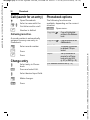
Call (search for an entry)
H
Open Phonebook.
J/I
Select a name with the
first letter and/or scroll.
A
Number is dialled.
Call using record no.
A record number is automatically
assigned to every new entry in
Phonebook.
J
#
A
Enter record number.
Phonebook options
The following functions are
available, depending on the current
situation.
§Options§
Copy into 9
Copy all highlighted
entries to the Addressbook.
Copy all to 9
Copy all entries to the
Addressbook.
Delete all
The entire Phonebook
is deleted. PIN-protected
Import
Set up readiness to
receive for a Phonebook entry via IrDA
(p. 87) or SMS (p. 43).
Press.
Press.
Change entry
I
Select entry in Phonebook.
§Edit§
Press and select Edit.
I
Select desired input field.
J
Make changes.
§Save§
Press.
Open menu.
(For standard functions see p. 15)
Siemens AG 2003, I:\Mobil\R65\CX65_Ulysses\en\_von_itl\fug\CX65_Phonebook.fm
VAR Language: English; VAR issue date: 18-Februar-2004
36
left page (37) of CX 65 Ulysses FUG en, A31008-H7100-A1-1-7619 (04.03.2004, 14:15)
<Special books>
H
<Service nos.>/<Info numbers>
Open Addressbook
(in standby mode).
<Special books>
Select.
<Own numbers>
Enter "own" phone numbers in Phonebook (e.g., fax) for information. These
numbers can be changed, deleted
and also sent as an SMS message.
Siemens AG 2003, I:\Mobil\R65\CX65_Ulysses\en\_von_itl\fug\CX65_Phonebook.fm
<VIP numbers>
Display the phone numbers saved in
the VIP group.
<SIM phonebook>
Entries stored in the Phonebook on
the SIM card can also be used on
other GSM phones.
<Protected SIM>
37
b
On special SIM cards, phone numbers can be stored in a protected
location. PIN2 is required for editing.
There might be phone numbers
saved in your Phonebook that have
been provided by your service provider. They may be used to call local
or national information services or to
use services offered by your service
provider.
Phone number extensions in the
Phonebook
Digits may be replaced by a "?" when
phone numbers are entered in the Phonebook/Addressbook:
Press down:
These wildcards must be replaced with
numbers before dialling (e.g., with the
extension numbers in a phone system).
To make a call, select the phone number
from the Phonebook/Addressbook.
*
A
Press.
J
Replace "?" with numbers.
A
Number is dialled.
VAR Language: English; VAR issue date: 18-Februar-2004
Phonebook
left page (38) of CX 65 Ulysses FUG en, A31008-H7100-A1-1-7619 (04.03.2004, 14:15)
Call records
Call records
The phone number of a caller is displayed if
• the caller has switched off the
Incognito function and
• the network supports the "Caller
Identity" function.
Alternatively, a caller’s name is displayed if it is stored in the Phonebook / Addressbook.
Your phone stores the phone numbers of calls for convenient redialling.
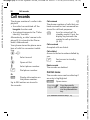
Calls missed
b
The phone numbers of calls that you
have received but not answered are
stored for call back purposes.
Â
Icon for missed call (in
standby mode). Press the
display key beneath the
symbol to call up the Inbox
(p. 42).
Calls received
Accepted calls are listed.
Calls dialled
Access to the last numbers dialled by
you.
C ¢P
Select record.
I
C Open call list.
Select phone number.
I
A Dial phone number.
A
Or
§View§
The records menu can be called up if
an entry is highlighted.
Display information on
the phone number.
Up to 500 entries are stored in
the records:
Fast access in standby
mode.
Delete records
The records are deleted.
Call list menu
§Options§
Open menu.
Copy into 9/
Copy to SIM
Copy the currently
selected phone number
into the preferred directory.
(For standard functions see p. 15)
Siemens AG 2003, I:\Mobil\R65\CX65_Ulysses\en\_von_itl\fug\CX65_Records.fm
VAR Language: English; VAR issue date: 18-Februar-2004
38
left page (39) of CX 65 Ulysses FUG en, A31008-H7100-A1-1-7619 (04.03.2004, 14:15)
39
Durat/charges
You can display the charges and
duration during a call. You can set
a unit limitation for outgoing calls.
Account limit
(PIN2 prompt)
Last call
Special SIM cards allow you or the
service provider to define a credit or
a period after which the phone is
barred for outgoing calls.
All outg. calls
§Edit§
Press.
Remain. units
J
Enter PIN2.
Charge sett.
Account limit
Switch on.
C ¢P¢Durat/charges
Select
Siemens AG 2003, I:\Mobil\R65\CX65_Ulysses\en\_von_itl\fug\CX65_TimeCharge.fm
All incoming
I
C
§Reset§
Select.
Open report or settings.
Reset the selected report.
Charge sett.
C
Open menu.
Currency
Edit your currency.
Personal rate
(PIN 2 prompt)
Enter the currency as well as the
charge per unit and time.
J
Enter number of units.
§OK§
Confirm.
Then confirm the credit or reset the
counter. The status display for prepaid cards may vary depending on
the service provider.
Auto display
Call duration and charges are
automatically displayed.
VAR Language: English; VAR issue date: 18-Februar-2004
Durat/charges
left page (40) of CX 65 Ulysses FUG en, A31008-H7100-A1-1-7619 (04.03.2004, 14:15)
Camera
Camera
You can view photos/videos
recorded on the integrated camera
immediately,
mode, the recording time already
used and the maximum recording
time still available is shown here.
• use the photo as a background
image, logo, a switch on/off
animation or a screensaver.
è Camera
Ù Û
×
24
• send the photo/video via MMS or
e-mail.
Switch on
C ¢R
Premium
Or
D
Starts camere in standby
mode.
Ø
Ø Switches between frame
Photo mode
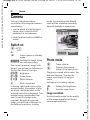
The current (preview) image is displayed. You will see the following in
the first line from left to right:
C
C
and videorecording.
Ù
Ú
Û
×
Brightness
Zoom factor.
White balance.
Flash connected.
In the top right-hand corner of the
preview image, the number of photos which can still be taken in the
selected resolution is displayed. This
number varies considerably from
motif to motif (storage space
required). Beneath the preview
image, you will find a reference to
the selected resolution. In video
Options
Takes a photo.
Displays the preview
image of the next photo.
The photo is saved with a name, the
date and the time. To enter the
name, see Setup in the options
menu.
Settings prior to taking a photo:
F
I
Setting the brightness.
Sets the zoom factor.
Image resolution
A setting can be made for the quality
of the image regardless of the preview image resolution.
Siemens AG 2003, I:\Mobil\R65\CX65_Ulysses\en\_von_itl\fug\CX65_Camera.fm
VAR Language: English; VAR issue date: 18-Februar-2004
40
left page (41) of CX 65 Ulysses FUG en, A31008-H7100-A1-1-7619 (04.03.2004, 14:15)
Premium:
High:
Medium:
Wallpaper:
640 × 480 (VGA)
320 × 240 (QVGA)
160 × 120 (QQVGA)
132 × 176
The resolution may decrease
depending on the selected digital
zoom.
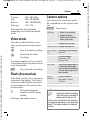
Camera options
The following functions are available, depending on the current situation.
§Options§
Siemens AG 2003, I:\Mobil\R65\CX65_Ulysses\en\_von_itl\fug\CX65_Camera.fm
C
C
Start the video recording.
Terminate the video
recording.
A red point appears in the top right
in the display while the video recording is being made.
§Play§
• Name for recordings
• Image resolution.
• Colour mode: Normal,
sepia, grey tones.
Pictures
Displays list of photos.
If the flash is active, this is shown by
a symbol in the display. The flash is
constantly loaded while connected
to the telephone. This reduces the
stand-by time.
×
Other videos Display the video list.
Microphone Switches the microphone
on
on or off.
Use flash
Choose between:
Automatic, Off,
Red eye red.
Self timer
The photo is taken approx.
15 seconds after triggering. For the last 5 seconds,
you will hear a signal tone
each second.
White
balance
Choose between:
Automatic, Indoor,
Outdoor
Plays the video recording.
Flash (Accessories)
This symbol appears
when the flash is being
loaded.
Seettings, see options menu.
Open menu.
Settings
Video mode
The video mode resolution is the
same as the preview image resolution.
41
(For standard functions see p. 15)
Additional information
Insufficient memory available.
Start the memory assistant to
delete specific data (p. 84).
A mirror can be attached to the rearside of
the telephone depending on the telephone
variant. This makes it easier to make self
portraits.
Ê
VAR Language: English; VAR issue date: 18-Februar-2004
Camera
left page (42) of CX 65 Ulysses FUG en, A31008-H7100-A1-1-7619 (04.03.2004, 14:15)
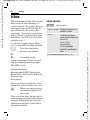
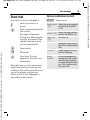
Inbox
Inbox
The central input folder offers immediate access to the messages currently received. This means that you
no longer have to look through all
input folders for the various message types. The entries are marked
with a symbol to indicate their type
and status. You will find a list of the
symbols on p. 7.
To call up the central input folder,
e.g. if a new SMS has been received:
ç
Press the display key
beneath the symbol.
In standby mode:
In the central input folder, you will
find the following message types:
SMS, MMS, E-mail
System messages:
Message about MMS, Missed alarm,
Missed appts., Calls missed, WAP push,
Voice message
Data objects
Ring tones, Pictures and Video, calendar entries, Notes and Business card.
C
§Options§
Open menu.
Receive e-mail Select set access and
send all e-mails.
Setup
If entries have been
read, remove them from
the Inbox:
Daily, Never,
Immediately
If Daily has been
selected, specified the
time.
(For standard functions see p. 15)
Or
E
Inbox options
When you open an entry,
the relevant application
also starts.
After a set time span, entries which
have already been read and opened
are only displayed in the messagerelated incoming lists (see Setup in
the options menu).
Siemens AG 2003, I:\Mobil\R65\CX65_Ulysses\en\_von_itl\fug\CX65_UnifiedInbox.fm
VAR Language: English; VAR issue date: 18-Februar-2004
42
left page (43) of CX 65 Ulysses FUG en, A31008-H7100-A1-1-7619 (04.03.2004, 14:15)
43
SMS
You can transmit and receive very
long messages (up to 760 characters) on your phone. They are automatically composed of several "normal" SMS messages (note higher
charges).
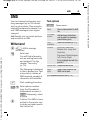
Text options
§Options§
.Save
Save composed text in draft
list.
Picture&
sound
Add pictures, animations
and sounds into message
(see following text).
Write/send
Text
modules
Insert text module (p. 22).
C ¢M¢Write message
Format
Font size: Small font,
Medium font, Large font
Underline
Alignment: Default alignm.,
Left, Centre, Right
Mark (highlight text with the
joystick)
Additionally you can insert pictures
and sounds in an SMS.
¢SMS text
Enter text.
J
Siemens AG 2003, I:\Mobil\R65\CX65_Ulysses\en\_von_itl\fug\CX65_SMS.fm
Open menu.
You will find informationen on writing texts with
and without T9 in the
chapter "Text entry"
(p. 19).
The following is displayed
in the to display line: Text
entry status, number of
SMS required, number of
characters still available.
A
Start sending procedure.
Ï/ J Select phone number
from the Phonebook/
Addressbook or enter it.
§Group§ If necessary, select
a group.
C
Confirm. The SMS is transmitted to the service centre to be sent and saved in
the Sentbox list.
Delete text Delete the whole text.
Send
with...
Select SMS profile so the
SMS can be sent.
(For standard functions see p. 15)
VAR Language: English; VAR issue date: 18-Februar-2004
SMS
left page (44) of CX 65 Ulysses FUG en, A31008-H7100-A1-1-7619 (04.03.2004, 14:15)
SMS
Picture&sound
SMS to group
Send the pictures and tones with
or without accompanying text.
You can send an SMS message as
a "circular" to a recipient group.
Remember that these may be protected (DRM, p. 13).
§Options§
Open menu.
The text input field is open:
Send
Select.
§Group§
The list of groups is
displayed.
§Options§
Open menu.
I
Select Picture&sound.
The menu contains:
Fix animations
Fix sounds
Own animat.
I
C
C
Select group.
Open group and highlight
all/individual entries.
A safety inquiry is made
and then sending is
started.
Own pictures
Own sounds
I
C
I
Select area.
Confirm. The first entry of
the selected section is displayed.
Scroll to entry required.
For Fix animations/Fix sounds:
C
The selection is added to
the SMS.
For Own animat./Own pictures/
Own sounds:
C
C
The selection is displayed/
played back.
The selection is added to
the SMS.
The pictures which have been added
are displayed, sounds are displayed
in the form of "wildcards".
Siemens AG 2003, I:\Mobil\R65\CX65_Ulysses\en\_von_itl\fug\CX65_SMS.fm
VAR Language: English; VAR issue date: 18-Februar-2004
44
left page (45) of CX 65 Ulysses FUG en, A31008-H7100-A1-1-7619 (04.03.2004, 14:15)
Read
p
C
I
45
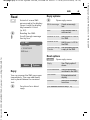
Reply options
Arrival of a new SMS
announced in the display.
Open it with the display
key beneath it Inbox
(p. 42).
C
Open reply menu.
Write message
Create a new reply
text.
Edit
Edit received SMS or
add new text.
Answer is YES
Add Answer is YES to
the SMS.
Answer is NO
Add Answer is NO to
the SMS.
Reading the SMS.
Scroll through message
line by line.
ç SMS
10.05.2004
+ 12398765431
SMS text. . .
19:42
Call back, Delay, Add a standard text as
Thanks
a reply to the SMS.
Siemens AG 2003, I:\Mobil\R65\CX65_Ulysses\en\_von_itl\fug\CX65_SMS.fm
Read options
§Options§
Delete
Options
See “Reply options”
above.
Picture&sound
Save picture/sound
contained in the SMS.
Text zoom
Enlarge/reduce text
display.
Archive
Move SMS message
to archive.
Reply
You can answer the SMS now open
immediately. The new additional
text is placed above the received
text.
C
Functions for a direct
reply.
Open reply menu.
Reply
(For standard functions see p. 15)
VAR Language: English; VAR issue date: 18-Februar-2004
SMS
left page (46) of CX 65 Ulysses FUG en, A31008-H7100-A1-1-7619 (04.03.2004, 14:15)
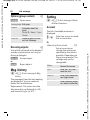
SMS
Lists
List options
All SMS messages are archived in different lists, according to their status.
(List of message symbols, see p. 7):
Different functions are offered
depending on the list.
Inbox
¢M¢Inbox¢SMS
Send
C
The list of received SMS messages is
displayed.
Draft
¢M¢Draft¢SMS
§Options§
Open menu.
Send or forward entry.
Send with... Select an SMS profile for
transmission.
Archive
Move SMS message to
archive.
(For standard functions see p. 15)
C
The list of not yet transmitted SMS
messages is displayed.
Unsent
¢M¢Unsent¢SMS
C
The list of concatenated SMS messages not yet completely sent is displayed. Transmission can be
restarted.
Sent
¢M¢Sent¢SMS
C
The list of sent SMS messages is displayed.
SMS archive
¢M¢SMS archive
C
The list of SMS messages stored in
the phone is displayed.
Siemens AG 2003, I:\Mobil\R65\CX65_Ulysses\en\_von_itl\fug\CX65_SMS.fm
VAR Language: English; VAR issue date: 18-Februar-2004
46
left page (47) of CX 65 Ulysses FUG en, A31008-H7100-A1-1-7619 (04.03.2004, 14:15)
Setting
SMS signature
¢ M¢Msg settings
¢SMS¢SMS signature
C
You can enter a “signature” with a
maximum of 16 characters. This signature will then be attached to each
SMS except §Reply§ and when changes
are made to an existing SMS.
SMS profiles
¢M¢Msg settings
¢SMS¢SMS profiles
Message • Manual: Inquiry for all mestype
sages.
• Standard text: Normal SMS
message.
• Fax: Transmission via SMS.
• E-mail: Transmission via
SMS.
• New: You may need to
obtain the required code
number from your service
provider.
Validity
period
Period in which the service
centre is to try to deliver the
message:
Manual, 1 hour, 3 hours,
6 hours, 1 day, 1 week,
Maximum*
* Maximum period that the
service provider permits.
Status
report
Receive confirmation of successful/failed transimssion of a
message. This service may be
subject to a charge.
Siemens AG 2003, I:\Mobil\R65\CX65_Ulysses\en\_von_itl\fug\CX65_SMS.fm
C
Up to 5 SMS profiles can be set. The
transmission characteristics of an
SMS are defined in these. The presetting depends on the SIM card
inserted.
Activate profile
I
C
Select profile.
Activate.
Set profile
I
Select profile.
§Edit§
Open to edit the profile.
Service
centre
Enter the phone numbers for
the service centre as provided
by the service provider.
Recipient Enter a standard recipient for
the profile.
47
=
Direct
If activated, the reply to your
reply = SMS message is handled via
your service centre (for information, please contact your
service provider).
SMS via
GPRS
Sent SMS automatically via
GPRS (p. 87).
=
Save aft.
send
Sent SMS messages are
saved in the Sentbox list.
VAR Language: English; VAR issue date: 18-Februar-2004
SMS
left page (48) of CX 65 Ulysses FUG en, A31008-H7100-A1-1-7619 (04.03.2004, 14:15)
SMS
More information on SMS
SMS status report
If the message cannot be transmitted to the service centre you are
offered the chance to repeat the
transmission. If this also fails, contact your service provider. The Message sent! message only indicates
transmission to the service centre.
This will then attempt to relay the
message within a certain period.
See also Validity period (p. 47)..
Phone number in SMS
Phone numbers displayed in the
§highlighted§ text can be dialled (A)
or saved in the Phonebook/Addressbook.
Downloading ringtones and
logos
You can receive links for downloading ringtones, logos, screensavers,
animations and information about
applications with an SMS. Please
highlight this link and, by pressing
the Call key A, start the download.
Please check that the dial-in access
(p. 88) is configured.
Remember that these may be protected (DRM, p. 13).
ã
SIM memory full
If the message icon flashes the SIM
memory is full. No more SMS messages can be received. Messages
must be deleted or archived.
Siemens AG 2003, I:\Mobil\R65\CX65_Ulysses\en\_von_itl\fug\CX65_SMS.fm
VAR Language: English; VAR issue date: 18-Februar-2004
48
left page (49) of CX 65 Ulysses FUG en, A31008-H7100-A1-1-7619 (04.03.2004, 14:15)
49
MMS
The Multimedia Messaging Service
enables you to send texts, pictures/
videos and sounds in a combined
message to another mobile phone or
to an e-mail address. All elements of
an MMS message are merged to
form a "slide show".
Siemens AG 2003, I:\Mobil\R65\CX65_Ulysses\en\_von_itl\fug\CX65_MMS.fm
Depending on your phone's settings,
you will receive either the complete
message automatically or notification that an MMS has been saved in
the network, giving sender and size
details. You may then download it to
your phone to read it.
Ask your service provider whether
this service is available. You may
need to register for this service separately.
Write texts with the help of T9
(p. 19).
Pictures and videos can be recorded
with the integrated camera and/or
loaded from My stuff (p. 111).
You can record Sounds with the
sound recorder and/or load them
from My stuff (p. 111).
First select an object for processing
to be added to the first page of the
MMS:
Pictures/videos
Limits on picture size can be set in
the user settings.
<Picture> Select.
C
Create
C ¢M¢Write message¢MMS
Display picture/video
functions:
Insert picture
Open list to select a picture.
An MMS consists of the address
header and the content.
Insert video
Open list to select a video.
An MMS may consists of a series of
pages. Each page may contain a text,
a picture/video and a sound.
Remember that pictures and sounds
may be protected (DRM, p. 13).
Camera
Activate the camera to take a photo
or record a video for the MMS
(p. 40).
R
Also possible.
VAR Language: English; VAR issue date: 18-Februar-2004
MMS
left page (50) of CX 65 Ulysses FUG en, A31008-H7100-A1-1-7619 (04.03.2004, 14:15)
MMS
Open
Display picture.
Delete
Delete inserted picture/video.
Save
Save picture/video for use later on.
Msg. details
Display properties, incl. any user
right restrictions (p. 13).
Sounds
<Sound>
Select.
C
Display sound functions:
Text
<Text>
Select and write the text.
C
The text functions are displayed (see also p. 19):
Insert from...
Choose any of the following for
insertion: Text modules, Bookmark,
Insert from d
Delete text
Delete text on current page.
Save
Save text on the page as text module.
Insert sound
Open list to select a tone.
Text input
T9 settings:
T9 preferred, Input language
Record
Activate tone recording in order to
record tones (p. 105).
Mark
Text processing together with
Copy and Insert.
m
Also possible.
Open
Play back the tone.
Delete
Delete inserted tone.
Save
Save tone for use later on.
Msg. details
Display properties, incl. any user
right restrictions (p. 13).
Siemens AG 2003, I:\Mobil\R65\CX65_Ulysses\en\_von_itl\fug\CX65_MMS.fm
VAR Language: English; VAR issue date: 18-Februar-2004
50
left page (51) of CX 65 Ulysses FUG en, A31008-H7100-A1-1-7619 (04.03.2004, 14:15)
Generation options
§Options§
Siemens AG 2003, I:\Mobil\R65\CX65_Ulysses\en\_von_itl\fug\CX65_MMS.fm
law
Send MMS
Open menu.
Send MMS.
Play
Play entire MMS on the
display.
Picture...
See above.
Sound...
See above.
Text...
See above.
Page
Add page: Insert new page
behind current one.
Delete page: Delete current page.
Page list: Display available
pages.
Timing: Set the temporal
sequence of the MMS presentation:
• Page duration:
Automatic or Manual
• Show page:
Only if Manual is set in
front of it. Enter the
lifespan of a page.
Msg. details Enter sending parameters
(see next chapter).
51
Save as
templ.
After creating MMS, save it
as a template. See also
below:
Layout
Select one of four possible
layouts:
Text above, beneath,
beside (on left or right) of
picture.
Colours
Select the colours for:
• Message
• Page
• Bitmap
• Text backg.
• Text colour
(For standard functions see p. 15)
Templates
C ¢M¢MMS templates
MMS templates are saved MMS with
not address. They can be sent as new
MMS or used as part of a new MMS.
A maximum of 10 templates can be
saved.
Create templates by writing a new
MMS or using an MMS which you
have already received.
§Options§
Open menu and select
Save as templ.
VAR Language: English; VAR issue date: 18-Februar-2004
MMS
left page (52) of CX 65 Ulysses FUG en, A31008-H7100-A1-1-7619 (04.03.2004, 14:15)
MMS
Sending an MMS
Expanded address fields
The page(s) of the new MMS is (are)
already created and the MMS is displayed.
I
A
Scroll downwards.
More:
Provide additional
address fields.
Cc:
Address(es) of copy
recipient(s).
ç MMS
Subject:
Greetings from Munich
Send to:
+1234567654321 |
Size:
85 KB
Bcc:
Address(es) of copy
recipient(s) who are not
visible to the other recipients.
Þ ß á
Use delivery time:
Usee specified send time.
If §Yes§:
Open address entry.
]
Options
Attachments:
Insert attachments.
Date:
Creation date.
Subject:
Enter a brief description.
Delivery date:
Send to:
Enter one or more phone
number(s)/e-mail
address(es).
Ï Insert from
Addressbook.
Delivery time:
Send time.
Size:
A
C
Display the size of the current MMS.
Start sending procedure.
The MMS is sent after confirmation.
Send date.
Icons for status information
Priority
Þ
ß
á
Send report.
Contains DRM (p. 13).
Siemens AG 2003, I:\Mobil\R65\CX65_Ulysses\en\_von_itl\fug\CX65_MMS.fm
VAR Language: English; VAR issue date: 18-Februar-2004
52
left page (53) of CX 65 Ulysses FUG en, A31008-H7100-A1-1-7619 (04.03.2004, 14:15)
Sending options
Siemens AG 2003, I:\Mobil\R65\CX65_Ulysses\en\_von_itl\fug\CX65_MMS.fm
§Options§
Open menu.
Send MMS
Send MMS.
Play
Play entire MMS on the
display.
Edit
Object selection to change
an object.
Add
recipient
Add recipient from the current address directory.
Delete
recip.
Delete individual recipient.
Add
attachm.
Add attachment:
• File
• Business card
• Appointment
Page list
Display MMS pages for
viewing and/or changing.
Save as
templ.
After creating MMS, save it
as a template.
(For standard functions see p. 15)
53
Receiving an MMS
Depending on the setting, an MMS
can (p. 55) be received in two ways:
Complete transmission
The complete MMS is sent to your
telephone. This can take quite long if
the MMS is large.
ç
<
Shown in the display.
Start reception. The MMS
is sent.
Preliminary notification
You are notified that an MMS is
awaiting reception.
w
<
Shown in the display.
Read the notification.
Display the size of the
MMS in KB.
§Receive§
The complete MMS is
sent.
§OK§
Display in Inbox.
VAR Language: English; VAR issue date: 18-Februar-2004
MMS
left page (54) of CX 65 Ulysses FUG en, A31008-H7100-A1-1-7619 (04.03.2004, 14:15)
MMS
Reading an MMS
Lists
An MMS has been fully received.
All MMS are saved in four different
lists (list of message icons, see p. 7):
I
C
Select the MMS.
Start automatic playing of
the MMS.
Key functions for playback:
E
D
To the next page.
Press briefly once to
return to the start of the
current page; press briefly
twice to return to the start
of the previous page.
Inbox
¢M¢Inbox¢MMS
C
The list of MMS messages and notifications received is displayed. To
receive an MMS subsequently, open
notification and press §Receive§.
Draft
¢M¢Draft¢MMS
C
I
Set volume.
The list of stored drafts is displayed.
C/B
Terminate.
Unsent
¢M¢Unsent¢MMS
When the MMS is complete, the
message details are displayed.
Subject:
Description of the MMS.
From:
Information about the
sender.
Size:
Size of the MMS in KB.
Expanded address fields
Scroll downwards.
I
More:
Additional input fields.
Cc:
Copy recipient.
Attachments:
Save attachments.
Date:
Reception date.
Symbols for status information
(see p. 52)
C
The list of the MMS messages not yet
completely transmitted is displayed.
Sent
¢M¢Sent¢MMS
C
The list of sent MMS messages is displayed.
Siemens AG 2003, I:\Mobil\R65\CX65_Ulysses\en\_von_itl\fug\CX65_MMS.fm
VAR Language: English; VAR issue date: 18-Februar-2004
54
left page (55) of CX 65 Ulysses FUG en, A31008-H7100-A1-1-7619 (04.03.2004, 14:15)
List options
Setting
Different functions are offered
depending on the list/situation.
C ¢M¢Msg settings¢MMS
Siemens AG 2003, I:\Mobil\R65\CX65_Ulysses\en\_von_itl\fug\CX65_MMS.fm
§Options§
Open menu.
Play
Play MMS on the display.
Edit
Display MMS for
processing.
View
Display MMS for viewing only (write-protected).
Send MMS
Send MMS.
Reply MMS
Reply to MMS
immediately.
Forward MMS
Enter recipient(s) for
forwarding.
Msg. details
Display message
parameters.
Receiv.all MMS Send all new MMS
immediately.
(For standard functions see p. 15)
55
¢Select unction.
MMS profile:
6 MMS profiles can be set (5 in the
telephone memory, one on the SIM
card). The send properties can be
specified in them. In most cases, the
setting has already been made. If
necessary, check with your service
provider for details.
Activate profile
Select profile.
I
§Options§
Open menu and select
Activate.
Set profile
I
§Options§
Select profile.
Open menu and select
Change sett.
VAR Language: English; VAR issue date: 18-Februar-2004
MMS
left page (56) of CX 65 Ulysses FUG en, A31008-H7100-A1-1-7619 (04.03.2004, 14:15)
MMS
User settings
Set the MMS dispatch to suit your
requirements:
Delivery
report:
Request delivery confirmation for sent messages.
Read reply:
Request confirmation that
the MMS has been read.
Default
priority:
Send priority:
Normal, High, Low
Validity:
Select the period in which
the service centre is to try
to deliver the message:
Manual, 1 hour,
3 hours, 6 hours,
1 day, 1 week, Maximum*
* Maximum period that the
service provider permits.
Earliest
deliv. time:
Transmission from the
service centre to the recipient:
Immediate, Tomorrow
Default
duration:
Length of display for an
MMS page (standard
requirement).
Retrieval:
Receive complete MMS or
only notification of arrival.
Immediate
Receive complete MMS
immediately.
Auto.homenet
Receive complete MMS
immediately in home network
Manual
Only receive the notification.
Spam filter: Settings for receipt of promotional MMS.
Size indica- Set max. message size and
tion: =
message handling.
Siemens AG 2003, I:\Mobil\R65\CX65_Ulysses\en\_von_itl\fug\CX65_MMS.fm
VAR Language: English; VAR issue date: 18-Februar-2004
56
left page (57) of CX 65 Ulysses FUG en, A31008-H7100-A1-1-7619 (04.03.2004, 14:15)
57
E-mail
Your phone has an e-mail program
(client). You can use it to create and
receive e-mails.
Write
C ¢M¢Write message¢E-mail
Different functions are offered
depending on the position of the
cursor.
§Options§
Open menu.
Send e-mail
Send e-mail.
Send later
Transfer e-mail into the
Unsent list.
Save
Save e-mail in the
Draft list.
Add recipient
Add recipient from the
current address directory.
To send:
Delete line
Delete current line.
§Options§
Insert from...
Text modules
Bookmark
Ï Insert them from
the Addressbook/
Phonebook.
Add attachm.
My stuff Open to make
a selection. Remember
that pictures and
sounds may be protected (DRM, p. 13).
Delete text
Delete the whole text.
Text input
• T9 preferred
• Input language
Enter the address data for the e-mail:
Send to:
Siemens AG 2003, I:\Mobil\R65\CX65_Ulysses\en\_von_itl\fug\CX65_Email.fm
Options
Enter one or more
E-mail address(es).
Ï Insert them from the
Addressbook/Phonebook.
Subject:
Enter e-mail heading
(up to 255 characters).
Content
Enter text.
Send e-mail
Or
All fields
Open menu.
Select.
Opens additional input
fields.
Cc:
Address(es) of copy recipient(s).
Bcc:
Address(es) of copy
recipient(s) who are not
visible to the other recipients.
Attachments:
Add attachments such as
images and sounds.
VAR Language: English; VAR issue date: 18-Februar-2004
E-mail
left page (58) of CX 65 Ulysses FUG en, A31008-H7100-A1-1-7619 (04.03.2004, 14:15)
E-mail
Receive/read
Attachments
C ¢M¢Inbox
Contains the e-mail attachments,
these can be saved in My stuff
(p. 111).
¢Select function.
Before an e-mail can be read, it must
be retrieved from the server. You
have two options:
Retr. e-mail
Only the message header in Inbox
(p. 42) is sent. You can then decide if
you also want to receive the contents:
§Options§
Open menu and select
Retrieve body.
or want to delete the e-mail on the
server:
§Options§
Open menu and select
Del. on server.
Send/rec. mail
The set access is selected and all
e-mails transferred into Inbox (p. 42).
At the same time, completed e-mails
are transferred from the Unsent list.
§Options§
Open menu and select
Save attach.
Lists
All e-mails are saved in different lists
depending on their status (list of
message icons, see p. 7):
Inbox
¢M¢Inbox¢E-mail
C
The list of received e-mails is displayed.
Draft
¢M¢Draft¢E-mail
C
The list of e-mails not yet transmitted is displayed.
Siemens AG 2003, I:\Mobil\R65\CX65_Ulysses\en\_von_itl\fug\CX65_Email.fm
VAR Language: English; VAR issue date: 18-Februar-2004
58
left page (59) of CX 65 Ulysses FUG en, A31008-H7100-A1-1-7619 (04.03.2004, 14:15)
Unsent
¢M¢Unsent¢E-mail
C
The list of e-mails not yet transmitted is displayed.
Sent
¢M¢Sent¢E-mail
C
The list of transmitted e-mails is
displayed.
Siemens AG 2003, I:\Mobil\R65\CX65_Ulysses\en\_von_itl\fug\CX65_Email.fm
Setting
C ¢M¢Msg settings¢E-mail
Before using this service, you must
set the server access and your e-mail
options. Most of this data has
already been entered. If not, you can
obtain this from your service provider. See also on the Internet at:
www.siemens-mobile.com/screensaver
List options
Accounts
Different functions are offered
depending on the list.
I
C
§Options§
Open menu.
Retr. e-mail
Only transfer the message
header into Inbox (p. 42).
Retrieve
body
Fetch the contents from the
server if only the message
header was received.
Del. on
server
Delete the contents on the
server if only the message
header was received.
(For standard functions see p. 15)
59
Select account.
Open
Activating access
Select access.
I
C
Activates access
Set access
I
§Edit§
Select access or <Empty>.
Start the processing and
fill in the data fields as
specified by the service
provider.
General sett.
Enter an e-mail address to which a
Bcc (blind carbon copy) is always
sent.
VAR Language: English; VAR issue date: 18-Februar-2004
E-mail
left page (60) of CX 65 Ulysses FUG en, A31008-H7100-A1-1-7619 (04.03.2004, 14:15)
Voice message/mailbox
Voice message/mailbox
C ¢M¢Setup¢Voice message Save call divert number
Most service providers provide a
mailbox in which a caller can leave a
voice mail for you if
• if your phone is switched off or
not ready to receive,
Calls are diverted to this phone
number.
C ¢T¢Phone setup¢Divert
¢e. g. Unanswered¢Set
Enter phone number.
• if you do not want to answer,
J
• if you are making a phone call
(and if Call waiting (p. 82) is not
activated).
§OK§
If the voice mail service is not part of
your service provider's standard
package, you will need to register for
it, and possibly make the settings
manually. The following sequence
may vary from service provider to
service provider.
Listening to message
b
Setup
The service provider supplies you
with two phone numbers:
Save mailbox number
You call this phone number to listen
to the voice mails left for you.
C ¢M¢Setup¢Voice message
Ï/ J
Select number from
Phonebook/Addressbook
or enter/change it.
§OK§
Confirm.
Registration with the network is confirmed a few
seconds later.
b
A new voice message can be
announced as follows, depending on
the service provider:
À
Icon plus beep.
Or
ç
Notification via SMS.
Or
You receive a call with an automatic
announcement.
Call your mailbox and play the message(s) back.
1
Hold down (if necessary
enter mailbox number
once only). Confirm with
§OK§ and §Mailbox§ depending on your service provider.
Siemens AG 2003, I:\Mobil\R65\CX65_Ulysses\en\_von_itl\fug\CX65_Mailbox.fm
VAR Language: English; VAR issue date: 18-Februar-2004
60
left page (61) of CX 65 Ulysses FUG en, A31008-H7100-A1-1-7619 (04.03.2004, 14:15)
Inst. message
b
With this function you can transfer
text, audio clips, pictures and files
straight to and from one or more terminals (mobile phone, PC). This
function is not offered by all service
providers. Please ask your service
provider about this.
Siemens AG 2003, I:\Mobil\R65\CX65_Ulysses\en\_von_itl\fug\CX65_Instantmsg.fm
Your dialogue partners are entered
in contact lists. When a connection
has been established, these lists
show who is available, whether they
want to be disturbed and what mood
they are in.
GPRS must be switched on.
C ¢M¢Inst. Message
Start menu
Login
61
Rapid access ...
Select the access (p. 66)
¢M¢Inst. message¢Login
C
The current contact list or the list is
displayed (if necessary, set access
first, p. 66).
Specify your own status (p. 67)
§Options§
My settings
B
Open menu.
Select and make entries.
Return to contact list.
Enter new contact (p. 61)
§Options§
Open menu.
Manage
Press, then:
Select the access via
which the dialogue runs
Add contact
select and enter the user
ID at least.
or
B
Account: select (p. 66).
Msg. history
Read the messages from
the last meeting.
Setup
Settings for your representation, the applications and servers.
Quit
End application.
Return to contact list.
Inst. Message with new contact
(p. 65)
I
C
C
Select the contact.
Start Inst. Message.
Open editor.
J
Write text.
C
Send text.
... etc.
VAR Language: English; VAR issue date: 18-Februar-2004
Inst. message
left page (62) of CX 65 Ulysses FUG en, A31008-H7100-A1-1-7619 (04.03.2004, 14:15)
Inst. message
Login
Managing the contacts
C ¢M¢Inst. message¢Login
I
Select a contact.
Select the last access to be used
(see also Automatic login: p. 67).
§Options§
Open menu.
Manage
Select.
Contact lists
Contacts
Different functions are offered
depending on the selection:
When the connection has been
established, the contact list or the
list of the contact lists is shown for
selection.
Add contact
User ID:
Enter a non-ambiguous
user (login) name.
Nickname:
Enter your own nickname for the contact.
Friend:
The contact receives the
status Friend: and
access to personal information (p. 67).
Search
contact
Search for contact.
In the contact list, you will find a list
of the most recently used contacts.
The first time you log in, an “empty”
contact list will be generated by the
server if necessary.
Displays in the list:
-Conversation
Displays of the online contacts for
the messages are available.
-Online
Online contacts with whom no conversation is being held at the
moment.
-Group
b
Groups for Inst. Message with several contacts.
-Offline
Contacts who are not online at
present.
Delete contact Delete contact from the
list.
Block contact
No more messages are
received from the contact and the contact
receives no status information from you. This
function works for all
your lists.
Siemens AG 2003, I:\Mobil\R65\CX65_Ulysses\en\_von_itl\fug\CX65_Instantmsg.fm
VAR Language: English; VAR issue date: 18-Februar-2004
62
left page (63) of CX 65 Ulysses FUG en, A31008-H7100-A1-1-7619 (04.03.2004, 14:15)
Managing the groups
b
I
Select one of the groups
you set up yourself.
§Options§
Open menu.
Manage
Select.
Siemens AG 2003, I:\Mobil\R65\CX65_Ulysses\en\_von_itl\fug\CX65_Instantmsg.fm
Manage group
Different functions are offered
depending on the selection:
Add member
Add a new group member,
see also Add contact
Search
memb.
Search for group member.
Invite
Invitation to the contacts
in your own group to Inst.
Message.
Delete
member
Delete contact from the
group member list.
Add group
Add new group.
Search group Search for group on the
server (no longer in the
"administered groups"
list).
63
Create group Group ID:
Enter a non-ambiguous
group name.
Name:
Name of group.
Topic:
Topic of group.
Searchable:
Other people can look for
the group.
Welcome note:
Enter welcome text.
Delete group
Delete group.
VAR Language: English; VAR issue date: 18-Februar-2004
Inst. message
left page (64) of CX 65 Ulysses FUG en, A31008-H7100-A1-1-7619 (04.03.2004, 14:15)
Inst. message
Creating a new contact list
Contact list options
The current contact list is displayed.
§Options§
§Options§
Contact list
Details =
Available contact lists are
displayed.
Additional information
about the contact or the
group.
My settings
Information on your current personal status
(p. 67).
Manage
Functions for managing
a contact or a group.
Contact list
Display contact lists for
selection.
Block list
Display all blocked contacts. Can be unblocked.
§Options§
Open menu.
Create
Select.
Contact list ID:
Give the contact list its
own, specific name.
Name:
C
Open menu.
Open menu.
Allocate self-explanatory
names.
Confirm.
Appl. settings Set the application
(p. 67).
Suspend
Terminate the application, the server remains
connected.
Logout
Log off from the server
and return to start menu.
Help
Display help text.
Siemens AG 2003, I:\Mobil\R65\CX65_Ulysses\en\_von_itl\fug\CX65_Instantmsg.fm
VAR Language: English; VAR issue date: 18-Februar-2004
64
left page (65) of CX 65 Ulysses FUG en, A31008-H7100-A1-1-7619 (04.03.2004, 14:15)
Start chat
Options (individual contact)
A contact list must be displayed.
§Options§
I
C
Select a contact or a
group.
Start communication with
the contact.
Siemens AG 2003, I:\Mobil\R65\CX65_Ulysses\en\_von_itl\fug\CX65_Instantmsg.fm
The page is displayed.
During Inst. Message with
a group, the name of the
sender is placed in front
of each contribution.
C
Open editor.
J
Write text
C
Send text. The text
appears in the chat soon
afterwards.
Naturally, you can also receive messages from contacts whom you do
not know. This will be pointed out to
you in the display, and you can
either switch to Inst. Message or
ignore/block the contact.
65
Open menu.
Send sound Select and send a melody/
=
tone from the list (DRM
p. 13).
Send
Select and send a picture
picture = from the list (DRM p. 13).
Send any
Send any file.
=
Details
Information about the contact (if this is authorised by
him).
Clear all
Delete all texts in the current Inst. Message.
Block
contact
No more messages are
received from the contact
and the contact receives
no status information from
you. This function works
for all your lists.
VAR Language: English; VAR issue date: 18-Februar-2004
Inst. message
left page (66) of CX 65 Ulysses FUG en, A31008-H7100-A1-1-7619 (04.03.2004, 14:15)
Inst. message
Options (group contact)
§Options§
Open menu.
b
Information about the
group:
Group ID:, Name:, Topic:,
Owner:
Clear all
Delete all texts in the current Inst. Message.
Receiving objects
b
You will be informed in the display if
sounds or pictures are sent to you
during a dialogue.
§Receive§
Accept object.
or
§Reject§
Reject object.
C ¢M¢Inst. message¢Setup
¢Select function.
Leave group Exit group.
Details
Setting
Account
The list of available accesses is
displayed.
I/C
Select an access to establish a connection.
Or
=
<New entry>/Account sett.
Set up an access or
change the settings as
specified by the service
provider. Depending on
the service provider, the
settings may not be
changeable.
Name:
Name of the access.
Msg. history
URL:
C ¢M¢Inst. message¢Msg.
Enter URL, e.g. http://
www.abc.com
User ID:
Enter a non-ambiguous
user (login) name.
Password:
Enter password (shown
as a series of asterisks).
history
The messages from the last meeting
are displayed. You can read and
delete the contributions.
Requirement: The server must be
disconnected, see Suspend (p. 64)
and Automatic login: (p. 67).
Siemens AG 2003, I:\Mobil\R65\CX65_Ulysses\en\_von_itl\fug\CX65_Instantmsg.fm
VAR Language: English; VAR issue date: 18-Februar-2004
66
left page (67) of CX 65 Ulysses FUG en, A31008-H7100-A1-1-7619 (04.03.2004, 14:15)
My settings
Appl. settings
Information on your current personal status:
Settings for the application used:
Siemens AG 2003, I:\Mobil\R65\CX65_Ulysses\en\_von_itl\fug\CX65_Instantmsg.fm
Alias:
Your own alias by which
you can be found on the
server.
AIM screen
name:
Name to be displayed in
the group.
Mood:
Information about your own
mood, e.g.
Happy, Sad, Sleepy, etc.
Status text:
Random text information,
e.g. “Am at home”.
Availability: Availability:
Available, Not available,
Discreet
Mobile:
Enter the phone number
with internal extension
code.
§Options§
For each setting, specify
who is allowed to view
your personal information:
Public
All contacts.
Private
Contacts designated as
Friend: (p. 62).
Hidden
Nobody.
67
Automatic
login:
Auto-reconnect to the
last access to be used.
Timeout:
Time without action after
which the application is
terminated. However, the
server remains connected.
Message info:/ Signal the receipt of mesOnline info:
sages: Yes/No
Signal given as:
• Sound
• Silent alert
• Pop-up
Popup windows
authorised: Yes/No
VAR Language: English; VAR issue date: 18-Februar-2004
Inst. message
left page (68) of CX 65 Ulysses FUG en, A31008-H7100-A1-1-7619 (04.03.2004, 14:15)
CB services
CB services
C ¢M¢Setup¢CB services
Some service providers offer information services (info channels, Cell
Broadcast). If reception is activated,
your Topic list will supply you with
messages on the activated topics.
CB messages are displayed in
standby mode, longer messages are
scrolled automatically.
Receive CB
You can activate and deactivate the
CB service. If the CB service is activated, standby time for the phone
will be reduced.
Topic list
You can add any topics to this personal list from the topic index. You
can preset 10 entries with their
channel numbers (ID) and, if applicable, with their names.
New topic Select.
• If no topic index is available, enter
a topic with its channel number
and confirm with §OK§.
• If the topic index has already been
transmitted, select a topic and
activate it with §Options§.
Topic
Select
§Options§
Open list menu.
If a topic is selected in the list you
can view it, activate/ deactivate it,
edit it or delete it.
CB languages
Receive Cell Broadcast messages in
only one specific language or in all
languages.
Displays
Ö,Õ
Topic activated/deactivated.
p
New messages received on
the topic.
q
Messages already read.
Siemens AG 2003, I:\Mobil\R65\CX65_Ulysses\en\_von_itl\fug\CX65_CB.fm
VAR Language: English; VAR issue date: 18-Februar-2004
68
left page (69) of CX 65 Ulysses FUG en, A31008-H7100-A1-1-7619 (04.03.2004, 14:15)
Surf & fun
Get the latest information from the
Internet that is specifically adapted
to the display options of your phone.
In addition, you can download
games and applications to your
phone. Internet access may require
registration with the service provider.
Access to the service
provider
Browser menu
§Options§
Open menu.
Homepage
Call up the pre-set
homepage for the current
profile.
Bookmarks
• List bookmarks Display list of bookmarks
stored in the phone.
• Bookmark site The
current page is saved
as a bookmark.
Go to...
Enter URL for direct dial
to an Internet address,
e.g. wap.siemensmobile.com
Reload
Reload current page.
Show URL
Display the URL of the
page currently loaded for
sending via SMS/MME/
e-mail.
History
Display last Internet sites
to be visited.
Disconnect
Disconnect the Internet.
File
Save object on the current
page or save the complete page; display saved
pages.
Setup
Set or reset browser
(p. 70).
Exit browser
Close the browser.
Siemens AG 2003, I:\Mobil\R65\CX65_Ulysses\en\_von_itl\fug\CX65_Internet.fm
Direct call-up of the browser with
the URL from your service provider.
Internet
C ¢O¢Internet
The browser is activated with the
pre-set option as soon as you call up
the function (Browser settings, S. 70;
may be specified/pre-assigned by
service provider).
69
VAR Language: English; VAR issue date: 18-Februar-2004
Surf & fun
left page (70) of CX 65 Ulysses FUG en, A31008-H7100-A1-1-7619 (04.03.2004, 14:15)
Surf & fun
End connection
B
Press and hold to clear
down the connection and
close the browser.
Navigation in the browser
C
B
I
• Select a link.
• Settings, status on/off.
• Press briefly: back a page.
• One input field/link forward/back.
• Scroll one line.
Display symbols in the browser
(selection)
²
Connect
±
Network
´
³
No network
GPRS online
Browser settings
¢O¢Internet
C
§Options§
Open menu.
Setup
Select.
Browser
Set start option as well as
handling of pictures and
sounds plus send options.
Profiles
The list of profiles is displayed for activation/setting.
For more information, contact your service provider.
Protocol
Set protocol parameters,
parameters push messages and abort
time as well as handling of
cookies.
Security
Set encryption.
Context
Reset session; delete
cache, history and cookies.
Enter special characters
important special
* , 0 Select
characters.
Your Internet browser is licensed by:
Siemens AG 2003, I:\Mobil\R65\CX65_Ulysses\en\_von_itl\fug\CX65_Internet.fm
VAR Language: English; VAR issue date: 18-Februar-2004
70
left page (71) of CX 65 Ulysses FUG en, A31008-H7100-A1-1-7619 (04.03.2004, 14:15)
Profiles
Bookmarks
Preparation of the phone for Internet
access depends on the service provider concerned:
C ¢O¢Bookmarks
Profile pre-set
In most cases, access profiles have
already been created for one or more
service provider(s).
List bookmarks
Display list of bookmarks
stored in the phone.
I
C
Select profile.
Activate profile.
Set profile manually
If necessary, contact your service
provider.
Siemens AG 2003, I:\Mobil\R65\CX65_Ulysses\en\_von_itl\fug\CX65_Internet.fm
71
§Options§
Edit
Delete
Open menu.
Start processing. For the
Internet-specific settings
below, please contact your
service provider.
Delete selected profile.
Display URL/call up page
I
C
Select bookmark.
Call up URL.
Save
Bookmark site The current page is
saved in the phone as a
bookmark.
Bookmark options
§Options§
Open menu.
Here you will find functions for
changing and managing bookmarks
and their folders. This includes editing individual entries with the corresponding URLs as well as deleting
and moving them to other folders.
VAR Language: English; VAR issue date: 18-Februar-2004
Surf & fun
left page (72) of CX 65 Ulysses FUG en, A31008-H7100-A1-1-7619 (04.03.2004, 14:15)
Games and Applications
Games and applications are offered
on the Internet. Once downloaded,
these are available to you via the
telephone. Most applications include
instructions. Some applications and
games are already pre-installed on
your telephone. You will find these
listed here:
www.siemens-mobile.com/t9
Requirements
WAP profile (p. 71) and the access
(p. 88) must be configured.
Download
Select the correct access depending
on whether you are loading games
or applications:
C ¢O¢Games
or
C ¢O¢Applications
In addition to URLs and service providers for the download, any available applications/games and folders
will be displayed.
Download new
I
C
Select a service provider
or URL.
Start WAP browser and
visit URL.
Only description file
The description file is
loaded for information
purposes only. The application/game itself must
be loaded separately.
Ì
or complete download
The application/game is
completely loaded.
Ë
Apply
Remember that applications/games
may be protected (DRM, p. 13).
Í
The executable application is saved on the telephone and can be started
immediately .
Downl. assis.
C ¢O¢Downl. assis.
You will not be left on your own during the download!
Siemens AG 2003, I:\Mobil\R65\CX65_Ulysses\en\_von_itl\fug\CX65_Games&Apps.fm
VAR Language: English; VAR issue date: 18-Februar-2004
Surf & fun
72
left page (73) of CX 65 Ulysses FUG en, A31008-H7100-A1-1-7619 (04.03.2004, 14:15)
Additional information
The following key control is used for many
games (virtual joystick):
1 23
45 6
789
Siemens AG 2003, I:\Mobil\R65\CX65_Ulysses\en\_von_itl\fug\CX65_Games&Apps.fm
Games&More options
Processing and administering your
applications and folders:
Move
Move applications between
folders.
New folder Create and name new
folder.
Reinstall
Reinstall an application
(update).
Security
Select a safety level.
Reinstall
Repeat after transmission
error.
Attributes
Show details of the application/folder (name, version,
size, path, producer, date).
HTTP
profile
Display profile list for
activation/setting
(For standard functions see p. 15)
Additional information
You can use WAP to download applications (e.g.
ringtones, games, images, animations) from the
Internet. Downloading or running applications will
not affect or change the software already
installed on your Java™-enabled mobile phone.
Siemens excludes all warranty and liability claims
in respect of or in connection with any applications subsequently installed by the customer and
any software not included in the original delivery
package. This also applies to functions enabled
subsequently at the customer's instigation. The
purchaser bears sole risk for the loss of, damage
to, and any defects arising in, this device or the
applications and for any direct damage or consequential damage of whatever nature resulting
from the use of this application.
For technical reasons, such applications and subsequent enabling of certain functions are lost in
the event of the device being replaced/re-supplied and may be lost if it is repaired.
In such cases, the buyer is required to download
or release the application again. Please ensure
that your phone has Digital Rights Management
(DRM) so that individual applications downloaded
via WAP are protected from unauthorised reproduction. These applications are then exclusively
intended for your phone and cannot be transferred from this even to create a backup.
Siemens does not warranty, guarantee or accept
any liability for the customer's ability to download
or enable applications again or to do so free of
charge. If technically possible, secure your applications on the PC with the "mobile phone manager" p. 113.
VAR Language: English; VAR issue date: 18-Februar-2004
73
left page (74) of CX 65 Ulysses FUG en, A31008-H7100-A1-1-7619 (04.03.2004, 14:15)
Setup
Setup
Profiles
Profile settings
C ¢T¢Profiles
Edit a default profile or create a new
personal profile:
Several settings can be stored in a
phone profile in order, for example,
to adapt the phone to the surrounding level of noise.
• Five standard profiles are provided
with default settings. They can be
changed however:
Normal environment
Quiet environment
Noisy environment
Car Kit
Headset
• You can set two personal profiles
(<Name>).
• The special profile Aircraft mode is
fixed and cannot be changed.
Switching on a profile
I
C
Select default profile or
personal profile.
Switch on profile.
I
Select profile.
§Options§
Open menu.
Change sett.
Select.
The list of available functions is displayed.
When you have finished setting a
function, you return to the profile
menu where you can change a
further setting.
Additional information
• Calling up the list in standby mode:
G
Profile list is displayed.
• The active profile is marked with ·.
Siemens AG 2003, I:\Mobil\R65\CX65_Ulysses\en\_von_itl\fug\CX65_Profiles.fm
VAR Language: English; VAR issue date: 18-Februar-2004
74
left page (75) of CX 65 Ulysses FUG en, A31008-H7100-A1-1-7619 (04.03.2004, 14:15)
Profile-Optionen
Open menu.
Activate
Activate selected profile.
Change sett.
Change profile settings.
Switch on
Copy from
Copy settings from
another profile.
Rename
Change personal profile
(except default profiles).
Car Kit
Siemens AG 2003, I:\Mobil\R65\CX65_Ulysses\en\_von_itl\fug\CX65_Profiles.fm
Aircraft mode
All alarms (appointments, alarm
clock) are deactivated. This profile
cannot be modified.
§Options§
If an original Siemens Car Kit is used,
the profile is switched on automatically as soon as the phone is inserted
into the cradle (see accessories also).
Headset
The profile is only switched on automatically if an original Siemens
headset is used (see accessories
also).
75
H
C
C
Scroll to Aircraft mode.
Confirm selection.
Confirm safety inquiry
again in order to activate
the profile. The phone
switches itself off automatically.
Normal mode
When you switch on your phone
again, the previously set profile will
be reactivated automatically.
VAR Language: English; VAR issue date: 18-Februar-2004
Setup
left page (76) of CX 65 Ulysses FUG en, A31008-H7100-A1-1-7619 (04.03.2004, 14:15)
Themes
C ¢T¢Themes
Load a completely new user interface in your telephone. With the
press of a key, various functions are
re-organised on a topic basis, e.g.
Switch on/off animation, background image, screensaver, switch
on/off melody, additional animations.
Topic files are compressed to save
memory space. After a download
(p. 72) or a call from My stuff, these
are automatically unzipped when
activated.
Activate new topic
I
C
C
Select topic.
Display topic preview.
Activate new topic.
Siemens AG 2003, I:\Mobil\R65\CX65_Ulysses\en\_von_itl\fug\CX65_Themes.fm
VAR Language: English; VAR issue date: 18-Februar-2004
Setup
76
left page (77) of CX 65 Ulysses FUG en, A31008-H7100-A1-1-7619 (04.03.2004, 14:15)
Setup
Display
Wallpaper
C ¢T¢Display
Set wallpaper graphic for display.
¢Select function.
Language
Set the language of the display text.
When "automatic" is set, the language of your home service provider
is used.
If a language that you do not understand happens to be set, the phone
can be reset to the language of your
home service provider with the following input (in standby mode):
Siemens AG 2003, I:\Mobil\R65\CX65_Ulysses\en\_von_itl\fug\CX65_Display.fm
*
#0000#
A
Text input
T9 preferred
Activate/deactivate intelligent text
entry.
Input language
Select language for text entry. Languages with T9 support are marked
with the T9 symbol.
Logo
Choose graphic to be displayed
instead of the provider logo.
Colour skin
Select colour scheme, incl. background image for the entire user
interface
Screensaver
The screensaver shows a picture in
the display when a period set by you
has elapsed. An incoming call and
pressing any key will end the function except if the safety function is
activated.
Preview
Display the screensaver.
Style
Select Analogue clock, Digital clock,
Bitmap, Energy saving
Bitmap
Select image in the My stuff.
VAR Language: English; VAR issue date: 18-Februar-2004
77
left page (78) of CX 65 Ulysses FUG en, A31008-H7100-A1-1-7619 (04.03.2004, 14:15)
Timeout
Own greeting
Set period after which the screensaver starts.
Enter greeting to be displayed
instead of animation when phone is
switched on.
Security
To terminate the screensaver, the
telephone code is requested.
Auto key lock
Automatic keypad locking if no key
has been pressed for one minute in
standby mode.
Unlocking:
#
Press down.
Note
The Bitmap (animated) and Digital clock
screensavers reduce the stand-by time of
your telephone considerably.
Start up anim.
Select animation to be shown when
phone is switched on.
Shutdn anim.
Select animation to be shown when
phone is switched off.
Big letters
You can choose between two font
sizes for the display.
Illumination
Set display light brighter/darker. The
darker the setting the longer the
standby time.
I
Press the joystick repeatedly at the top/bottom to
adjust up or down.
Siemens AG 2003, I:\Mobil\R65\CX65_Ulysses\en\_von_itl\fug\CX65_Display.fm
VAR Language: English; VAR issue date: 18-Februar-2004
78
left page (79) of CX 65 Ulysses FUG en, A31008-H7100-A1-1-7619 (04.03.2004, 14:15)
Setup
Dynamic light
§Change§
C ¢T¢Dynamic light
¢Select function.
Select them from several
flash rhythms.
The LEDs beneath the top of the
phone are used to optically signal
various functions.
I
C
Show effects
Switch on function.
All flash rhythms are displayed in
sequence.
Select
§Cancel§
You can set the optical signals for the
following functions:
Siemens AG 2003, I:\Mobil\R65\CX65_Ulysses\en\_von_itl\fug\CX65_DynamicLight.fm
Display the possible
rhythms.
Standby
Net search
d Calls
Group calls
Other calls
During a call
Incoming msgs
Appointments
CarKit conn.
Low battery
During on/off
Soundplayer
Allocate selection.
Play demo
Terminate.
VAR Language: English; VAR issue date: 18-Februar-2004
79
left page (80) of CX 65 Ulysses FUG en, A31008-H7100-A1-1-7619 (04.03.2004, 14:15)
Ring tones
Volume
C ¢T¢Ring tones
Set different volumes for types of
call/functions.
Set the tones on the telephone to
suit your requirements.
I
¢Select function.
Select
Incoming call
Messages
Ringer setting
On/off
Activate/deactivate all
tones.
Alarm clock
Beep
Reduce ringtone to a
short signal (beep).
System
Silent alert
To avoid the disturbance caused by a
ringing phone, you can activate the
silent alert function as an alternative. The silent alert can also be activated in addition to the ringtone
(e.g. in noisy environments). This
function is deactivated when the
battery is being loaded and accessories are connected (except the headset).
I
Select one of several different silent alerts.
Organiser
Applications
C
I
C
The ringtone is sounded
again.
Set volume.
Confirm setting.
Additional information
Please make sure you have accepted the
call before holding the phone to your ear.
This will avoid damage to your hearing from
loud ringtones.
Siemens AG 2003, I:\Mobil\R65\CX65_Ulysses\en\_von_itl\fug\CX65_Ringtones.fm
VAR Language: English; VAR issue date: 18-Februar-2004
Setup
80
left page (81) of CX 65 Ulysses FUG en, A31008-H7100-A1-1-7619 (04.03.2004, 14:15)
Allocating a ringtone
A ringtone which has already been
selected will be played or the list of
possible ringtones will be displayed
for selection.
d Calls
Allocate a single ringtone to all
phone numbers in the Addressbook.
Group calls
Allocate a different ringtone to each
group.
Siemens AG 2003, I:\Mobil\R65\CX65_Ulysses\en\_von_itl\fug\CX65_Ringtones.fm
Other calls
Allocate one ringtone to the remaining callers.
More melodies
Allocate further ringtones for:
Messages
Alarm clock
Organiser
Startup melody
Shutdown mel.
or record new ones with:
Sound recorder (p. 105)
VAR Language: English; VAR issue date: 18-Februar-2004
81
left page (82) of CX 65 Ulysses FUG en, A31008-H7100-A1-1-7619 (04.03.2004, 14:15)
Call setup
Clear all
All set diversions are cleared.
C ¢T¢Call setup
¢Select function.
b
Hide ID
When you make a call, your phone
number can be displayed on the
recipient's display (depending on the
service providers).
To suppress this display, you can
enable the "Hide ID" mode for all subsequent calls or just for the next call.
You may need to register separately
with your service provider for these
functions.
Call waiting
b
If you are registered for this service,
you can check whether it is set and
you can activate/deactivate it.
Set up call divert (example)
The most common condition for call
divert is, for example:
b
Unanswered
Select Unanswered.
(Includes the conditions
Not reachable, No reply,
Busy, see below)
I
C
Confirm.
Set
Select.
C
Confirm.
Ï/J Select or enter the phone
number to which the calls
are to be diverted.
§Mailbox§ Use existing mailbox phonenumbers, or
enter them if necessary.
Divert
You can specify the conditions under
which calls should be diverted to
your mailbox or other numbers.
Status check
You can check the current divert status for all conditions. After a short
pause, the current situation is transmitted by the network and displayed.
Ö
Õ
Ô
Condition set.
Not set.
Display if status is
unknown (e.g. with a new
SIM card).
b
C
Confirm. After a short
pause, the setting is confirmed by the network.
All calls
All calls are diverted.
Ç
b
Icon in the top line of the
display in standby mode.
Not reachable
Divert occurs if phone is switched off
or is out of range.
Siemens AG 2003, I:\Mobil\R65\CX65_Ulysses\en\_von_itl\fug\CX65_CallSetup.fm
VAR Language: English; VAR issue date: 18-Februar-2004
Setup
82
left page (83) of CX 65 Ulysses FUG en, A31008-H7100-A1-1-7619 (04.03.2004, 14:15)
Call screening
A call is only diverted after a delay
that is determined by the network.
The period can be set to a maximum
of 30 seconds in 5 second intervals.
Only calls from phone numbers that
are in the Phonebook/Addressbook
or in a group are signalled. Other
calls are only displayed.
Busy
Divert occurs if a call is in progress.
If Call waiting is activated (p. 25), you
will hear the call waiting tone during
a call.
Receiving fax
b
Fax calls are diverted to a number
with a fax connection.
Siemens AG 2003, I:\Mobil\R65\CX65_Ulysses\en\_von_itl\fug\CX65_CallSetup.fm
b
No reply
b
Receiving data
Data calls are diverted to a phone
number with a PC connection.
Additional information
Note that the divert is stored in the network
and not in the phone (e.g., when the SIM
card is changed).
Reactivate divert
The last divert has been stored. Proceed
as with "Set divert". The stored phone
number is displayed. Confirm number.
Any key answ.
Incoming calls can be accepted by
pressing any key (except for B).
Minute beep
During the call, you will hear a beep
after each minute as a reminder of
the time elapsed. The recipient does
not hear this beep.
VAR Language: English; VAR issue date: 18-Februar-2004
83
left page (84) of CX 65 Ulysses FUG en, A31008-H7100-A1-1-7619 (04.03.2004, 14:15)
Phone setup
Phone identity
C ¢T¢Phone setup
The phone identity number (IMEI) is
displayed. This information may be
useful for customer service.
¢Select function.
Key tones
Set the type of acoustic key
acknowledgement.
Info tones
Set service and alarm tones:
On/off
Activate/deactivate tones.
Extended If switched on, a wider
range of service tones is
available, e.g.: end of
menu reached, network
connection interrupted.
Alternatively enter in standby mode:
#06#
*
§Info§
Display further information about the appliance.
Device check
After the last information page, a
self-test as well as individual test are
offered. If you select Selftest, all individual test are carried out.
Automatic switch off
Software version
Display the software version for your phone
in standby mode:
# 0 6 #, then press §Info§.
The phone switches off each day at
the set time.
Memory assis.
Activate
§Time§
Press.
J
Enter time
(24-hour clock).
C
Confirm.
Deactivate
§Manual§
Press.
C
Confirm.
*
The memory assistant will help you if
there is insufficient phone memory.
If necessary, it is automatically
started by applications.
After the capacity has been checked,
all files and folders are displayed
with their size and you can view,
open or delete them as necessary.
Siemens AG 2003, I:\Mobil\R65\CX65_Ulysses\en\_von_itl\fug\CX65_PhoneSetup.fm
VAR Language: English; VAR issue date: 18-Februar-2004
Setup
84
left page (85) of CX 65 Ulysses FUG en, A31008-H7100-A1-1-7619 (04.03.2004, 14:15)
File system
Master reset
Format
(Phone-code protected)
Reset phone to default values (factory setting). This does not affect the
SIM card or the network settings.
The telephone memory is formatted
and all saved data such as ringtones,
pictures, games, etc. is deleted.
Siemens AG 2003, I:\Mobil\R65\CX65_Ulysses\en\_von_itl\fug\CX65_PhoneSetup.fm
Clean up
Creating more memory by deleting
temporary, non-requird files.
Alternatively enter in standby mode:
*#9999#A
VAR Language: English; VAR issue date: 18-Februar-2004
85
left page (86) of CX 65 Ulysses FUG en, A31008-H7100-A1-1-7619 (04.03.2004, 14:15)
Clock
Date format
C ¢T¢Clock
Select the display format for the
date.
Time/date
Time format
The clock must be set correctly once
at start-up.
Select 24h or 12h.
¢Select function.
§Change§
J
Press.
First enter the date (day/
month/year), then the
time (hours/minutes/
seconds).
Additional information
If the battery is removed for longer than
30 seconds, the clock must be reset.
Switch to the Buddhist year (not on
all phone models).
Show clock
Activate/deactivate time display in
standby mode.
Auto time zone
b
The time setting is made automatically in the GSM network.
Time zones
The time zone can be selected in the
world map or a city list:
World map
F
Buddhist year
Select the desired time
zone.
City list
I
Select a city in the
selected time zone.
§Options§
Open menu.
Set
Set time zone.
Auto time
zone=
Have the time zone automatically set by the network.
Search city
Search for a city.
Help
Operating instructions.
Siemens AG 2003, I:\Mobil\R65\CX65_Ulysses\en\_von_itl\fug\CX65_Clock.fm
VAR Language: English; VAR issue date: 18-Februar-2004
Setup
86
left page (87) of CX 65 Ulysses FUG en, A31008-H7100-A1-1-7619 (04.03.2004, 14:15)
Setup
Connectivity
GPRS info
C ¢T¢Connectivity
Display of information on connection status.
¢Select function.
GPRS
(General Packet Radio Service)
Siemens AG 2003, I:\Mobil\R65\CX65_Ulysses\en\_von_itl\fug\CX65_Connectivity.fm
C
b
Switch GPRS on/off
GPRS is a new method for transmitting data faster in the mobile network. Use GPRS and if the network
has sufficient capacity, you can be
connected to the Internet permanently. Only the actual transmission
time is charged by the network operator. Some service providers do not
yet support this service.
Shown in the display
£
¢
¤
Activated and available.
Registered.
Temporarily interrupted.
IrDA
Your phone has an infrared interface. With this interface, you can
exchange data such as pictures, ringtones, Addressbook entries, business cards or organiser data with
other appliances which also have an
infrared interface.
The infrared interface is on the right
side of the phone. The distance
between the two devices must not
exceed 30 cm. The infrared windows
in both appliances must be aligned
as accurately as possible with each
other.
Shown on the display:
¯
®
IrDA activated.
During transmission.
VAR Language: English; VAR issue date: 18-Februar-2004
87
left page (88) of CX 65 Ulysses FUG en, A31008-H7100-A1-1-7619 (04.03.2004, 14:15)
Data services
HTTP profile
Basic setting and activation of the
connection profiles for data transmission such as MMS, WAP.
The phone default setting varies
from service provider to service provider.
The phone default setting varies
from service provider to service provider.
• The settings have already been
implemented by the provider. You
can start immediately.
• The settings have already been
implemented by the provider. You
can start immediately.
• Access profiles have already been
created by your provider. Then
select and activate profile.
• Access profiles have already been
created by your provider. Then
select and activate profile.
• The access profiles must be configured manually.
• The access profiles must be configured manually.
If necessary, check with your service
provider for details. You will find the
current settings for the service provider in the Internat at this address:
www.siemens-mobile.com/customercare
in the FAQ section.
Select profile
Select the profile.
I
C
Confirm selection.
Set profile
I
Select the profile.
§Options§
Open menu.
§Edit§
Open the selection.
I
Select CSD settings, and/or
GPRS settings.
§Edit§
Make the settings as specified by your service provider.
If necessary, check with your service
provider for details. You will find the
current settings for the service provider in the Internat at this address:
www.siemens-mobile.com/customercare
in the FAQ section.
I
Make the settings.
Siemens AG 2003, I:\Mobil\R65\CX65_Ulysses\en\_von_itl\fug\CX65_Connectivity.fm
VAR Language: English; VAR issue date: 18-Februar-2004
88
left page (89) of CX 65 Ulysses FUG en, A31008-H7100-A1-1-7619 (04.03.2004, 14:15)
Authentication
Activate or deactivate encrypted
WAP dial-up (CSD connections only).
Fax/data
Siemens AG 2003, I:\Mobil\R65\CX65_Ulysses\en\_von_itl\fug\CX65_Connectivity.fm
Fax/data mode using a PC
With the phone and a connected PC,
you can transmit and receive faxes
and data. Appropriate software for
fax and data communication must
be available on your PC and there
must be a connection to the phone.
Fax and data services must be enabled by the service provider. There
are variations in fax and data reception, depending on the network.
Please ask your service provider
about this.
Send voice/fax
b
Set this function on the phone before
transmission so that you can switch
from voice mode to fax mode.
Rec voice/fax
b
(Only if no special fax or data number
is available).
Start the required communication
program on your PC and select the
function on the phone during the call
(the PC will take over the connection).
End transmission
End transmission with PC-software
and/or press B.
b
Rec fax/data
Your service provider has given you a
number for telephoning and a
fax/data number.
The call is signalled by a special ringing tone and the type of call (fax or
data) is displayed. Now start the
communication program in your PC
to receive the fax/data.
VAR Language: English; VAR issue date: 18-Februar-2004
89
left page (90) of CX 65 Ulysses FUG en, A31008-H7100-A1-1-7619 (04.03.2004, 14:15)
Security
Only ‚
C ¢T¢Security
(PIN 2 or phone code protected)
¢Select function.
Auto key lock
If activated, the keypad is locked
automatically if no key has been
pressed for one minute in standby
mode. This prevents the phone from
being used accidentally. However,
you can still be called and you can
still make an emergency call.
Additional information
The keypad can also be directly locked and
unlocked in idle state.
In each case:
#
Hold down .
Direct call
(Phone-code protected)
Only one phone number can be
dialled(see also p. 28).
b
Dialling options are restricted to SIMprotected phone numbers in the
Phonebook. If only area codes are
entered, relevant phone numbers
can be added to these manually
before dialling.
If the SIM card does not support
PIN 2 input, the whole Phonebook
can be protected with the phone
code.
This SIM only
(Phone-code protected)
b
The phone can be connected to a
SIM card when the phone code is
entered. Unless the phone code is
known the phone will not operate
with a different SIM card.
If the phone is to be used with a different SIM card, enter the phone
code when requested.
Codes
Description, see p. 17:
PIN control, Change PIN, Change PIN2,
Chg.phonecode
Siemens AG 2003, I:\Mobil\R65\CX65_Ulysses\en\_von_itl\fug\CX65_Security.fm
VAR Language: English; VAR issue date: 18-Februar-2004
Setup
90
left page (91) of CX 65 Ulysses FUG en, A31008-H7100-A1-1-7619 (04.03.2004, 14:15)
Barrings
b
Barring restricts the use of your SIM
card (not supported by all service
providers). You need a 4-digit network password for network barring.
Your service provider will give you
this password. You may need to be
registered separately for each
barring.
You do not receive calls when you
are outside your home network. This
means that no charges are incurred
for incoming calls.
All outgoing
All outgoing calls except emergency
numbers are barred.
Ö
Õ
Ô
Outgo internat
(International outgoing)
Siemens AG 2003, I:\Mobil\R65\CX65_Ulysses\en\_von_itl\fug\CX65_Security.fm
When roaming
Only national calls can be made.
Out.int.x home
(International outgoing without
home country)
International calls are not permitted.
However you can make calls to your
home country when abroad.
All incoming
The phone is barred for all incoming
calls (forwarding of all calls to mailbox provides a similar effect).
Status check
The following information can be
displayed after a status check:
Barring set.
Barring not set.
Status unknown
(e. g. new SIM card).
Clear all
All barrings are deleted. A password
which the service provider will give
you is necessary for this function.
VAR Language: English; VAR issue date: 18-Februar-2004
91
left page (92) of CX 65 Ulysses FUG en, A31008-H7100-A1-1-7619 (04.03.2004, 14:15)
Network
Network info
C ¢T¢Network
The list of GSM networks currently
available is displayed.
¢Select function.
b
Line
This function is only displayed if it is
supported by the service provider.
Two separate phone numbers must be
registered on the phone.
Select line
Select the currently used phone
number.
\
Display current phone
number.
Protected
(Phone-code protected)
You may limit usage to one phone
number.
Additional information
Special settings may be made for each
phone number (e.g., melody, call divert
etc.) To do this, first switch to the required
phone number.
Switch from phone number/connection in
standby mode:
Press.
0
§Line 1§
Press.
Æ
Indicates non-authorised
service providers
(depending on SIM card).
Choose netwrk
Network search is restarted. This is
useful if you are not on your home
network or want to register on a different network. The network list is
rebuilt when Auto network is set.
Auto network
Activate/deactivate, see also "Choose
netwrk" above. If "Automatic network" is activated, the next network
on the list is dialled in ranking order
of your "preferred networks". Otherwise a different network can be
selected manually from the list of
the available GSM networks.
Preferred net
Enter your preferred service providers here for when you leave your
home network (e.g. if there are differences in price).
Siemens AG 2003, I:\Mobil\R65\CX65_Ulysses\en\_von_itl\fug\CX65_Network.fm
VAR Language: English; VAR issue date: 18-Februar-2004
Setup
92
left page (93) of CX 65 Ulysses FUG en, A31008-H7100-A1-1-7619 (04.03.2004, 14:15)
Your service provider is displayed:
§List§
Display list of preferred
networks.
Create/change entry:
<Empty>
or select an existing entry,
then select a new service
provider in the list and
confirm.
Record new service provider (last
entry in the list):
Siemens AG 2003, I:\Mobil\R65\CX65_Ulysses\en\_von_itl\fug\CX65_Network.fm
Furth.network
Select, enter the provider data and
save it.
Additional information
If you are outside your home network, your
phone automatically dials another GSM
network.
If the signal strength of the preferred network is inadequate when you switch on the
phone, the phone may register in a different
network. This can change when the telephone is next switched on or if another network is selected manually.
Band selection
b
Select either GSM 900, GSM 1800 or
GSM 1900.
Fast search
When this function is active, network reconnection is speeded up
(standby time is reduced).
User group
b
Depending on service provider, you
can create groups with this service.
These can have access to internal
(company) information, for example, or special tariffs apply. The
details can be clarified with your
service provider.
Active
Activate/deactivate function. "User
group" must be deactivated for normal phone use.
Select group
You can select or add groups other
than preferred groups (see below).
Code numbers for the groups are
obtained from your service provider.
All outgoing
In addition to network control for a
user group, it is possible to set
whether outgoing calls outside the
group are permitted. If the function
is deactivated, only calls withinthe
group are permitted.
Pref. group
If activated, calls may only be made
within this standard user group
(depending on the network configuration).
VAR Language: English; VAR issue date: 18-Februar-2004
93
left page (94) of CX 65 Ulysses FUG en, A31008-H7100-A1-1-7619 (04.03.2004, 14:15)
Accessories
Headset
C ¢T¢Accessories
Only in conjunction with an original
Siemens headset (see accessories). If
an original Siemens Headset is used
the profile is automatically activated
when the headset is plugged in.
¢Select function.
Car Kit
Only in combination with an original
Siemens handsfree Car kit (see
accessories). The car kit profile is
activated automatically as soon as
the phone is inserted into the cradle.
Auto answer
(factory default: off)
Calls are accepted automatically
after a few seconds. Eavesdropping
is possible!
Å
Shown on the display.
Automatic switch off
(factory default: 2 hours)
The phone is powered by the car's
power supply. You can adjust the
time between switching off the ignition and the automatic switching off
of the phone.
Car loudspk.
Improves playback in certain circumstances.
Automatic settings
• Permanent illumination:
switched on.
• Key lock: switched off.
• Charging the phone battery.
• Auto. activation of the Car Kit
profile when phone is inserted
in cradle.
Auto answer
(factory default: off)
Calls are accepted automatically
after a few seconds (except where
the ringer is switched off or set to
beep). You should therefore be
wearing the headset.
Automatic setting
Accept call with Call key or PTT key
(Push To Talk), even when the auto
key lock is activated.
Auto answer
If you do not notice that you phone has
accepted a call, there is the danger that the
caller may eavesdrop.
Siemens AG 2003, I:\Mobil\R65\CX65_Ulysses\en\_von_itl\fug\CX65_SetupAccessory.fm
VAR Language: English; VAR issue date: 18-Februar-2004
Setup
94
left page (95) of CX 65 Ulysses FUG en, A31008-H7100-A1-1-7619 (04.03.2004, 14:15)
My menu
C Press.
§My menu§ Press.
Create your own menu with frequently used functions, phone numbers or WAP pages.
The list of 10 entries is preset. You
can, however, change it as you
want.
Siemens AG 2003, I:\Mobil\R65\CX65_Ulysses\en\_von_itl\fug\CX65_MyMenu.fm
Use
I
C
Select the required entry.
Confirm.
Or
A
If the entry selected is a
phone number, you can
also call it with the Call
key.
95
Change menu
You can replace each entry (1–10)
with another entry from the selection list.
Select the required entry.
I
§Change§
I
C
The function list is opened
for selection.
Select the new entry from
the list.
Confirm. The entry is
saved.
If Phonebook is selected,
the phone number must
also be selected; if Internet is selected, the bookmark must also be
selected.
Reset all
(Telephone code required)
§Reset all§ Select. After a safety
query, the pre-assignment is reset.
VAR Language: English; VAR issue date: 18-Februar-2004
My menu
left page (96) of CX 65 Ulysses FUG en, A31008-H7100-A1-1-7619 (04.03.2004, 14:15)
Fast access key
Fast access key
You can assign one important phone
number of a function to each one of
the two soft keys and number keys
2 to 9 (speed-dial numbers). The
phone number can then be dialled or
the function can be started at the
touch of a button.
Z
£
X
Soft keys
Change
For example, the Internet function is
assigned to the soft key. To change
this (in standby mode):
§Internet§
Press briefly.
§Change§
Scroll to new assignment
in the list.
Service provider
C
01.03.2004
Internet
10:10
Help
.
Additional information
The service provider may have already
assigned functions to a soft key (e.g
access to "SIM services" or direct call-up of
the Internet portal). It may not be possible
to modify this key assignment.
The left soft key may sometimes be
replaced automatically by p/À to
access a new message for example.
Confirm.
• Special case Phone number. Pick
out a name from the Phonebook/Addressbook for assignment
to the key.
• Special case Bookmark. Scroll to
a URL in the bookmark list for
assignment to the key.
Apply
In standby mode:
Application
The "Internet" is just used as an
example here.
§Internet§
Press and hold, the application is started.
Phone number:
The setting "Carola" is used here only
as an example.
§Carola§
Press and hold, the phone
number is dialled.
Siemens AG 2003, I:\Mobil\R65\CX65_Ulysses\en\_von_itl\fug\CX65_FastDial.fm
VAR Language: English; VAR issue date: 18-Februar-2004
96
left page (97) of CX 65 Ulysses FUG en, A31008-H7100-A1-1-7619 (04.03.2004, 14:15)
Speed keys
Apply
Number keys 2 to 9 can be used as
speed dialling numbers for fast
access. Number key 1 is reserved for
the mailbox phone number (p. 60)
and number key 0 is reserved for
switching over two connections during use (p. 92).
Select a stored phone number or
start a stored application (e. g.
Internet).
Change
In standby mode:
3
number key briefly press
(e.g. 3).
Siemens AG 2003, I:\Mobil\R65\CX65_Ulysses\en\_von_itl\fug\CX65_FastDial.fm
This number is still free:
§Set§
Press.
Select a new function
from the list and confirm
with §OK§.
Or
An assignment has
already been made to this
key (assignment displayed above the right
soft key):
C
Press briefly.
§Change§
Scroll to application in the
list.
C
Confirm.
• Special case Phone number. Pick
out a name from the Phonebook/Addressbook for assignment
to the key.
• Special case Bookmark. Scroll to a
URL in the bookmark list for
assignment to the key.
97
In standby mode:
3
Press briefly.
The assignment of the number key 3
is displayed above the right soft key
e.g.:
§Internet§
Press down.
Or simply
3
Hold down.
VAR Language: English; VAR issue date: 18-Februar-2004
Fast access key
left page (98) of CX 65 Ulysses FUG en, A31008-H7100-A1-1-7619 (04.03.2004, 14:15)
Organiser
Organiser
Calendar
Daily view
C ¢Q¢Calendar
Special displays:
You can enter appointments in the
calendar. Time and date must be set
for the Calendar to work correctly.
The calendar offers you three views:
Monthly view
Special colour coding:
Day with entries for appointments,
day-long appointments, weekend
Navigation:
F
I
C
One day forward/back.
One week forward/back.
Daily view open.
Weekly view
Special displays:
Appointments are shown as a verticale colour bar on the horizontal
hour division.
Navigation:
F
I
One day forward/back.
Forward/backward by the
hour through the day.
Description of appointment.
Navigation:
F
I
One day forward/back.
To the start/end of the day
or next/last entry.
Calend. setup
C ¢Q¢Calend. setup
Start of day:
Hour when the working day begins.
Start of week:
Weekday on which the monthly and
weekly view on the left starts
Set weekend
Set the days for the weekend.
Show birthday:
Siemens AG 2003, I:\Mobil\R65\CX65_Ulysses\en\_von_itl\fug\CX65_Organizer.fm
VAR Language: English; VAR issue date: 18-Februar-2004
98
left page (99) of CX 65 Ulysses FUG en, A31008-H7100-A1-1-7619 (04.03.2004, 14:15)
Appointments
C ¢Q¢Appointments
Different input/selection fields are
displayed depending on the type.
The number of fields can be
restricted, see Standard at the end
of the list.
Enter new appointment
Description:
Description of appointment.
Appointments are displayed in
chronological order in a list.
<New entry>
Select.
Types:
Memo
c
Siemens AG 2003, I:\Mobil\R65\CX65_Ulysses\en\_von_itl\fug\CX65_Organizer.fm
d
e
g
Voice memo
Enter voice memo. Shown
with alarm.
Location:
Location of appointment.
Call
Whole day:
All-day appointment: Yes/No
Enter phone number to
be displayed with the
alarm.
Text input for description
Holiday
Enter start and end date.
h
Phone number:
Enter a phone number or select one
from the Addressbook.
Voice memo:
Enter a voice recording, see Dictating
mac, p. 102.
Text input for description
Meeting
f
99
Birthday
Enter name and date.
Start date:
Date when appointment starts.
Start time:
Time when appointment starts.
End date:
Date when appointment ends.
End time:
Time when appointment ends.
VAR Language: English; VAR issue date: 18-Februar-2004
Organiser
left page (100) of CX 65 Ulysses FUG en, A31008-H7100-A1-1-7619 (04.03.2004, 14:15)
Organiser
Information on the alarm
Alarm time:
On/off or Silent alert.
J
Enter the timespan before
the appointment and
select the time unit:
Minutes, Hours, Days.
Reoccurrence:
Select a timeframe for repeating the
appointment:
No, Daily, Weekly, Monthly, Yearly.
Enter a parameter for repeating:
Forever, Until, Occurrences (number)
If Weekly is selected, certain weekdays can be highlighted.
Standard
In the list, select those fields which
are to be offered for future entries.
Additional information
Display above set alarms:
¹
»
Alarm clock.
Appointment.
An alarm sounds even when the phone is
switched off (except in Aircraft mode,
p. 75). The phone does not go to standby
mode. To deactivate it press any key.
When the set date and time are
reached there is an audio and a visual alarm. If an alarm is missed it
appears in the list of missed appointments (p. 101).
Alarm type Memo:
Meeting: the text is shown in the display.
Alarm type Call: The phone number
is displayed and can be dialled
immediately.
Alarm type Birthday: You can send
special birthday greetings by SMS,
MMS, e-mail or a call via §Options§.
With Snooze you can set a repetition
of the alarm.
Tasks
C ¢Q¢Tasks
A task is displayed like an appointment in the agenda of the selected
day. However, unlike an appointment it does not require a time.
When no time is entered the task
appears at the top of the list every
day until it is marked as completed.
The entries are made in the same
way as Appointments (see "Appointments").
Siemens AG 2003, I:\Mobil\R65\CX65_Ulysses\en\_von_itl\fug\CX65_Organizer.fm
VAR Language: English; VAR issue date: 18-Februar-2004
100
left page (101) of CX 65 Ulysses FUG en, A31008-H7100-A1-1-7619 (04.03.2004, 14:15)
Status:
Choose between: Done or Outstanding
Missed appts.
C ¢Q¢Missed appts.
Priority:
Selection in 5 levels of Lowest bis
Highest.
Events with an alarm (Appointments,
Tasks) to which you have not reacted
are listed for reading.
Use date
If activated with Yes, the following
time-input option is offered.
Organiser options
Due date:/Expiry time:
Enter the date and time by when the
task is to be completed.
Siemens AG 2003, I:\Mobil\R65\CX65_Ulysses\en\_von_itl\fug\CX65_Organizer.fm
101
Depending on the application used
(Calendar, Appointments, Tasks, Notes)
and the current situation, different
functions are offered.
Alarm: and Standard as for Appointments.
§Options§
Open menu.
Delete
Delete entry.
Notes
Delete until Delete all entries prior to a
certain date.
C ¢Q¢Notes
Write and administer brief text
memos.
Enter a new memo
<New entry>
Select.
J
Enter text The first line is
displayed as “Title” in the
memo list. Total length:
max. 160 characters.
§Options§
Open menu.
Save
Save memo. When Confidential is selected, a memo
is protected with the telephone code.
Delete all
Delete all entries after
confirmation.
Delete
done
Delete all completed tasks.
Activate/
Switch alarm on/off.
Deactivate
Filter
Display all entries with the
selected feature.
Confidential
Protect note with phone
code. We recommend that
you do not store any passwords (PIN, TAN etc.) as
notes.
(For standard functions see p. 15)
VAR Language: English; VAR issue date: 18-Februar-2004
Organiser
left page (102) of CX 65 Ulysses FUG en, A31008-H7100-A1-1-7619 (04.03.2004, 14:15)
Organiser
Dictating mac
New recording
C ¢Q¢Dictating mac
<New entry>
Select.
Use the dictating machine to record
short voice memos.
The remaining time available as well as the recording time are shown in the
display.
• Use your phone as a dictating
machine when on the move.
• Record a memo as a reminder or
as a note for others.
C
• Add a voice memo to an appointment in the Calendar.
• Record a call – useful for remembering numbers or addresses.
Warning!
The use of this feature may be subject to
restrictions under criminal law.
Please inform the other party to the conversation in advance if you want to record the
conversation and please keep such recordings confidential.
You may only use this feature if the other
party to the conversation agrees.
C
D
A brief tone sounds when
the recording starts. Now
say the text.
Pause/recording alternately.
End recording.
The recording is automatically saved with a time
stamp. Rename with
§Options§.
Playback
I
C
D/E
Select the desired recording.
Playback/pause, alternately.
Press and hold rapid
rewind and fast forward.
Dictating machine options
§Options§
Open menu.
Loudspeaker
Playback via the built-in
loudspeaker.
(For standard functions see p. 15)
Siemens AG 2003, I:\Mobil\R65\CX65_Ulysses\en\_von_itl\fug\CX65_Organizer.fm
VAR Language: English; VAR issue date: 18-Februar-2004
102
left page (103) of CX 65 Ulysses FUG en, A31008-H7100-A1-1-7619 (04.03.2004, 14:15)
Time zones
C ¢Q¢Time zones
The time zone can be selected in the
world map or a city list:
World map
F
Select the desired recording.
City list
I
Select a city in the
selected time zone.
Time zone options
Siemens AG 2003, I:\Mobil\R65\CX65_Ulysses\en\_von_itl\fug\CX65_Organizer.fm
§Options§
Open menu.
Set
Specify the time zone.
Auto time
zone=
The time zone is switched
automatically to local time
by the network.
Search city
Search for a city.
Help
Operating instructions.
103
VAR Language: English; VAR issue date: 18-Februar-2004
Organiser
left page (104) of CX 65 Ulysses FUG en, A31008-H7100-A1-1-7619 (04.03.2004, 14:15)
Extras
Extras
SIM services (optional)
C ¢S¢SIM services
Your service provider may offer special applications such as mobile
banking, share prices, etc. via the
SIM card.
J
H
F
C
If you have such a SIM card, the SIM
services will appear in the main
menu under "Extras" or directly
above the soft key (on the left).
U
Switch to the week days.
Navigate to the various
days.
Display options: alarm call
time and days.
é Alarm clock
¹
§On§
07:30
Symbol for SIM services.
Where there are several applications,
these are displayed in a SIM services
menu. With the SIM services menu,
your phone can support future additions in your service provider's user
package. For further information,
please contact your service provider.
Mo Tu We Th Fr Sa Su
Edit
C
Alarm clock
The alarm will ring at the time set by
you, even when the phone is
switched off.
Activate/deactivate the
alarm.
Switch to time setting.
OK
Set days for alarm calls.
Press again to delete the
highlighting.
Press and hold to highlight/
unhighlight all the days.
C ¢S¢Alarm clock
F
H
Set alarm call time
(hh:mm).
§OK§
Confirm setting.
Additional information
Screen display in standby
mode: alarm clock activated.
With Snooze you can set the alarm to
repeat.
¹
Siemens AG 2003, I:\Mobil\R65\CX65_Ulysses\en\_von_itl\fug\CX65_Extras.fm
VAR Language: English; VAR issue date: 18-Februar-2004
104
left page (105) of CX 65 Ulysses FUG en, A31008-H7100-A1-1-7619 (04.03.2004, 14:15)
Sound recorder
Use the sound recorder to record
noises and tones for use as ring
tones. The tone recording is normally started by other applications/
functions such as "assign ring tone".
New recording
Start from main menu
C ¢S¢Sound recorder
Siemens AG 2003, I:\Mobil\R65\CX65_Ulysses\en\_von_itl\fug\CX65_Extras.fm
<New entry>
Select.
The remaining time available as well as the recording time are shown in the
display.
Start it from another application
as follows
The recording display appears:
C
C
D
A brief tone sounds when
the recording starts.
Pause/record alternately.
End recording.
The recording is saved
with a timestamp in the
folder Sounds. Rename
with §Options§.
§Insert§
Transfer recording into
the application.
105
Playback
I
C
D/E
§Options§
Select the desired recording.
Playback/pause, alternately.
Press and hold rapid
rewind and fast forward.
Open menu.
Loudspeaker
Playback via the builtin loudspeaker.
Set as...
Set the recording as a
ringtone.
(For standard functions see p. 15)
VAR Language: English; VAR issue date: 18-Februar-2004
Extras
left page (106) of CX 65 Ulysses FUG en, A31008-H7100-A1-1-7619 (04.03.2004, 14:15)
Extras
Calculator
Calculator options
C ¢S¢Calculator
§Options§
The calculator can be used in a basic
version and with an advanced range
of functions. The input line and two
calculation lines (including the
matrice with the calculation functions) are located in the top display
half.
J
F/I
C
Open menu.
Convert
Call up the unit converter with the current
result.
Clear all
Delete all units.
Extended mode/
Basic mode
Convert calculation
functions.
Enter number(s).
(For standard functions see p. 15)
Navigate functions.
Unit converter
Use function. The result is
calculated and displayed
immediately.
Basic functions:
+, -, *, /
Basic calculation types.
=
Result.
1/x
Conversion
%
Convert to percentage.
.
Decimal point.
±
Sign change "+" / "–"
§Options§
Expansion of the range of
functions:
x
2
x
e
MS
MR
M+
Square root
Square
Exponent.
save displayed number.
Call up saved number.
Insert number from memory.
C ¢S¢Unit converter
You can convert various measurement units into other measurement
units.
The following types are offered with
various units:
Velocity
Energy
Mass
Pressure
Time
Volume
Area
Length
Power
Temperature
Currency
Example of type Velocityunits:
Type
Units
Velocity
Kilometres/h, d Calls,
Metres/sec, Miles/h, Miles/
sec, Knots, Mach
Siemens AG 2003, I:\Mobil\R65\CX65_Ulysses\en\_von_itl\fug\CX65_Extras.fm
VAR Language: English; VAR issue date: 18-Februar-2004
106
left page (107) of CX 65 Ulysses FUG en, A31008-H7100-A1-1-7619 (04.03.2004, 14:15)
Convert
F
H
J
Siemens AG 2003, I:\Mobil\R65\CX65_Ulysses\en\_von_itl\fug\CX65_Extras.fm
H
F
Select the source unit/
currency.
Switch to the input field.
Enter the quantity to be
converted.
Switch to the selection
field.
Select the target measurement unit / currency
The result is displayed.
Now enter the name and exchange
rate of the currency to be converted.
§Options§
Open menu.
Add currency Enter new currency and
exchange rate.
Set as base
Use entered currency as
basic currency.
Edit rate
Change the exchange
rate of the basic currency.
Calc.
Start calculator.
You can use both input fields alternately.
(For standard functions see p. 15)
Special key functions:
Stopwatch
*
#
Set decimal point.
Change prefix.
Currency
107
C ¢S¢Stopwatch
Two intermediate times can be
recorded and saved.
When you call up the function, you
must enter a basic currency into
which the conversions are to be
made.
C
*
J
Enter currency
(e. g. euro)
C
§Save§
Store entry.
Start/stop.
Save intermediate time.
After a stop:
Reset to zero.
Stopwatch options
§Options§
Stopwatch
list
Open menu.
Display saved entries.
(For standard functions see p. 15)
VAR Language: English; VAR issue date: 18-Februar-2004
Extras
left page (108) of CX 65 Ulysses FUG en, A31008-H7100-A1-1-7619 (04.03.2004, 14:15)
Extras
Countdown
Remote synchronisation
C ¢S¢Countdown
C ¢S¢Remote sync.
A set time elapses. The last
3 seconds are indicated by a beep. At
the end a special beep sounds.
If no time has been enetered:
C
Open input window
J
Set period of time.
C
Confirm.
If a countdown time is specified:
C
You can use this function remotely
to access externally filed data
(addresses, calendar, etc.) and synchronise these with the data on your
phone. The data can, for example,
be saved on a company computer or
in the Internet.
www.siemens-mobile.com/syncml
Syncronise
§Sync§
Let counter continue
running.
The computer is selected
and synchronisation
started. When completed,
the actions which have
been performed are displayed.
§Next§
Reset counter to starting
time.
Scroll through the various
displays.
Sync. setting
Start countdown.
While the time is elapsing:
C
C
§Reset§
Interrupt counter.
The following settings can be made
prior to synchronisation:
Sync. profile
You can choose between 5 profiles.
I
C
or
§Edit§
Select profile.
Activate profile.
Set profile
Siemens AG 2003, I:\Mobil\R65\CX65_Ulysses\en\_von_itl\fug\CX65_Extras.fm
VAR Language: English; VAR issue date: 18-Februar-2004
108
left page (109) of CX 65 Ulysses FUG en, A31008-H7100-A1-1-7619 (04.03.2004, 14:15)
Server sett.
Last sync:
Providers
Time of the last synchronisation.
Display the current service
provider.
Siemens AG 2003, I:\Mobil\R65\CX65_Ulysses\en\_von_itl\fug\CX65_Extras.fm
Homepage: e.g. www.siemensmobile.com/
cx65syncml
Port:
Enter port number, e.g. 80.
Login:
Enter user name (Login
name).
Password:
Enter password (shown as
a series of asterisks).
Calendar
path
Contacts
path
Notes path
Task path
e.g., events
HTTP
authentifica.:
Confirmation required; Yes/
No (if No, the input fields
are not visible).
e.g., contacts
HTTP
password:
Sync. mode
• Sync data: Modified data or All data
• Sync direction: Two-way, Mobile
update or Server update
Date range
Select On/off
Enter the time in weeks in which
entries (past and future) are to be
synchronised.
Sync items:
Highlight database areas to be
synchronised:
Calendar
e.g., notes
Addressbook
e.g.,tasks
HTTP name: Enter name.
Enter password.
109
Notes
Tasks
C
Save settings.
VAR Language: English; VAR issue date: 18-Februar-2004
Extras
left page (110) of CX 65 Ulysses FUG en, A31008-H7100-A1-1-7619 (04.03.2004, 14:15)
Media player
Media player
When you are viewing a picture/
video or listening to a melody, the
application starts a media playback.
F
Scroll to the next media
file.
0–9
Switch on display lighting.
Pictures
The following functions can be
applied to a displayed picture:
C
Zoom function if the displayed picture has a
higher resolution than the
display. The two soft keys
(+/–) enlarge/reduce the
picture. The joystick
moves the picture detail.
5 Centre the picture.
#
§Send§
Switch to full-picture
mode and back again.
Melodies/video
The media playback offers the following functions for melody and
video playback:
C
I
*
Play or pause, depending
on the situation.
Set volume.
Mute.
§Stop§
Stop function.
B
End playback.
Options
§Options§
Open menu.
Different functions are offered
depending on the starting situation
and the object.
Volume
Set the volume with the
joystick.
Set as...
Set picture as Wallpaper,
Logo for example, and
sounds for Incoming call,
Startup melody, for
example.
Slideshow
Automatic run-through in
full-picture mode. Individual picture connection with
joystick.
Edit
Access to picture editing.
e.g. send via MMS or
e-mail.
(For standard functions see p. 15)
Siemens AG 2003, I:\Mobil\R65\CX65_Ulysses\en\_von_itl\fug\CX65_MediaPlayer.fm
VAR Language: English; VAR issue date: 18-Februar-2004
110
left page (111) of CX 65 Ulysses FUG en, A31008-H7100-A1-1-7619 (04.03.2004, 14:15)
111
My stuff
To organise your files, you can use
the file system like a PC file manager.
There are some folders in My stuff for
the various data types for this purpose.
§Options§
Open menu.
Move
Place highlighted file(s)
or folder in temporary
memory.
Copy
Place highlighted file(s)
or folder in temporary
memory.
Paste
Transfer content of temporary memory into current folder.
New folder
Create a new folder and
name it.
Thumb. view
Switch over to miniature
view.
The application for the folder currently selected is loaded.
Attributes
Display information on
file or folder selected.
<New downl.>
(For standard functions see p. 15)
C ¢N
The list of the folders and files is displayed.
Navigation
Siemens AG 2003, I:\Mobil\R65\CX65_Ulysses\en\_von_itl\fug\CX65_MediaFolder.fm
Own file options
I
F/ I
C
Select file/folder in lists.
The cursor can be moved
freely in the preview.
Open folder or start file
with related application
<New picture>/<New sound>
The WAP browser is started and the
download page displayed.
VAR Language: English; VAR issue date: 18-Februar-2004
My stuff
left page (112) of CX 65 Ulysses FUG en, A31008-H7100-A1-1-7619 (04.03.2004, 14:15)
My stuff
Index structure
Some folders have already been created for different data types in My
stuff. These folders cannot be
changed.
Folder
Description
Format
Pictures
Pictures
bmp
bmx
jpg/jpeg
png
gif
Videos
Videos
3gp
Animations
Switch on/off animations
bmx
gif
Sounds
Melodies
mid
amr
wav
Themes
Loaded theme
(zipped)
Theme configuration (unzipped)
sdt
stc
Skins
Loaded user inter- scs
faces.
Games
Java archive
Download info
jar
jad
Applications
Applications.
*
Misc
Text modules
Voice recordings
tmo
vmo
Depending on the service provider, the
structure, content and functionality of My
stuff may vary.
Siemens AG 2003, I:\Mobil\R65\CX65_Ulysses\en\_von_itl\fug\CX65_MediaFolder.fm
VAR Language: English; VAR issue date: 18-Februar-2004
112
left page (113) of CX 65 Ulysses FUG en, A31008-H7100-A1-1-7619 (04.03.2004, 14:15)
113
Siemens AG 2003, I:\Mobil\R65\CX65_Ulysses\en\_von_itl\fug\CX65_PhoneManager.fm
Mobile Phone Manager
The Windows®-PC program Mobile
Phone Manager allows you to use
expanded telephone functions from
your PC. For example, you can
update your Addressbook in the telephone, read, save or send SMS and
MMS, or synchronise your telephone
with Outlook®. The telephone and
PC communicate with each other via
a data cable (accessories, p. 122).
SMS and MMS management
You can download the software
from the Internet:
Backup and restore
Create MMS and SMS quickly and
easily from your PC. Use all the
options which your PC offers you for
these messages and use your sounds
and pictures in designing the MMS
and EMS. You can read, forward,
print out, delete and save your messages.
www.siemens-mobile.com/cx65
Contacts Management
With the contacts management
function, you can manage your personal contacts in your telephone,
add new ones, and delete or change
them. You can adjust and copy contacts between your telephone,
Outlook® and other Siemens telephones (incl. Gigaset).
With the backup function, you can
save a backup compy of your telephone data on the PC. If you lose
your data on the telephone or you
replace the telephone, you can then
rapidly restore all the data.
VAR Language: English; VAR issue date: 18-Februar-2004
Mobile Phone Manager
left page (114) of CX 65 Ulysses FUG en, A31008-H7100-A1-1-7619 (04.03.2004, 14:15)
Mobile Phone Manager
Bookmarks management
(browser & bookmarks)
Browse through the WAP with your
PC and specify your preferred WAPpages. Save the WAP-addresses as
bookmarks on your telephone so
that you can then call them up
quickly later on.
Phone explorer
You can read your telephone’s file
system with the phone explorer.
Files such as pictures and sounds etc.
can be easily copied between telephone and PC using the drag&drop
function.
GPRS modem
The GPRS modem creates an Internet
link via your mobile telephone so
that you can surf on the Internet
with your laptop at the press of a
button wherever you are.
Image and photo processing
The image/photo processing function allows the user to create, process and manage images and photos
easily. Filters and effects are available with which colourful and attractive graphics can be created. The
user-friendly user interface allows
you to transfer images/photos from
and into your mobile telephone very
easily and to change their graphic
settings.
Ringtone and MP3 management
(sound)
The sound module allows the user to
easily manage nearly all sound formats and to save them on the telephone. This module also supports
MP3 play lists and the configuration
of your ringtones.
Siemens AG 2003, I:\Mobil\R65\CX65_Ulysses\en\_von_itl\fug\CX65_PhoneManager.fm
VAR Language: English; VAR issue date: 18-Februar-2004
114
left page (115) of CX 65 Ulysses FUG en, A31008-H7100-A1-1-7619 (04.03.2004, 14:15)
115
Questions & Answers
If you have any questions on the use of your phone, you can contact us at
www.siemens-mobile.com/customercare around the clock. As further help we have listed
below some frequently asked questions and answers.
Problem
Possible causes
Possible solution
Phone cannot be
switched on.
On/Off key not pressed long
enough.
Flat battery.
Press On/Off key for at least two seconds.
Siemens AG 2003, I:\Mobil\R65\CX65_Ulysses\en\_von_itl\fug\CX65_FAQ.fm
Too little standby
time.
Charging error
(charge icon not displayed).
SIM error.
Battery contacts dirty.
See also below under “Charging
error”
Frequent use of organiser and
games.
Fast search activated.
Display illumination on.
Unintentional keystrokes
(illumination!).
Battery totally discharged.
Charge battery. Check charging indicator in the display.
Clean contacts.
Restrict use if necessary.
Deactivate speed search(p. 93).
Switch off display illumination (p. 78).
Activate key lock (p. 90).
1) Plug in charger cable, battery is on charge.
2) Charge icon appears after approx. 2 hours.
3) Charge battery.
Temperature out of range:
Make sure the ambient temperature is right, wait for
+5 °C to +40 °C.
a while, then recharge.
Contact problem.
Check power supply and connection to the phone.
Check battery contacts and telephone connection
socket, clean them if necessary, then insert battery
again.
No mains voltage.
Use different mains power socket, check mains
voltage.
Wrong charger.
Only use original Siemens accessories.
Battery faulty.
Replace battery.
SIM card not inserted correctly. Check that the SIM card is inserted correctly (p. 9).
Dirty SIM card contacts.
Clean SIM card with a dry cloth.
SIM card with wrong voltage.
Use 3V SIM cards only.
SIM card damaged (e.g. broCarry out a visual check. Change SIM card at servken).
ice provider.
VAR Language: English; VAR issue date: 18-Februar-2004
Questions & Answers
left page (116) of CX 65 Ulysses FUG en, A31008-H7100-A1-1-7619 (04.03.2004, 14:15)
Problem
Questions & Answers
Possible causes
Possible solution
No network connec- Weak signal.
tion.
Outside GSM range.
Invalid SIM card.
New network not authorised.
Move higher, to a window or an open space.
Check service provider's coverage area.
Complain to the service provider.
Try manual selection or select a different network
(p. 92).
Network call barring is set.
Check network barrings (p. 91).
Network overloaded.
Try again later.
Phone loses netSignal too weak.
Reconnection to another service provider is autowork.
matic (p. 92). Switching phone off and on again can
speed this up.
Calls not possible. Second line set.
Set first line \ (p. 93).
New SIM card inserted.
Check for new barrings.
Charge limit reached.
Reset limit with PIN 2 (p. 39).
Credit used up.
Load credit.
Certain uses of
Call restrictions are in place.
Barrings can be set by service provider.
phone not possible.
Check barrings (p. 91).
Impossible to make Phonebook/Addressbook is full. Delete entries in Phonebook /Addressbook (p. 15).
entries in Phonebook/Addressbook.
Voice message not Call divert to mailbox not set.
Set call divert to mailbox (p. 60).
functioning.
Delete or file SMS (p. 15).
ã flashes to indi- SMS memory is full.
cate an SMS.
Delete MMS (p. 15).
ä flashes to indi- MMS memory full.
cate an MMS.
Delete messages, pictures, videos, games or appliå flashes to indi- Phone memory full.
cate an MMS.
cations.
Function cannot be Not supported by service pro- Contact your service provider.
set.
vider or registration required.
Capacity problems Phone memory full.
Delete files in the relevant areas. You can use the
with, for example,
memory assistant to delete specific files (p. 84).
Games & More, ringtones, pictures, videos, SMS archive.
No WAP access,
Profile not activated, profile set- Activate or set WAP profile (p. 71). If necessary ask
downloading not
tings wrong/incomplete.
your service provider.
possible.
Siemens AG 2003, I:\Mobil\R65\CX65_Ulysses\en\_von_itl\fug\CX65_FAQ.fm
VAR Language: English; VAR issue date: 18-Februar-2004
116
left page (117) of CX 65 Ulysses FUG en, A31008-H7100-A1-1-7619 (04.03.2004, 14:15)
Problem
Possible causes
Possible solution
Text message cannot be sent.
Service provider does not support this service.
Phone number for service centre not set or incorrectly set.
SIM card contract does not support this service.
Service centre too busy.
Recipient does not have a compatible phone.
Destination phone does not support the EMS standard.
Contact your service provider.
Siemens AG 2003, I:\Mobil\R65\CX65_Ulysses\en\_von_itl\fug\CX65_FAQ.fm
EMS pictures &
sounds are not displayed at the destination phone
No Internet access
possible.
PIN error/
PIN2 error.
Phone code error.
Service provider
Code error.
Too few/too many
menu entries.
117
Set service centre (p. 47).
Contact your service provider.
Repeat message.
Check.
Incorrect WAP profile set, or
wrong or incomplete settings.
Three wrong entries.
Check WAP settings; (p. 71) contact your service
provider if necessary.
Enter the PUK (MASTER PIN) supplied with the
SIM card according to the instructions. If the PUK
(MASTER PIN) has been lost, please contact your
service provider.
Three wrong entries.
Contact Siemens Service (p. 118).
No authorisation for this service. Contact your service provider.
Functions may have been
added or deleted by the service
provider via the SIM card.
No fax possible.
Wrong settings in the PC.
No authorisation for this service.
Charge meter does Charge pulse is not transmitted.
not work.
Check with your service provider.
Check settings (p. 89).
Contact your service provider.
Contact your service provider.
Damage
Severe shock.
Remove battery and SIM and re-insert them. Do not dismantle the phone!
Phone became wet. Remove battery and SIM. Dry immediately with a cloth, but do not apply heat. Dry
connector contacts thoroughly. Stand mobile upright in an air current. Do not dismantle the phone!
Reset all settings to factory default p. 85:
*#9999#A
VAR Language: English; VAR issue date: 18-Februar-2004
Questions & Answers
left page (118) of CX 65 Ulysses FUG en, A31008-H7100-A1-1-7619 (04.03.2004, 14:15)
Customer Care
Customer Care
We offer fast, individual advice! You have
several options:
Our online support on the Internet:
www.siemens-mobile.com/customercare
We can be reached any time, any place.
You are given 24 hour support on all
aspects of our products. Here you will find
an interactive fault-finding system, a compilation of the most frequently asked questions and answers, plus user guides and
current software updates to download.
You will also find the most frequently
asked questions and answers in the section entitled xxx in this user guide.
You can also get personal advice about our
range of products on our Premium Hotline:
United Kingdom...................0906 9597500
(0.75 £ per minute)
Qualified Siemens employees are waiting to
offer you expert information about our products and installation.
In some countries repair and replace services are impossible where the products are
not sold through our authorised dealers.
When calling customer service, please have
ready your receipt and the phone identity
number (IMEI, to display press # 0 6 #), the
software version (to display, press # 0 6 #,
then info) and if available, your Siemens
Service customer number.
*
*
If repair work is necessary, please contact
one of our service centres:
Abu Dhabi .........................................0 26 42 38 00
Argentina .....................................0 80 08 88 98 78
Australia..........................................13 00 66 53 66
Austria.............................................05 17 07 50 04
Bahrain .................................................... 40 42 34
Bangladesh.......................................0 17 52 74 47
Belgium.............................................0 78 15 22 21
Bolivia ...............................................0 21 21 41 14
Bosnia Herzegovina..........................0 33 27 66 49
Brazil............................................0 80 07 07 12 48
Brunei ................................................. 02 43 08 01
Bulgaria............................................... 02 73 94 88
Cambodia ........................................... 12 80 05 00
Canada ........................................1 88 87 77 02 11
China ...........................................0 21 50 31 81 49
Croatia ..............................................0 16 10 53 81
Czech Republic...............................02 33 03 27 27
Denmark ............................................. 35 25 86 00
Dubai ................................................0 43 96 64 33
Egypt.................................................0 23 33 41 11
Estonia................................................ 06 30 47 97
Finland ............................................09 22 94 37 00
France.............................................01 56 38 42 00
Germany ......................................0 18 05 33 32 26
Greece .........................................0 80 11 11 11 16
Hong Kong .......................................... 28 61 11 18
Hungary ..........................................06 14 71 24 44
Iceland .................................................. 5 11 30 00
India .............................22 24 98 70 00 Extn: 70 40
Indonesia .....................................0 21 46 82 60 81
Ireland.............................................18 50 77 72 77
Italy ................................................02 24 36 44 00
Ivory Coast.......................................... 05 02 02 59
Jordan...............................................0 64 39 86 42
Kenya.................................................... 2 72 37 17
Kuwait ................................................... 2 45 41 78
Latvia .................................................... 7 50 11 18
Lebanon.............................................. 01 44 30 43
Libya ...............................................02 13 50 28 82
Lithuania ...........................................8 52 74 20 10
Luxembourg........................................ 43 84 33 99
Macedonia .......................................... 02 13 14 84
Siemens AG 2003, I:\Mobil\R65\CX65_Ulysses\en\_von_itl\fug\Hotline.fm
VAR Language: English; VAR issue date: 18-Februar-2004
118
left page (119) of CX 65 Ulysses FUG en, A31008-H7100-A1-1-7619 (04.03.2004, 14:15)
Siemens AG 2003, I:\Mobil\R65\CX65_Ulysses\en\_von_itl\fug\Hotline.fm
Malaysia....................................+ 6 03 77 12 43 04
Malta .......................................+ 35 32 14 94 06 32
Mauritius ................................................2 11 62 13
Mexico .......................................01 80 07 11 00 03
Morocco ...............................................22 66 92 09
Netherlands .................................0 90 03 33 31 00
New Zealand...................................08 00 27 43 63
Nigeria ..............................................0 14 50 05 00
Norway.................................................22 70 84 00
Oman ....................................................... 79 10 12
Pakistan ..........................................02 15 66 22 00
Paraguay ..........................................8 00 10 20 04
Philippines ........................................0 27 57 11 18
Poland.............................................08 01 30 00 30
Portugal ............................................8 08 20 15 21
Qatar....................................................04 32 20 10
Romania .........................................02 12 04 60 00
Russia..........................................8 80 02 00 10 10
Saudi Arabia .....................................0 22 26 00 43
Serbia .............................................01 13 07 00 80
Singapore ............................................62 27 11 18
Slovak Republic ..............................02 59 68 22 66
Slovenia ............................................0 14 74 63 36
South Africa ....................................08 60 10 11 57
Spain.................................................9 02 11 50 61
Sweden.............................................0 87 50 99 11
Switzerland .....................................08 48 21 20 00
Taiwan ............................................02 23 96 10 06
Thailand ............................................0 27 22 11 18
Tunisia .................................................71 86 19 02
Turkey..........................................0 21 65 79 71 00
Ukraine ........................................8 80 05 01 00 00
United Arab Emirates........................0 43 31 95 78
United Kingdom ...........................0 87 05 33 44 11
USA .............................................1 88 87 77 02 11
Vietnam...........................................84 89 30 01 21
Zimbabwe ............................................04 36 94 24
119
VAR Language: English; VAR issue date: 18-Februar-2004
Customer Care
left page (120) of CX 65 Ulysses FUG en, A31008-H7100-A1-1-7619 (04.03.2004, 14:15)
Care and maintenance
Care and maintenance
Your phone has been designed and
manufactured to the highest of
standards and should be treated
with great care. The suggestions
below will help you to enjoy your
phone for many years.
• Do not drop, knock or shake your
phone. Rough handling can damage internal circuit boards!
• Protect your phone from moisture
and humidity! Precipitation,
humidity and liquids contain minerals that will corrode electronic
circuits. Should your phone nonetheless become wet, disconnect it
immediately from any power supply, remove the battery and leave
the open phone to dry at room
temperature!
The suggestions given above apply
equally to your phone, battery,
charger and all accessories. If any of
these parts are not working properly,
take them to your nearest qualified
service outlet. The personnel there
will assist you and, if necessary,
repair the device.
• Do not use or store the phone in
dusty, dirty areas. Its moving parts
may become damaged.
• Do not store your phone in hot
areas. High temperatures can
shorten the life of electronic
devices, damage batteries and
warp or melt certain plastics.
• Do not store your phone in cold
areas. When the phone warms up
again (to its normal ambient temperature), moisture can form
inside the phone, which may damage electronic circuit boards.
• Do not use harsh chemicals, cleaning solvents, or strong detergents
to clean the phone!
Siemens AG 2003, I:\Mobil\R65\CX65_Ulysses\en\_von_itl\fug\Maintenance.fm
VAR Language: English; VAR issue date: 18-Februar-2004
120
left page (121) of CX 65 Ulysses FUG en, A31008-H7100-A1-1-7619 (04.03.2004, 14:15)
Product data
Declaration of conformity
Siemens AG 2003, I:\Mobil\R65\CX65_Ulysses\en\_von_itl\fug\CX65_Data.fm
Siemens Information and Communication mobile hereby declares that
the phone described in this user
guide is in compliance with the
essential requirements and other relevant provisions of European Directive 1999/5/EC (R&TTE). The declaration of conformity (DoC) concerned
has been signed. Please call the company hotline if you require a copy of
the original, or:
www.siemens-mobile.com/conformity
Technical data
GSM class:
4 (2 watt)
Frequency range: 880–960 MHz
GSM class:
1 (1 watt)
Frequency range: 1,710–1,880 MHz
GSM class:
1 (1 watt)
Frequency range: 1,850–1,990 MHz
Weight:
90 g
Size:
101x46x18 mm
(78 ccm)
Li-Ion battery:
750 mAh
Operating
temperature:
SIM card:
121
Phone ID
You will need the following details if you
lose your phone or SIM card:
the number of the SIM card (on the card):
..............................................................
15 digit serial number of the phone
(under the battery):
..............................................................
the customer service number of the service
provider:
..............................................................
Lost phone
If you lose your phone or SIM card contact
your service provider immediately to prevent misuse.
Operating time
The operating time depends upon
the respective conditions of use:
Extreme temperatures considerably
reduce the phone’s standby time.
Avoid placing the phone in the sun
or on a heater.
Call time: 100 to 330 minutes
Standby time: 60 to 300 hours
Action taken Time Reduction of stand(min) by time by
Calling
1
30–90 minutes
Light *
1
40 minutes
–10 °C… +55 °C
Network
search
1
5–10 minutes
3.0 V
* Key input, games, organiser etc.
VAR Language: English; VAR issue date: 18-Februar-2004
Product data
left page (122) of CX 65 Ulysses FUG en, A31008-H7100-A1-1-7619 (04.03.2004, 14:15)
Accessories
Accessories
Fashion & Carry
Handsfree Portable
CLIPit™ Covers
Changeable top shells as well as keyboards
area available in specialist shops. Alternatively, you can visit our online shop.
Headset PTT HHS-510
Carrying Cases
A range of carry cases is available at specialist shops or you can visit the Siemens
Mobile Store online:
Original Siemens Accessories
www.siemens-mobile.com/
shop
Energy
Li-Ion Battery (750 mAh) EBA-660
Spare battery.
Travel Charger
Travel Charger ETC-500 (EU)
Travel Charger ETC-510 (UK)
Travel charger with an extended input voltage range of 100–240 V.
Car Charger Plus ECC-600
Charger for the cigarette lighter socket in
the car. It is possible to make telephone calls
during charging.
Headset PTT HHS-610
Headset with PTT key to accept and end
calls
Office
Data Cable DCA-500
For connecting the phone to the serial
RS232 port of the PC.
Data Cable USB DCA-540
For connecting the phone to the USB port of
the PC. With load function.
SyncStation DSC-600
Table support for the telephone to facilitate
simultaneous data exchange and telephone
charging. Contains a desktop stand and a
data cable USB.
Multitainment
Plug-in Flash IFL-600
Plug-in flash module for taking photos in
areas with low ambient light.
Siemens AG 2003, I:\Mobil\R65\CX65_Ulysses\en\_von_itl\fug\CX65_Accessory.fm
VAR Language: English; VAR issue date: 18-Februar-2004
122
left page (123) of CX 65 Ulysses FUG en, A31008-H7100-A1-1-7619 (04.03.2004, 14:15)
Car Solutions
Mobile Holder HMH-680
Cradle without antenna port.
Siemens AG 2003, I:\Mobil\R65\CX65_Ulysses\en\_von_itl\fug\CX65_Accessory.fm
Mobile Holder HMH-685
The cradle for connecting an external
antenna. Ideal for use with headset PTT or
car kit portable.
Can also be used as cradle for retrofitting
your handsfree car kit (series 55).
Car Kit Comfort HKC-680
Handsfree kit with first-class digital call quality and supreme ease of use. Includes all
components needed for installation. The
individual antenna solution is available in
specialist shops.
Car Kit Easy HKP-600
Facilitates convenient handsfree talking with
high call quality. With the integrated, rotating
cradle and the flexible microphone positioning, the telephone can be optimally adjusted
to suit any vehicle interior. The power is supplied via the cigarette lighter socket.
Optional Car Kit accessories
Car Data Adapter HKO-690
Phone-in adapter HKO-570
Products can be obtained in specialist shops
or you can visit the Siemens Mobile Store
online:
Original Siemens Accessories
www.siemens-mobile.com/
shop
123
VAR Language: English; VAR issue date: 18-Februar-2004
Accessories
left page (124) of CX 65 Ulysses FUG en, A31008-H7100-A1-1-7619 (04.03.2004, 14:15)
Battery quality statement
Battery quality
statement
The capacity of your mobile phone
battery will reduce each time it is
charged/emptied. Storage at too
high or low temperatures will also
result in a gradual capacity loss. As a
result the operating time of your
mobile phone may be considerably
reduced, even after a full recharge of
the battery.
Regardless of this, the battery has
been designed and manufactured so
that it can be recharged and used for
six months after the purchase of
your mobile phone. After six
months, if the battery is clearly suffering from loss of performance, we
recommend that you replace it.
Please buy only Siemens original
batteries.
Siemens AG 2003, I:\Mobil\R65\CX65_Ulysses\en\_von_itl\fug\Quality.fm
VAR Language: English; VAR issue date: 18-Februar-2004
124
left page (125) of CX 65 Ulysses FUG en, A31008-H7100-A1-1-7619 (04.03.2004, 14:15)
125
Siemens AG 2003, I:\Mobil\R65\CX65_Ulysses\en\_von_itl\fug\Guarantee_eng.fm
Guarantee certificate (UK)
Without prejudice to any claim the user (customer) may have in relation to the dealer or
retailer, the customer shall be granted a
manufacturer's Guarantee under the conditions set out below:
• In the case of new devices and their components exhibiting defects resulting from
manufacturing and/or material faults within 24 months of purchase, Siemens shall,
at its own option and free of charge, either
replace the device with another device reflecting the current state of the art, or repair the said device. In respect of parts
subject to wear and tear (including but
not limited to, batteries, keypads, casings, small parts on casings, protective
coverings where included in the scope of
delivery), this warranty shall be valid for
six months from the date of purchase.
• This Guarantee shall be invalid if the device defect is attributable to improper
treatment and/or failure to comply with information contained in the user manuals.
• This Guarantee shall not apply to or extend to services performed by the authorised dealer or the customer themselves
(e.g. installation, configuration, software
downloads). User manuals and any software supplied on a separate data medium shall be excluded from the
Guarantee.
• The purchase receipt, together with the
date of purchase, shall be required as evidence for invoking the Guarantee.
Claims under the Guarantee must be
submitted within two months of the
Guarantee default becoming evident.
• Ownership of devices or components replaced by and returned to Siemens shall
vest in Siemens.
• This Guarantee shall apply to new devices purchased in the European Union.
For Products sold in the United Kingdom
the Guarantee is issued by Siemens plc,
Siemens House, Oldbury, Bracknell,
Berkshire, RG12 8FZ.
• Any other claims resulting out of or in connection with the device shall be excluded
from this Guarantee. Nothing in this Guarantee shall attempt to limit or exclude a
Customers Statutory Rights, nor the manufacturer's liability for death or personal
injury resulting from its negligence.
• The duration of the Guarantee shall not
be extended by services rendered under
the terms of the Guarantee.
• Insofar as no Guarantee default exists,
Siemens reserves the right to charge the
customer for replacement or repair.
• The above provisions does not imply a
change in the burden of proof to the detriment of the customer.
To invoke this Guarantee, please contact the
Siemens telephone service. The relevant
number is to be found in the accompanying
user guide.
VAR Language: English; VAR issue date: 18-Februar-2004
Guarantee certificate (UK)
left page (126) of CX 65 Ulysses FUG en, A31008-H7100-A1-1-7619 (04.03.2004, 14:15)
Guarantee certificate (IRL)
Guarantee certificate (IRL)
Without prejudice to any claim the user (customer) may have in relation to the dealer or retailer, the customer shall be granted a manufacturer’s Guarantee under the conditions set
out below:
• In the case of new devices and their components exhibiting defects resulting from
manufacturing and/or material faults within
24 months of purchase, Siemens shall, at
its own option and free of charge, either replace the device with another device reflecting the current state of the art, or repair
the said device. In respect of parts subject
to wear and tear (including but not limited
to, batteries, keypads, casings, small parts
on casings, protective coverings where included in the scope of delivery), this warranty shall be valid for six months from the
date of purchase.
• This Guarantee shall be invalid if the device defect is attributable to improper care
or use and/or failure to comply with information contained in the user manuals.
In particular claims under the Guarantee
cannot be made if:
• The device is opened (this is classed
as third party intervention)
• Repairs or other work done by persons
not authorised by Siemens.
• Components on the printed circuit
board are manipulated
• The software is manipulated
• Defects or damage caused by dropping, breaking, lightning or ingress of
moisture. This also applies if defects or
damage was caused by mechanical,
chemical, radio interference or thermal
factors (e.g.: microwave, sauna etc.)
• Devices fitted with accessories not authorised by Siemens
• This Guarantee shall not apply to or extend
to services performed by the authorised
dealer or the customer themselves (e.g. installation, configuration, software downloads). User manuals and any software
supplied on a separate data medium shall
be excluded from the Guarantee.
• The purchase receipt, together with the
date of purchase, shall be required as evidence for invoking the Guarantee. Claims
under the Guarantee must be submitted
within two months of the Guarantee default
becoming evident.
• Ownership of devices or components replaced by and returned to Siemens shall
vest in Siemens.
• This Guarantee shall apply to new devices
purchased in the European Union. For
Products sold in the Republic of Ireland the
Guarantee is issued by Siemens Ireland
Limited, Ballymoss Road, Sandyford
Industrial Estate, Dublin 18 - The Republic
of Ireland.
• Any other claims resulting out of or in connection with the device shall be excluded
from this Guarantee. Nothing in this Guarantee shall attempt to limit or exclude a
Customers Statutory Rights, nor the manufacturer’s liability for death or personal injury resulting from its negligence.
• The duration of the Guarantee shall not be
extended by services rendered under the
terms of the Guarantee.
• Insofar as no Guarantee default exists,
Siemens reserves the right to charge the
customer for replacement or repair.
• The above provisions does not imply a
change in the burden of proof to the detriment of the customer.
To invoke this Guarantee, please contact the
Siemens helpdesk on 1850 777 277. This
number is also to be found in the accompanying user guide.
Siemens AG 2003, I:\Mobil\R65\CX65_Ulysses\en\_von_itl\fug\Guarantee_eng.fm
VAR Language: English; VAR issue date: 18-Februar-2004
126
left page (127) of CX 65 Ulysses FUG en, A31008-H7100-A1-1-7619 (04.03.2004, 14:15)
Menu tree
Default book
> Show entries
<New entry>
Business card
Groups
Default book
<Info numbers>
Call records
> Calls missed
Calls received
Calls dialled
Delete records
Siemens AG 2003, I:\Mobil\R65\CX65_Ulysses\en\_von_itl\fug\CX65_MenuTree.fm
Durat/charges
> All calls
All incom.calls
All outgoing
Remain. units
Charge sett.
> Currency
Personal rate
Surf & fun
> URL/service provider
Account limit
Games
Auto display
Applications
Downl. assis.
Bookmarks
Internet
Camera
Messages
> Write message
> SMS text
MMS
E-mail
Inst. message
127
VAR Language: English; VAR issue date: 18-Februar-2004
Menu tree
left page (128) of CX 65 Ulysses FUG en, A31008-H7100-A1-1-7619 (04.03.2004, 14:15)
Menu tree
Messages
> Inbox
> SMS
MMS
E-mail
WAP push
Retr. e-mail
Send/rec. mail
CB services
> Draft
> SMS
MMS
E-mail
> Unsent
> SMS
MMS
E-mail
Retr. e-mail
Send/rec. mail
> Sent
> SMS
MMS
E-mail
> MMS templates
> SMS archive
> Text modules
> Msg settings
> Text zoom
SMS
> SMS profiles
SMS signature
MMS
> MMS profile:
User settings
Help
Siemens AG 2003, I:\Mobil\R65\CX65_Ulysses\en\_von_itl\fug\CX65_MenuTree.fm
VAR Language: English; VAR issue date: 18-Februar-2004
128
left page (129) of CX 65 Ulysses FUG en, A31008-H7100-A1-1-7619 (04.03.2004, 14:15)
Messages
> Msg settings
> E-mail
> Accounts
General sett.
WAP push set.
Help
Voice message
CB services
Organiser
> Calendar
> Receive CB
Topic list
Appointments
CB languages
Tasks
Notes
Missed appts.
Dictating mac
Time zones
Siemens AG 2003, I:\Mobil\R65\CX65_Ulysses\en\_von_itl\fug\CX65_MenuTree.fm
Calend. setup
Extras
> SIM services
Alarm clock
Sound recorder
Calculator
Unit converter
Stopwatch
Countdown
Remote sync.
My stuff
Setup
> Profiles
> Themes
> Display
> Language
Text input
Wallpaper
Logo
Colour skin
Screensaver
Start up anim.
Shutdn anim.
> T9 preferred
Input language
129
VAR Language: English; VAR issue date: 18-Februar-2004
Menu tree
left page (130) of CX 65 Ulysses FUG en, A31008-H7100-A1-1-7619 (04.03.2004, 14:15)
Setup
Menu tree
> Display
> Own greeting
Big letters
Illumination
> Dynamic light
> Ring tones
> Ringer setting
Silent alert
Volume
> Incoming call
Messages
Alarm clock
Organiser
System
Applications
d Calls
Group calls
Other calls
More melodies
> Messages
Alarm clock
Organiser
Startup melody
Shutdown mel.
Sound recorder
> Call setup
> Hide ID
Call waiting
Divert
> All calls
Call screening
Not reachable
Any key answ.
No reply
Minute beep
Busy
Receiving fax
Receiving data
Status check
Clear all
Siemens AG 2003, I:\Mobil\R65\CX65_Ulysses\en\_von_itl\fug\CX65_MenuTree.fm
VAR Language: English; VAR issue date: 18-Februar-2004
130
left page (131) of CX 65 Ulysses FUG en, A31008-H7100-A1-1-7619 (04.03.2004, 14:15)
Setup
> Phone setup
> Key tones
Info tones
Automatic switch off
Phone identity
Memory assis.
File system
Master reset
> Clock
> Format
Clean up
> Time/date
Time zones
Date format
Time format
Siemens AG 2003, I:\Mobil\R65\CX65_Ulysses\en\_von_itl\fug\CX65_MenuTree.fm
Buddhist year
Show clock
Auto time zone
> Connectivity
> GPRS
GPRS info
IrDA
Data services
HTTP profile
Authentication
Fax/data
> Send voice/fax
Rec voice/fax
> Security
> Auto key lock
Rec fax/data
Direct call
Only ‚
Codes
This SIM only
> PIN control
Change PIN
Change PIN2
Chg.phonecode
131
VAR Language: English; VAR issue date: 18-Februar-2004
Menu tree
left page (132) of CX 65 Ulysses FUG en, A31008-H7100-A1-1-7619 (04.03.2004, 14:15)
Setup
Menu tree
> Security
> Barrings
> All outgoing
Outgo internat
Out.int.x home
All incoming
When roaming
Status check
Clear all
> Network
> Line
Network info
> Select line
Protected
Choose netwrk
Auto network
Preferred net
Band selection
Fast search
User group
> Active
Select group
All outgoing
Pref. group
> Accessories
> Car Kit
> Auto answer
Automatic switch off
Car loudspk.
Key assignm.
Headset
> Auto answer
Siemens AG 2003, I:\Mobil\R65\CX65_Ulysses\en\_von_itl\fug\CX65_MenuTree.fm
VAR Language: English; VAR issue date: 18-Februar-2004
132
left page (133) of CX 65 Ulysses FUG en, A31008-H7100-A1-1-7619 (04.03.2004, 14:15)
133
SAR – European Union (RTTE)
INFORMATION ON RF EXPOSURE/
SPECIFIC ABSORPTION RATE (SAR)
Siemens AG 2003, I:\Mobil\R65\CX65_Ulysses\en\_von_itl\fug\SAR.fm
THIS MOBILE PHONE MEETS THE
LIMITS SET BY THE EU (1999/519/EC)
FOR PROTECTION OF THE HEALTH
OF THE PUBLIC FROM THE EFFECTS
OF EXPOSURE TO ELECTROMAGNETIC FIELDS
These limits are part of comprehensive recommendations for the protection of the public. The recommendations were developed and
confirmed by independent scientific
organisations through periodic and
thorough evaluation of scientific studies*. The limits include a substantial safety margin designed to assure
the safety of all persons, regardless
of age and health.
Before a radio equipment may be
placed on the market, compliance
with the European laws and the
respective technical limit requirements must be demonstrated. Only
then the CE mark may be affixed**.
The limit for mobile phones recommended by the Council of the European Union employs a unit of
measurement known as the Specific
Absorption Rate, or SAR. This SAR
limit is 2.0 W/kg***. This corresponds with the requirements of the
International Commission for NonIonizing Radiation Protection ICNIRP
and was adopted into the European
Norm for Mobile Radio Equipment
EN 50360. The SAR of mobile phones is determined in accordance
with the European Norm EN 50361.
This involves measuring the maximum value in all frequency bands of
the mobile phone with the phone
transmitting at its highest power
level. The actual SAR level of the
phone during normal operation may
be well below the maximum value.
This is because the phone is designed to operate at multiple power
levels so as to use only the power
required to reach the network. In
general, the closer you are to a base
station, the lower the power output.
The highest SAR value for this model
phone when tested for compliance
against the norm is
0.59 W/kg****
The SAR information can also be
found on the Siemens web site at
www.siemens-mobile.com
While there may be differences
between the SAR levels of various
phones and at various positions, all
Siemens products meet the legal
requirements.
* The World Health Organization (WHO,
CH-1211 Geneva 27, Switzerland) states
that present scientific information does not
indicate the need for any special precautions
for use of mobile phones.
VAR Language: English; VAR issue date: 18-Februar-2004
SAR – European Union (RTTE)
left page (134) of CX 65 Ulysses FUG en, A31008-H7100-A1-1-7619 (04.03.2004, 14:15)
SAR – European Union (RTTE)
Further information:
www.who.int/peh-emf
www.mmfai.org
www.siemens-mobile.com
** The CE mark confirms that the product is
in compliance with the legal requirements of
the European Union as a prerequisite for the
placing on the market and the free movement of goods within the European internal
market.
*** averaged over 10 g body tissue.
**** SAR values may vary depending on
national requirements and frequency bands.
SAR information for different regions can be
found at
www.siemens-mobile.com
Siemens AG 2003, I:\Mobil\R65\CX65_Ulysses\en\_von_itl\fug\SAR.fm
VAR Language: English; VAR issue date: 18-Februar-2004
134
left page (135) of CX 65 Ulysses FUG en, A31008-H7100-A1-1-7619 (04.03.2004, 14:15)
135
SAR – International (ICNIRP)
INFORMATION ON RF EXPOSURE/
SPECIFIC ABSORPTION RATE (SAR)
Siemens AG 2003, I:\Mobil\R65\CX65_Ulysses\en\_von_itl\fug\SAR.fm
THIS MOBILE PHONE MEETS THE
LIMITS FOR PROTECTION OF THE
HEALTH OF THE PUBLIC FROM THE
EFFECTS OF EXPOSURE TO ELECTROMAGNETIC FIELDS
Your mobile phone is a radio transmitter and receiver. It is designed
and manufactured not to exceed the
limits for exposure to radio frequency (RF) energy recommended
by international guidelines from the
International Commission on NonIonizing Radiation Protection
(ICNIRP). These limits are part of
comprehensive guidelines for the
protection of the public and establish permitted levels of RF energy for
the population. The guidelines were
confirmed by independent scientific
organisations through periodic and
thorough evaluation of scientific studies*. The limits include a substantial safety margin designed to assure
the safety of all persons, regardless
of age and health.
The exposure limit for mobile phones employs a unit of measurement
known as the Specific Absorption
Rate, or SAR. The SAR limit stated in
the international guidelines is
2.0 W/kg**. Tests for SAR are conducted in all frequency bands using
standard operating positions with
the phone transmitting at its highest
power level. The actual SAR level of
the phone during operation can be
well below the maximum value. This
is because the phone is designed to
operate at multiple power levels so
as to use only the power required to
reach the network. In general, the
closer you are to a base station, the
lower the power output.
The highest SAR value for this model
phone when tested for use at the ear
is
0,59 W/kg***
SAR information can also be found at
www.siemens-mobile.com
While there may be differences between the SAR levels of various phones and at various positions, they all
meet the international guidelines for
safe RF exposure.
* The World Health Organization (WHO,
CH-1211 Geneva 27, Switzerland) states
that present scientific information does not
indicate the need for any special precautions
for use of mobile phones.
Further information:
www.who.int/peh-emf
www.mmfai.org
www.siemens-mobile.com
** averaged over 10 g of tissue.
*** SAR values may vary depending on
national requirements and frequency bands.
information for different regions can be
found at
www.siemens-mobile.com
VAR Language: English; VAR issue date: 18-Februar-2004
SAR – International (ICNIRP)
left page (136) of CX 65 Ulysses FUG en, A31008-H7100-A1-1-7619 (04.03.2004, 14:15)
Index
Index
A
Accessories............................... 122
Additional books......................... 37
Addressbook
Dial entry................................ 33
Groups ................................... 34
New entry............................... 31
Read entry .............................. 33
Aircraft mode ............................. 75
Alarm
Alarm clock........................... 104
Type ..................................... 100
Alarm clock .............................. 104
All calls (call time/charge) ........... 39
All calls (diversion) ..................... 82
All incoming (barrings) ............... 91
Answering service (external)....... 60
Any to answer ............................ 83
Appointments ............................ 99
Authentication ........................... 89
Auto display
Clock ...................................... 86
Duration/charges .................... 39
Auto key lock.............................. 90
Auto time zone................... 86, 103
Auto. Network selection ............. 92
Auto. redial ................................ 25
Automobile accessories ............ 123
B
Band selection ............................ 93
Battery
Charge.................................... 10
Insert........................................ 9
Operating time ............... 10, 121
quality declaration ................ 124
Big letters................................... 78
Bookmarks (WAP) ................. 69, 71
Browser...................................... 70
Buddh. Date................................ 86
Business card .............................. 30
Busy number............................... 25
C
Calculator ................................. 106
Calendar ..................................... 98
Call
Accept/end.............................. 26
Barring.................................... 91
Charges................................... 39
Conference ............................. 27
Divert...................................... 82
End ......................................... 24
Hold........................................ 26
Menu ...................................... 28
Reject...................................... 26
Swap (change) ........................ 26
Call back ..................................... 25
Call divert ................................... 82
Call transfer ................................ 28
Call waiting........................... 27, 82
Calling ........................................ 24
Calls dialled (call list)................... 38
Calls received (call list) ................ 38
Camera....................................... 40
Car Kit
Accessories ........................... 123
Setting .................................... 94
Car kit accessories ..................... 123
Care of phone ........................... 120
Cell Broadcast (CB) ...................... 68
Central input............................... 42
Change faceplate ........................ 11
Change keypad mat .................... 11
Charge rate................................. 39
Charges ...................................... 39
Charging the battery ................... 10
Clock .......................................... 86
Siemens AG 2003, I:\Mobil\R65\CX65_Ulysses\en\_von_itl\fug\CX65SIX.fm
VAR Language: English; VAR issue date: 18-Februar-2004
136
left page (137) of CX 65 Ulysses FUG en, A31008-H7100-A1-1-7619 (04.03.2004, 14:15)
Siemens AG 2003, I:\Mobil\R65\CX65_Ulysses\en\_von_itl\fug\CX65SIX.fm
Codes......................................... 17
Colour scheme ........................... 77
Conference................................. 27
Connection profiles .................... 88
Contact list ................................. 62
Control code (DTMF) .................. 29
Countdown .............................. 108
Credit limit ................................. 39
CSD settings ............................... 88
Customer care .......................... 118
D
Data connection ......................... 87
Date format................................ 86
Default book .............................. 30
Dialling code .............................. 24
Dialling with number keys .......... 24
Dictating machine .................... 102
Dierkter Anruf ............................ 28
Digital rights management ......... 13
Direct reply (SMS)....................... 47
Display
Illumination ............................ 78
Language ............................... 77
Symbols.................................... 7
Divert ......................................... 82
Download .................................. 72
DTMF tones (tone sequences)..... 29
Duration/charges ........................ 39
Dynamic Light ............................ 79
E
E-mail
Lists........................................ 58
Receive/read ........................... 58
Settings .................................. 59
Write ...................................... 57
Emergency number .................... 12
Extras............................... 104, 120
137
F
Factory settings .......................... 85
Fast access.................................. 96
Fast search.................................. 93
Fax/data mode ............................ 89
Filter........................................... 83
Formatting (SMS text)................. 43
Formatting
(telephone memory) ................... 85
Forwarding (call)......................... 28
Frequency range ......................... 93
G
Games and applications .............. 72
GPRS........................................... 87
Groups........................................ 34
Guarantee certificate ................ 125
H
Handset volume.......................... 24
Handsfree talking........................ 26
Headset
Accessories ........................... 122
Setting .................................... 94
Hide ID ....................................... 82
Highlighting mode ...................... 16
Hold call ............................... 26, 28
Home network............................ 92
Hotline ..................................... 118
I
Identity number (IMEI) ................ 84
IMEI number ............................... 84
Info tones ................................... 84
Information services (CB) ............ 68
Infrared ...................................... 87
Infrared (IrDA) ............................ 87
Input language (T9) .................... 20
Inst. Message.............................. 61
International dialling code........... 25
Internet ...................................... 69
VAR Language: English; VAR issue date: 18-Februar-2004
Index
left page (138) of CX 65 Ulysses FUG en, A31008-H7100-A1-1-7619 (04.03.2004, 14:15)
Index
K
Key tones ................................... 84
L
Language ................................... 77
Limit (call time/charge) ............... 39
Logo........................................... 77
Loss of phone, SIM card ............ 121
M
Mailbox ...................................... 60
Maintenance of phone.............. 120
Media Player............................. 110
Menu
Controls.................................. 14
My menu ................................ 95
Speed dialling ......................... 17
Menu speed dialling ................... 16
Menu tree ................................ 127
Message
CB .......................................... 68
E-mail ..................................... 57
MMS....................................... 49
SMS.................................. 43, 45
Message memory full. ................ 48
Message type ............................. 47
Microphone on/off................ 28, 41
Minute beep............................... 83
Missed appointments ............... 101
Missed calls (call list) .................. 38
MMS
Lists........................................ 54
Receive................................... 53
Send....................................... 52
Write ...................................... 49
Mobile Phone Manager............. 113
Muting (microphone) ........... 28, 41
My menu.................................... 95
My phone................................... 23
N
Network
Barring.................................... 91
Connection ............................. 92
Settings .................................. 92
Notes........................................ 101
O
Only ‚ ..................................... 90
Only this SIM .............................. 90
Operating times (battery).... 10, 121
Organiser.................................... 98
Own (phone) numbers................ 37
Own greeting.............................. 78
P
Phone (settings).......................... 84
Phone code................................. 17
Phone data ............................... 121
Phone identity number (IMEI)...... 84
Phone number transmission
on/off ......................................... 82
Phonebook
Additional books ..................... 37
call an entry ............................ 36
New entry ............................... 35
Protected SIM.......................... 37
VIP numbers............................ 37
Pictures & sounds (SMS).............. 44
PIN
Change ................................... 17
Control.................................... 17
Enter....................................... 12
Error ..................................... 117
PIN2 ........................................... 17
Preferred network ....................... 92
Preventing accidental activation .... 18
Product data ............................. 121
Siemens AG 2003, I:\Mobil\R65\CX65_Ulysses\en\_von_itl\fug\CX65SIX.fm
VAR Language: English; VAR issue date: 18-Februar-2004
138
left page (139) of CX 65 Ulysses FUG en, A31008-H7100-A1-1-7619 (04.03.2004, 14:15)
Siemens AG 2003, I:\Mobil\R65\CX65_Ulysses\en\_von_itl\fug\CX65SIX.fm
Profiles
MMS....................................... 55
Phone..................................... 74
SMS........................................ 47
WAP ....................................... 71
Prompt ....................................... 25
Provider logo .............................. 77
PUK, PUK2 .................................. 17
Q
Questions & Answers................ 115
R
Records ...................................... 38
Redial ......................................... 24
Reminder ................................... 25
Remote synchronisation ........... 108
Ringtone setting ......................... 80
Ringtones ............................. 34, 80
S
Safety precautions........................ 3
Screensaver................................ 77
Second phone number ............... 92
Security...................................... 17
Service centre (SMS)................... 47
Service supplier portal ................ 23
Service tones.............................. 84
Set time/date.............................. 86
Settings...................................... 74
Short message (SMS).................. 43
Shown in the display .................... 7
Shut down animation ................. 78
Siemens City Portal ..................... 23
Signal strength ........................... 13
Silent alert.................................. 80
SIM card
Clear barring........................... 18
Insert........................................ 9
Problems .............................. 115
SIM services (optional).............. 104
139
SMS
Archive ................................... 46
Lists ........................................ 46
Profiles.................................... 47
Read ....................................... 45
Settings .................................. 47
Signature ................................ 47
T9 input .................................. 20
To group ................................. 44
Write....................................... 43
SMS push.................................... 42
SOS ............................................ 12
Sound recorder ......................... 105
Special characters ....................... 19
Speech time (battery) ............... 121
Speed dialling keys...................... 97
Standard functions...................... 15
Standby mode ............................ 14
Standby time ...................... 10, 121
Start up animation ...................... 78
Stopwatch ................................ 107
Storage location (Phonebook) ..... 35
Surf & fun ................................... 69
Swap .......................................... 26
Switch off phone
Automatic ............................... 84
Manually................................. 12
Switch on phone......................... 12
Symbols........................................ 7
Synchronisation ........................ 108
T
T9 text entry ............................... 20
Tasks ........................................ 100
Technical data........................... 121
Text entry
With T9 ................................... 20
Without T9 .............................. 19
Text module ............................... 20
Time zones ................... 12, 86, 103
Topics ......................................... 76
VAR Language: English; VAR issue date: 18-Februar-2004
Index
left page (140) of CX 65 Ulysses FUG en, A31008-H7100-A1-1-7619 (04.03.2004, 14:15)
Index
U
Unanswered ............................... 82
Unit converter .......................... 106
Upper and lowercase letters........ 19
User group ................................. 93
V
Validity, SMS .............................. 47
Voice message (mailbox) ............ 60
Volume
Handset volume...................... 24
Profiles ................................... 74
Ringtone................................. 80
W
Wallpaper (display) ..................... 77
WAP ........................................... 69
Siemens AG 2003, I:\Mobil\R65\CX65_Ulysses\en\_von_itl\fug\CX65SIX.fm
VAR Language: English; VAR issue date: 18-Februar-2004
140