1
Multimedia
Take full color digital pictures, display them on your phone’s
vivid color display, and share them with family and friends. It’s
fun, and as easy to use as a traditional point-and-click
camera – just take a picture, view it on the display, and send it
to up to ten people, right from your phone. Use the Image
Retouch feature to resize, adjust hue, define the sharpness of
your pictures.
Only available within Verizon Wireless Enhanced
Services Area.
Take pictures
Taking pictures with the built-in camera is as simple as
choosing a subject, pointing the lens, and pressing a button.
Open the camera menu by pressing the camera button
(
) on the right side of the phone.
With flip open
1.
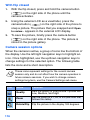
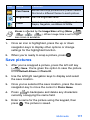
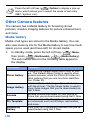
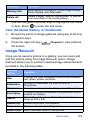
In standby mode, press the camera hot key (
) on
the right side of the phone. The Camera menu opens
with Take a Pix highlighted.
2.
Press
3.
Point the camera at your subject, using the display as a
viewfinder.
4.
Press
(Take). The picture that you snapped appears
in the display.
5.
Press the left soft key (
) Save to store the pictures
to your phone’s picture gallery, or press the right soft key
(
) Back if you wish to discard the picture.
to activate the camera.
Multimedia
115