1
When you forgot your IP or password, please
use the reset button for the factory default
setting?
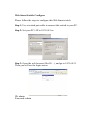
Please take the following steps to reset the Web Smart Switch
back to the original default:
Step 1:
Turn on the Web Smart Switch
Step 2:
Press and hold the reset button continuously for 5 seconds and
release the reset button.
Step 3:
The switch will reboot for 20 seconds and the configuration of
switch will back to the default setting.