1
4
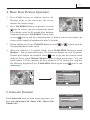
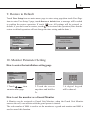
1. Intercom Call: User in one apartment can call
other apartments in the system. the namelist will
be created automatically by the system. Touch a
name you want on the screen, then touch
icon
to dial.(Note:1. touch
icon again to redial.
2.The DIP switches code of each monitor must set
different.)
Intercom Call
[ 00 ]
[ 01 ]
[ 02 ]
[ 03 ]
[ 04 ]
[ 05 ]
Jim. Zhang
Calo. Liu
Jacko. Zhang
Philips. Chen
Hebe. Zhang
Tony. Li
Exit
Calling
Next Page
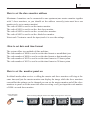
2. Inner Call: If multi slave monitors are installed in the same apartment, select Inner
Call, all the other Monitors will ring at the same time, whichever Monitor answers
the call, conversation is started.and the other monitors will stop ringing at the same
time.(note:the DIP switches setting of all monitors must be same. )
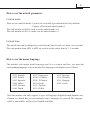
3. Direct Dial Guard unit: A Monitor can be assigned as Guard Unit Monitor; when
the Guard Unit Monitor answers the call, conversation with the guard person is
started..
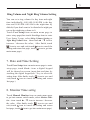
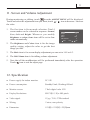
6. Basic Setup Instructions
Ring Tone Settings
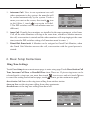
Touch User Setup item on main menu page to enter setup page.Touch Door Station Call
Tone, Inercom Call Tone or DoorBell Tone item, There are 12 pieces ring tones can be
selected.touch a ring tone you want, then touch
icon to save and exit.(touch icon
to cancel the setting and return last page, touch
icon to get into main menu page)
Door Station Call Tone :set the ring tone calling from outdoor station.
Intercom Tone :set the ring tone calling from other apartments.
DoorBell tone :set the ring tone calling from door bell.
User Setup (1)
Door Station Call Tone ...
Intercom Call Tone ...
DoorBell Tone ...
Clock ...
Next Page
Exit
Home
Door Station Call Tone
Selected:
1 Carmen
2 Ding Dong
3 Rain
4 For Alice
Cancel
06
5 Sonatine
9 Do Re Me
6 Edelweiss
10 Happy Birthday
7 Going Home
11 Jingle Bells
8 Congratulation 12 Telephone Ring
Home
Save&Exit