1
KEYBOARD FEATURES
Page 37
These two features highly increase your
flexibility. You can save contents of keys
into the text files, each module separately.
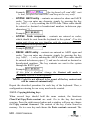
You just need to press the right mouse
button on the selected module and the
following popup menu is opened.
You may have several different MID keyboard configurations and all of
them have one or more identical modules. With these options you can
create as many different configurations while the basic module remains
the same.
An example: your program needs one 128 key module (KM128), but
for one customer it is not enough, he wants an additional numpad
module (KM032), the other one wants additional MCR module etc.
Instead of building the KM128 module for each configuration you
can copy it from one keyboard to the others.
3.11.1. MID export text file format
Exported key contents are saved in the MID export text file format
(filename.mtx). This format is used not only by exporting and importing
key contents but also by reading the definition of fixed keys (e.g.
QWERTY module).
Here is listed an example of exported text file:
A1/S/CT/A++++/C++++/F++--/~1~{F1}~~~!~1~~~
A2/S/CT/A++++/C++++/F++--/~2~{F2}~~~@~2~~~
A3/S/CT/A++++/C++++/F++--/~3~{F3}~~~#~3~~~
A4/S/CT/A++++/C++++/F++--/~4~{F4}~~~$~4~~~
A5/S/CT/A++++/C++++/F++--/~5~{F5}~~~%~5~~~
Every following line consists of key definition (describing first line):
A1 : co-ordinate of the key (left-hand upper key)
S : single key (C = Custom key etc.)
CT : content key (S2 = Shift to layer 2 etc.)
A++++ : autorepeat: key has in all layers autorepeat function
MID - USER'S MANUAL