1
Calling COM servers from Scripts
Very large portions of the Delphi Object Pascal language are usable from your script. This
includes the ability to make Windows API calls, including COM methods. That means that scripts
can send Praxis data to other applications, or can control other hardware (if it is run by a COM
server).
You can use such features to control other hardware (switches, relays, turntables) using third
party data control devices (digital I/O), provided those devices provide a COM server for access.
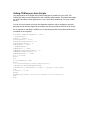
For an example of controlling a COM server, the following script will start up Microsoft Excel (if it
is installed on the computer).
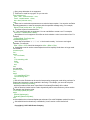
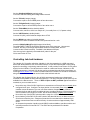
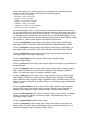
Procedure TDWForm.OpenExcel; const
{ XlSheetType }
xlChart = -4109;
xlDialogSheet = -4116;
xlExcel4IntlMacroSheet = 4;
xlExcel4MacroSheet = 3;
xlWorksheet = -4167;
{ XlWBATemplate }
xlWBATChart = -4109;
xlWBATExcel4IntlMacroSheet = 4;
xlWBATExcel4MacroSheet = 3;
xlWBATWorksheet = -4167;
Var V :variant;
begin
Try
if VarIsEmpty(V) then
begin
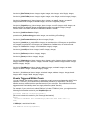
V := CreateOleObject('Excel.Application');
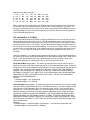
V.Workbooks.Add(xlWBatWorkSheet);
V.Workbooks[1].WorkSheets[1].Name := '-praxis- Some Data';
end;
V.Visible := True;
Except
ShowMessage('Excel could not be opened on this machine!');
End;
end;