1
Hardware Installations and Upgrades
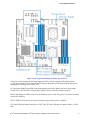
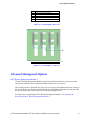
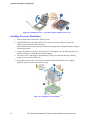
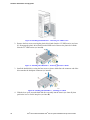
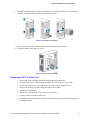
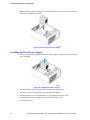
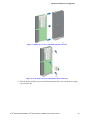
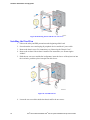
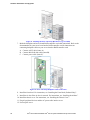
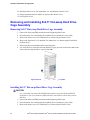
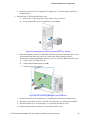
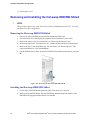
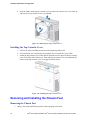
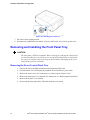
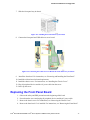
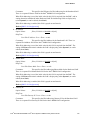
Figure 104. Installing the Hot-swap HDD EMI Shield
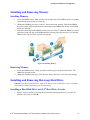
Replacing the Backplane
Removing the Backplane
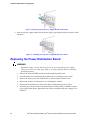
1. Remove all hot-swap drive carriers, regardless of whether or not a drive is installed in the
carrier.
2. Disconnect all cables from the backplane.
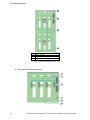
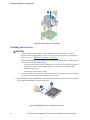
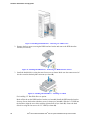
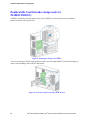
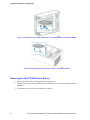
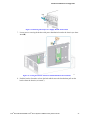
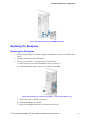
3. For server system with 3.5” hard drive bay, do the following:
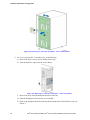
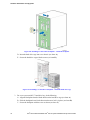
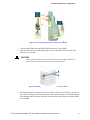
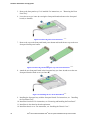
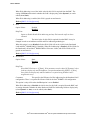
A. Remove the screw to release the hard drive cage (see letter A);
B. Slide the hard drive cage out of the server chass (see letter B);
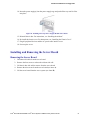
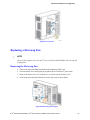
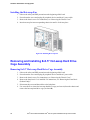
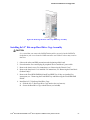
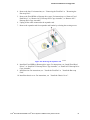
Figure 105. Removing 3.5" hard drive backplane – remove the hard drive cage
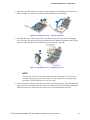
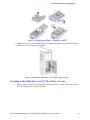
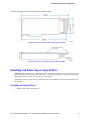
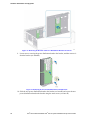
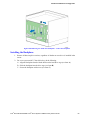
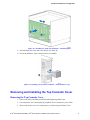
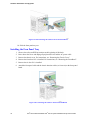
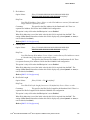
C. Remove the screw as shown (see letter A);
D. Slide the backplane (see letter B);
E. Remove the backplane from the server chassis (see letter C).
®
®
Intel Server Board S2400SC Intel Server System P4000SC Family Service Guide
67