1
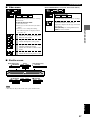
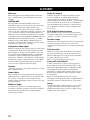
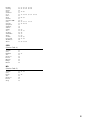
TROUBLESHOOTING
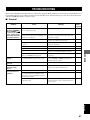
Problem
Cause
Remedy
Refer
to page
No on-screen
display.
Go to Display on the SETUP menu, and select
“On” for “On-Screen Messages”.
49
On-Screen Menu
Icons not displayed
or only partially
displayed on the
television.
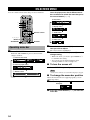
Press the cursor buttons [u,d] while the
rightmost icon is highlighted to change the
menu bar position.
34
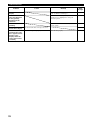
There is a lot of
ghosting.
Use the on-screen menu icons to adjust the
picture quality.
37
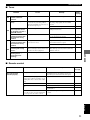
“No Play” appears
on the unit’s display.
The disc that this unit cannot play is loaded.
This unit does not
recognize disc (“No
disc” appears on the
display, or the
display shows the
status when no disc
is loaded).
The disc is not placed properly.
70
—
Place the disc properly.
—