1
2.
INSTALLATION / SET-UP
2.1.
YOUR PRINTER
2.1.1. Package
The packing box contains :
n Printer
n Power supply for A620 versions (except A6200000) with connecting cables to the printer and
to the power network.
n Battery for A621000B versions (except A6210000)
n Paper roll
n Set Up Guide
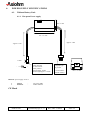
2.1.2. General description
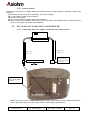
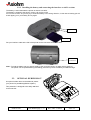
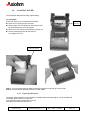
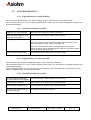
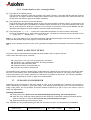
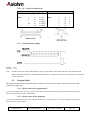
The A620 & A621 are complete printers designed with the clamshell easy paper loading system.
A620 series are desktop printer versions, A621 are portable versions that cannot be used while connected
to a power supply for battery loading.
Opening Cover
Finger recesses to
open cover
Tear bar
for paper
cutting
" Off " button
" on " & Paper feed button
A620 & A621
User Manual page 7 / 37
Ref : FDE - 3104471
Issue : B