1
7
CJ Wizard Product Documentation
Configuring Your Settings
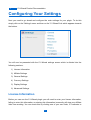
Next you need to go ahead and configure the main settings for your plugin. To do this
simply click on the 'Settings' menu and then on the 'CJ Wizard' link which appears towards
the bottom.
You will now be presented with the CJ Wizard settings screen which is divided into the
following sections:
1) License Information
2) Affiliate Settings
3) General Settings
4) Currency Settings
5) Display Settings
6) Advanced Settings
License Information
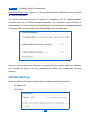
Before you can use the CJ Wizard plugin you will need to enter your license information,
failing to enter this information or entering this information incorrectly will stop your affiliate
links from working. You can check this by clicking one of your own links, if it redirects to
7