1
Basic Operations
Ø
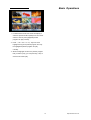
OK — Pause/Play game
Ø
Exit — Quit game and draw back to
2 Turn on slave receiver and there is no need to
operate any setting.
3 Move highlight to “Start”master reeciver and
“Game”menu.
3
press key OK to start upgrading.
4 Press key
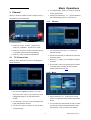
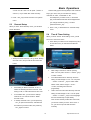
Othello
back.
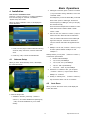
Move highlight to “Setup”and press Volume
²
+/Volume -
keys to select the game levels
Upgrade by Satellite
(degrees of difficulty).
This function can upgrade the software of satellite
receivers through signal lines from the satellite.
Move highlight to “Start”and press key OK
²
Exit to save the parameters and draw
to start the game.
Move highlight to "Cancel”and press key
²
OK to draw back from the game.
Start the game:
²
Ø
Volume +/Volume -/Channel UP/Channel
Down
— use these keys to guide
chessman.
Ø
OK — set chessman.
Ø
Exit — Quit game and draw back to
“Game”menu.
6.3
1
Default Value
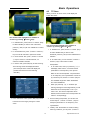
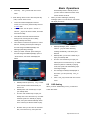
Select the satellite and TP or input the TP value
and download PID.
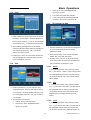
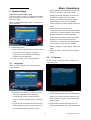
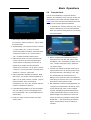
When you press key OK in the “Default Value”item:
2
1 There will pop a dialogue for you to input the
Then move the highlight to the [start] button and
press key [OK] to begin to upgrade.
password.The default password is “0000”.
3
Press key [EXIT] to close the window.
2 After you input the correct password, it will
show a warning message to inform you “The
operation will load default and erase all the
channels that users added, continue?”. If you
select “Yes”, all the
revised
parameters of the receiver will be reset to
default value. Please use this function carefully.
3
In step 1 and step 2, pressing key Exit can draw
back from this item without saving.
6.4
Software Upgrade
We offer the functions for users to connect receiver
(Master) to the other ones (Slave) via serial interface.
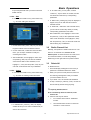
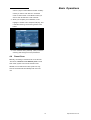
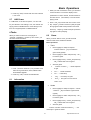
1 Connect master receiver to slave receiver via
serial interface. Enter “Software Upgrade”menu in
master receiver and press
Volume +/Volume -
keys to switch upgrading mode.
Upgrading modes include: allcode / maincode /
radioback / defaultdb / userdb/ userback/ beep
22
http://www.traxis.co.uk