1
User’s Manual v.28
QVidium™ MPEG2+4 Codec
2.4.1 Configuring Video over IP Network Parameters
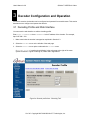
To configure the IP network parameters, within the Network Parameters section of the encoder
profile, select among ProMPEG, ARQ, RTP, or UDP packet transport. Also, specify the destination
IP address and UDP port number. The destination IP address may be a multicast or a unicast IP
address. The encoder encapsulates the video and audio signals as UDP packets in all cases,
regardless of the type of packet transport you select. Specifying “UDP Transport” eliminates the
RTP header and encapsulates the encoder’s constant bit-rate (CBR) multiplexed MPEG-2
transport stream directly as the payload of the UDP packet. All the other transport selections add
an RTP header to the CBR UDP packet stream. The RTP header adds a timestamp and packet
sequence number before inserting the MPEG-2 transport stream packets into the RTP/UDP/IP
packet payload.
All of these transport types insert an integral number of 188-byte MPEG-2 transport stream
packets into the packet payload as specified by the TS packets per IP packet parameter.
ProMPEG IP encapsulation adheres to the IETF/RFC 2733 for video over IP that specifies that the
packet payload must comprise an integral number of whole MPEG-2 transport stream packets
within an RTP header, so all transport types, aside from UDP-only, are compatible with the
ProMPEG Forum’s standard and the IETF/RFC 2733 standard.
The MPEG2+4 IP Codec implements a special packet pacing algorithm that smoothes out the
packet transmission rate and minimizes jitter in the output packet stream. You can set the packet
pacing to one of three levels: Off, Medium, and Full. In general, you should leave packet pacing at
the default “Full” setting. Some equipment, like certain set-top boxes, can handle higher video rates
when pacing is set to Medium.
2.4.2 ProMPEG FEC: Forward Error Correction
To enable ProMPEG Forward Error Correction (FEC), you must first select ProMPEG transport from
the Profile dialog. Also, ProMPEG transport must be enabled at the decoder. With ProMPEG
selected and the encoder started, the encoder will generate and intersperse parity checksum
packets along with the normally generated RTP/UDP/IP video stream. ProMPEG FEC uses
additional UDP ports for the parity checksum packets. Column checksum packets are sent on port
P + 2 and row checksum packets use port P + 4, where P is the UDP port that you configured for
the video over IP stream. By default, the video stream is on UDP port 10000, column checksum at
UDP port 10002 and row checksum packets on UDP port 10004.
ProMPEG FEC also dictates the use of a two-dimensional interleave matrix of packets. The FEC
algorithm specifies that FEC parity checksum packets be generated along the packet matrix
columns, and, optionally, rows. The MPEG2+4 Codec creates and intersperses these parity FEC
packets according to the ProMPEG Forum’s Code of Practice #3, release-2, Annex A, which
staggers the insertion of checksum packets to minimize burstiness in the output.
When the FEC Type parameter is set to Row and Column row parity packets are generated in
addition to the column parity packets. When the FEC Type parameter is set to Column Only
column parity packets are generated, and row parity packet are not generated. The receiver can
automatically detect and process either types of FEC parity packets without requiring any specific
configuration other then enabling ProMPEG FEC.
Note: For testing ProMPEG FEC, we suggest using the default settings of 7 MPEG-2 TS packets
per IP packet, 10 rows, 10 columns, and checking Use Row FEC. Please make certain that
ProMPEG transport has been selected at both the encoder and the decoder.
Note for Firewalls: UDP ports at P+2 and P+4 must be opened to allow access to column and row
checksum packet. (P is the UDP port for the video stream.) By default, column parity packets are
sent on port 10002 and row parity on port 10004.
11 of 45 - Copyright 2007-2008 QVidium™ Technologies, Inc.