1
Overview
Installing Gene Construction Kit®
Chapter 1
Overview
Installing Gene Construction Kit®
The initial GCK installation places all needed files in a single folder. The
installed files include the most recent restriction enzyme database, tutorial,
sample, and help files, and a vector database. All the files need to be
installed on your hard disk from this CD.
On the Macintosh
Here is the complete step-by-step installation process:
1. Insert the GCK Installer CD and locate the GCK folder.
2. Drag this folder to your hard disk. Although not strictly necessary, it is best
to drag it into the Applications folder.
3. With the CD still in the computer, start up the GCK application you just
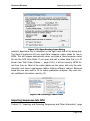
installed. Enter the personalization information. The first time you run the software GCK needs to verify itself by checking the CD. For subsequent
launches, this is not necessary.
4.You are finished installing the software. You can now remove the CD from
your computer. Please read the notes below and enjoy using Gene Construction Kit.
On Windows
1. Insert the CD into the drive of the computer on which you wish to run
Gene Construction Kit.
Page 1-1