1
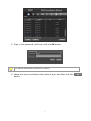
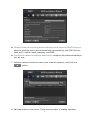
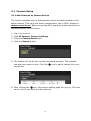
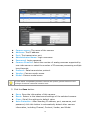
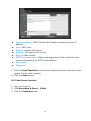
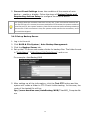
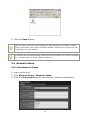
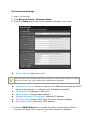
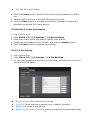
Camera name: The name of the camera. Address: The IP address. Port: The transmission port. Administrator Name: Login username. Password: Login password. Camera Channel: Select the number of analog cameras supported by one video server or select the number of IP cameras possessing multiple lens/channels. Protocol: Data transmission protocol. Vendor: Camera vendor name. Model: Camera model name. To have better compatibility between camera and system, please make sure the privilege of camera credential is admin-level. 5. Click the Save button. Save: Save the information of this camera. Reset: Return to the latest saved settings of the selected camera. Clear: Set all the settings to default value. Auto Detection: After inserting IP address, port, username, and password, click this button to automatically detect other camera information, including Channel, Protocol, Vendor, and Model. 16