1
FLB851-PFQX2175YA-en.book Page 18 Thursday, September 8, 2005 2:24 PM
1. Introduction and Installation
2
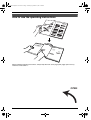
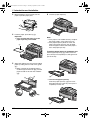
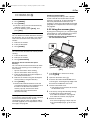
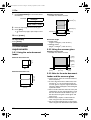
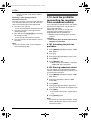
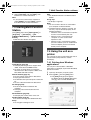
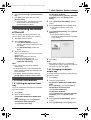
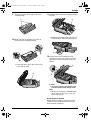
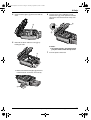
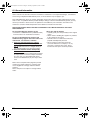
Before inserting a stack of paper, fan the
paper to prevent paper jams.
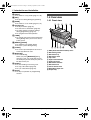
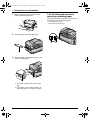
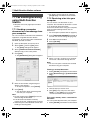
1.8.3 Checking the amount of
remaining recording paper
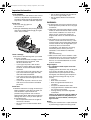
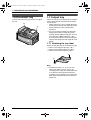
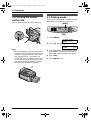
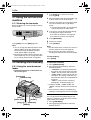
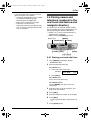
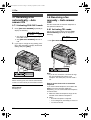
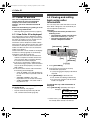
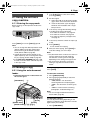
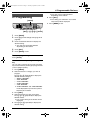
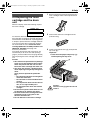
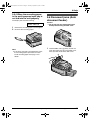
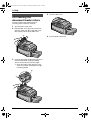
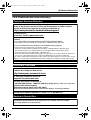
The paper level indicator (green) will allow you to
check the amount of remaining paper.
L The paper is full (1).
L The paper is empty (2).
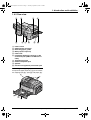
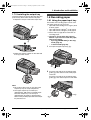
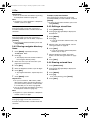
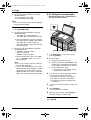
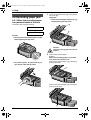
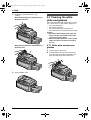
3
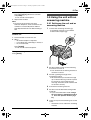
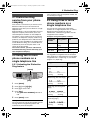
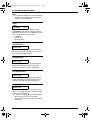
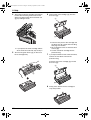
Insert the paper, print-side down (1).
1
2
1
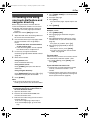
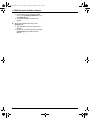
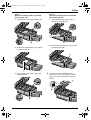
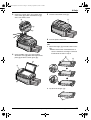
4
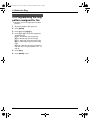
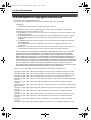
Adjust the width of the guides (1) to the size
of the recording paper.
1
2
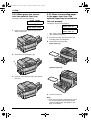
L The paper should not be over the tabs
(2).
L If the paper is not inserted correctly, readjust the paper, or the paper may jam.
18
For assistance, please visit http://www.panasonic.com/consumersupport