1
Spring Boot Reference Guide
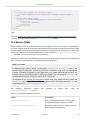
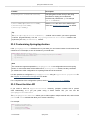
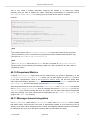
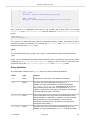
# additional configuration as required
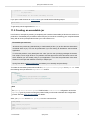
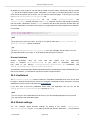
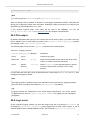
To work with @ConfigurationProperties beans you can just inject them in the same way as any
other bean.
@Service
public class MyService {
@Autowired
private ConnectionSettings connection;
//...
@PostConstruct
public void openConnection() {
Server server = new Server();
this.connection.configure(server);
}
}
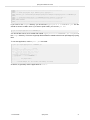
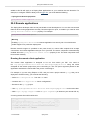
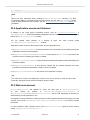
It is also possible to shortcut the registration of @ConfigurationProperties bean definitions by
simply listing the properties classes directly in the @EnableConfigurationProperties annotation:
@Configuration
@EnableConfigurationProperties(ConnectionSettings.class)
public class MyConfiguration {
}
Tip
Using @ConfigurationProperties also allows you to generate meta-data files that can be
used by IDEs. See the Appendix B, Configuration meta-data appendix for details.
Third-party configuration
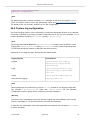
As well as using @ConfigurationProperties to annotate a class, you can also use it on @Bean
methods. This can be particularly useful when you want to bind properties to third-party components
that are outside of your control.
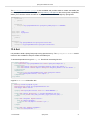
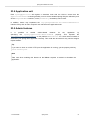
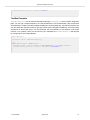
To configure a bean from the Environment properties, add @ConfigurationProperties to its
bean registration:
@ConfigurationProperties(prefix = "foo")
@Bean
public FooComponent fooComponent() {
...
}
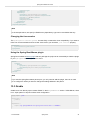
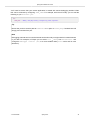
Any property defined with the foo prefix will be mapped onto that FooComponent bean in a similar
manner as the ConnectionSettings example above.
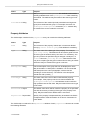
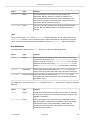
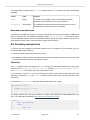
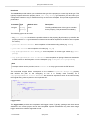
Relaxed binding
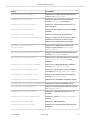
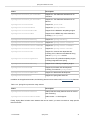
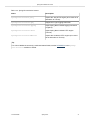
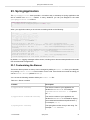
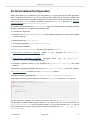
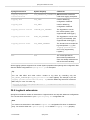
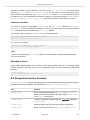
Spring Boot uses some relaxed rules for binding Environment properties to
@ConfigurationProperties beans, so there doesn’t need to be an exact match between the
Environment property name and the bean property name. Common examples where this is useful
include dashed separated (e.g. context-path binds to contextPath), and capitalized (e.g. PORT
binds to port) environment properties.
1.3.0.RELEASE
Spring Boot
61