1
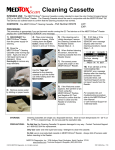
TROUBLESHOOTING PROCEDURES: For Test System — If you suspect that the PROFILE®-V MEDTOXScan® Test Device or MEDTOXScan® Reader is not working properly, or if you have had an unexpected test result, then: (1) Be sure that the PROFILE®-V MEDTOXScan® Test Devices have not expired. (2) Run the positive and negative external controls. (3) If both controls pass, run the QC Test Device for the MEDTOXScan® Reader (see flowchart below). If both pass, the MEDTOXScan® Reader is operating properly. If one or both QC Test Devices fail, check to see if the failed device is scratched or damaged. If scratches or damage are observed, contact Technical Support at 1-877-643-5703. If the QC Test Devices are not scratched or damaged, proceed with the Cleaning procedure using the Cleaning Cassette or contact Technical Support. (4) If either positive or negative external controls fail, be sure that the controls have not expired. (5) If controls have not expired, repeat the controls. If both controls pass, report the results. If either control fails, contact Technical Support. NOTE: Invalid or incorrect results may also be due to adulterated or improperly stored urine samples, or error in performing the test. The MEDTOXScan® Reader has been designed to provide you with reliable and worry-free service. If for any reason, you have a problem with your equipment, please call MEDTOX Technical Support at 1-877-643-5703 For complete product information refer to the PROFILE®-V MEDTOXScan® Package Insert Rev 03/12 available at http://www.medtox.com/ProductTraining.aspx or contact Technical Support at 1-877-643-5703. MEDTOX Diagnostics, Inc. 1238 Anthony Road, Burlington, North Carolina 27215 E-mail: [email protected] Fax: 336-227-7302 © 2014 MEDTOX Diagnostics, Inc. All rights reserved. 6 P/N 102035 Rev. 02/14