1
3.3.1
Output Using iostream
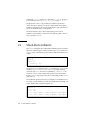
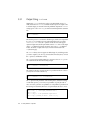
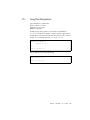
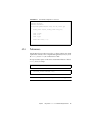
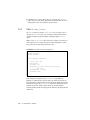
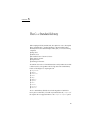
Output using iostream usually relies on the overloaded left-shift operator (<<)
which, in the context of iostream, is called the insertion operator. To output a value
to standard output, you insert the value in the predefined output stream cout. For
example, given a value someValue, you send it to standard output with a statement
like:
cout << someValue;
The insertion operator is overloaded for all built-in types, and the value represented
by someValue is converted to its proper output representation. If, for example,
someValue is a float value, the << operator converts the value to the proper
sequence of digits with a decimal point. Where it inserts float values on the output
stream, << is called the float inserter. In general, given a type X, << is called the X
inserter. The format of output and how you can control it is discussed in the
ios(3CC4) man page.
The iostream library does not support user-defined types. If you define types that
you want to output in your own way, you must define an inserter (that is, overload
the << operator) to handle them correctly.
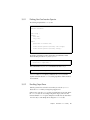
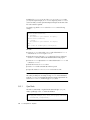
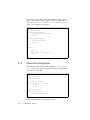
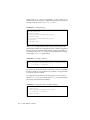
The << operator can be applied repetitively. To insert two values on cout, you can
use a statement like the one in the following example:
cout << someValue << anotherValue;
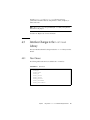
The output from the above example will show no space between the two values. So
you may want to write the code this way:
cout << someValue << " " << anotherValue;
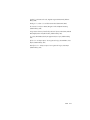
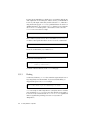
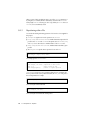
The << operator has the precedence of the left shift operator (its built-in meaning).
As with other operators, you can always use parentheses to specify the order of
action. It is often a good idea to use parentheses to avoid problems of precedence. Of
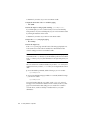
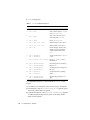
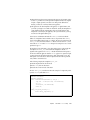
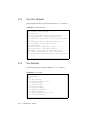
the following four statements, the first two are equivalent, but the last two are not.
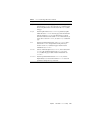
cout
cout
cout
cout
3-4
<<
<<
<<
<<
a+b; // + has higher precedence than <<
(a+b);
(a&y);// << has precedence higher than &
a&y;// probably an error: (cout << a) & y
C++ Library Reference • May 2000