1
6. CTRLPTO-VWIP CONTROL PROTOCOL
The Telnet protocol can be used to send configuration settings, matrix switching and video wall commands to the
CTRLPRO-VWIP system.
Commands can only be issued to the CTRLPRO-VWIP by IP using port 23.
The default IP address of the CTRLPRO-VWIP is 192.168.11.243 – in default configuration commands should be sent
to this IP address.
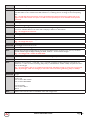
Matrix Switching Control
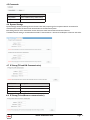
Command
Matrix set TX1 RX1 RX2, TX2 RX3 RX4,...
Return
Matrix set: TX1 RX1 RX2, TX2 RX3 RX4,...
Note
Route one or Multiple TX on one or Multiple RX. Each individual TX and its routed RX or RX’s compose a record, and should be separated by a commas. Use NULL after a TX and any RX units from this TX will disconnect. Matrix commands cannot be sent when an RX is in video wall mode, first remove the RX from the video
wall or use the vw change command
E.g.: “matrix set Source1 Screen1 Screen2” sends TX with alias Source1 to RX’s with alias’ Screen1 & Screen2
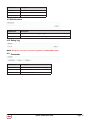
Command
matrix get
Return
the connected TX/RX information with below
format matrix information:
TX1 RX1
TX2 RX3
TX2 RX4
....
Note
Obtain matrix information. Based on current TX/RX in the network, re-construct the network topology
and feedback to the third-party controller.
Video-Wall
Command
vw add vw-name n m tx
Return
videowall item vw-name create and assign tx to it
Note
Create a video wall configuration, n and assign a TX.
E.g.: “vw add wall1 2 2 Source1” creates a 2x2 video wall named “wall1” on the TX with the alias Source1.
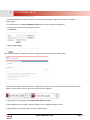
Command
vw add vw-name n m tx
Return
videowall item vw-name removed
Note
Remove a video wall configuration.
E.g.: “vw rm wall1” removes wall1 configuration from the
TX
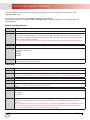
vw add vw-name tx1 x y rx2 x y
Command
Return
videowall item vw-name configuration added:
rx1 posion1
rx2 posion2
...
Note
Configure the video wall vw-name and add the corresponding RX’s in the given positions, this will set up many
RX and at once. Position (format): x y, represents a location, such as a 2 x 2 video-wall with 2 rows, and 2
columns.
E.g.: “vw add wall1 Screen1 1 1 Screen2 1 2 Screen3 2 1 Screen4 2 2” Sets the RX units with alias’ Screen 1 to 4,
to the noted x y positions in the video wall. Note a video wall by the name of wall1 must have already been
created using “vw add wall1 1 2 tx1” before this command can be used.
www.avenview.com
Page 15