1
Troubleshooting, Support, and Warranty
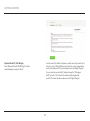
Belkin Setup cannot connect my Router to the Internet.
Belkin Setup completed installation, but I cannot browse the
Web. The light on the front of my Router is blinking amber.
If Belkin Setup is not able to connect the Router to
the Internet, please check the following items:
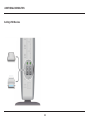
1.Make sure the Router is connected to the Power Modem with
an Ethernet cable via the Router’s one WAN (modem) port.
1.Use the troubleshooting suggestions within Belkin Setup.
2.Make sure that the Power Modem is connected to
the ADSL line, via an ADSL filter if required.
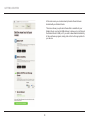
2.If your ISP requires a user name and password, make sure that
you have typed in your user name and password correctly. Some
user names require that the ISP’s domain may be at the end of the
name. Example: “[email protected]”. The “@myisp.com” part of
the user name may need to be typed as well as your user name.
3.Remove the Power Modem from the mains socket. Also unplug
the power jack of the Power Modem from the back of the Router.
4.Plug the Power Modem back into the mains socket, wait 30
seconds, and then reconnect the power jack of the Power
Modem into the back of the Router. This will cause the Router
to try to reestablish communication with the modem.
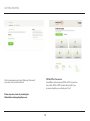
3.If you continue to have no Internet connection, refer
to “Manually Configuring Network Settings” in this
manual for an alternative setup method.
54