1
Rotating gobos
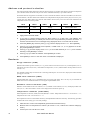
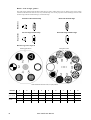
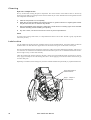
The MAC 500/E has 5 rotating positions for glass or metal gobos. Gobos may be rotated in both directions at varying
speeds or indexed to any position. The function and gobo are selected on channel 5 and the velocity or index position
are selected on channel 6. Setting the rotating-gobo speed to “blackout” in vector mode causes the shutter to black out
the light while the wheel turns from one position to another and, if indexing is selected, while the gobo rotates between
positions.
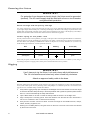
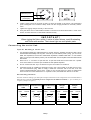
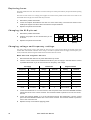
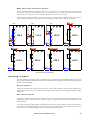
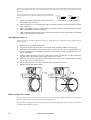
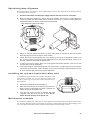
To change the gobos, see “Gobo orientation and positions” on page 17.
Iris
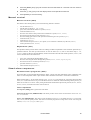
The iris diameter ranges from 100 to 15 percent open. There are 6 variable/random pulsating iris effects callable on
channel 9. These can be disabled by switching DMX Macros (SP EC/d MAC ) off. The iris reflection reduction setting (SPE C/I RR ) closes the iris slightly from full open to eliminate a halo effect seen in very early units.
Rotating prism / variable frost
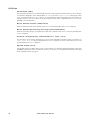
The 3-facet prism can rotate in both directions at varying speeds. There are 8 preprogrammed macros that combine the
prism with rotating gobos on channel 10. These can be disabled by switching DMX Macros (SP EC/ dMA C ) off.
Setting the prism speed to “blackout” in vector mode causes the shutter to black out the light while the prism moves in
and out.
An optional frost filter may be installed in place of the rotating prism to provide a variable frost effect. If the frost filter
is installed, the fixture type personality (S PEC / F TYP ) must be set to “F ROS ” to enable the frost variation of the
protocol.
Dimmer / shutter
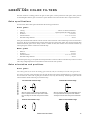
The mechanical dimmer/shutter system provides smooth, high-resolution 100 percent dimming, “instant” open and
blackout, random and variable strobe effects up to 23 Hz, and random and variable pulses in which the dimmer snaps
open and slowly dims or snaps closed and slowly opens. The pulse and random strobe effects can be disabled by
switching DMX Macros (S PEC /dM AC ) off.
The Dimmer Mode (SPE C/dM Od ) setting allows you to select between linear or simulated tungsten fade curves.
The fade time must be 0 to simulate tungsten dimming.
Operation
11