1
tr40.book Page 23 Thursday, April 24, 2008 4:08 PM
YOUR DTVPAL DIGITAL-TO-ANALOG TV CONVERTER
TV GUIDE ON SCREEN OR GUIDE PLUS SETUP
You only need to perform the following steps if you have a TV, DVD recorder, or
VCR that includes TV Guide On Screen or Guide Plus. If you do not have a TV
Guide On Screen or Guide Plus device, you will be able to use the DTVPal’s
built-in Program Guide.
TV GUIDE ON SCREEN OR GUIDE PLUS SETUP
If you are currently using TV Guide On Screen or Guide Plus in your analog TV,
DVD recorder, or VCR for over-the-air TV reception (not cable or satellite
service), you will need to change your TV Guide On Screen/Guide Plus setup
option to continue receiving your TV Guide On Screen/Guide Plus listings.
The steps provided walk you through the changes you need to make to
continue receiving show listings when your DTVPal is connected to your Guideenabled product.
For more detailed instructions or updated support information, refer to
www.tvgos.com/support.
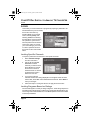
Getting Started
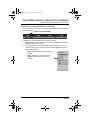
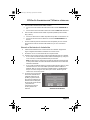
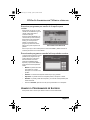
To set up the TV Guide On Screen to communicate with your DTVPal, you’ll
need:
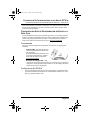
-
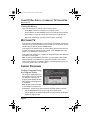
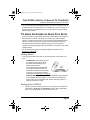
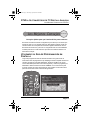
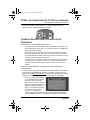
G-LINK Cable—this cable is required
to continue receiving TV Guide On
Screen/Guide Plus listings in your
Guide-enabled product.
The G-LINK cable was shipped with
your original TV Guide On Screen/
Guide Plus-enabled TV, DVD recorder,
or VCR. If you no longer have the GLINK cable, visit www.tvgos.com/support.
-
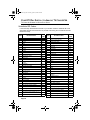
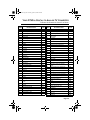
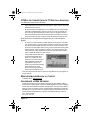
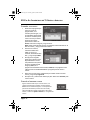
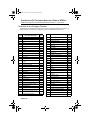
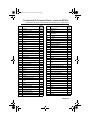
Substitute ZIP Code—you will need the five-digit code associated with
your broadcast area. During setup, you will enter the Substitute ZIP
Code in place of your actual ZIP code. These codes are provided on
page 28 of this User’s Guide.
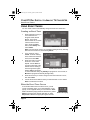
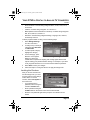
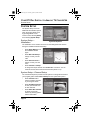
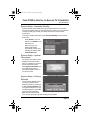
Setting Up Your DTVPal
1
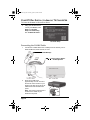
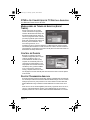
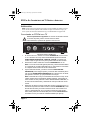
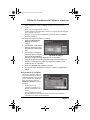
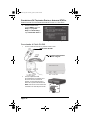
Connect your DTVPal using the instructions on page 2. You should have
connected the TV SET OUT or AUDIO/VIDEO output to the corresponding
input on your Guide-enabled TV, DVD recorder, or VCR.
Page 23