1
Execure H - MVC
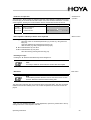
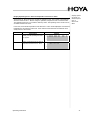
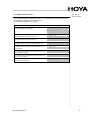
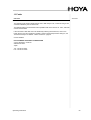
Menu: Settings ............................................................................................................................ 32 Settings – Language ............................................................................................................. 32 Settings - Save Parameters ................................................................................................. 33 Settings – Loading Parameters ............................................................................................ 33 Key Lock
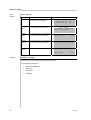
33 Stand-by Time ...................................................................................................................... 34 Relay Function ...................................................................................................................... 34 PLC Outputs LED(x) Function ............................................................................................. 35 PLC Output DEV Function .................................................................................................... 36 * Button Function ................................................................................................................... 37 Settings - Change PLC Mode ............................................................................................... 38 LED-Groups 38 External Fan ON ................................................................................................................... 39 4
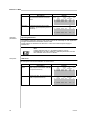
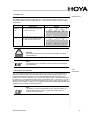
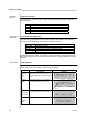
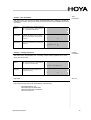
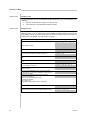
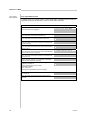
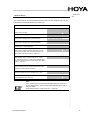
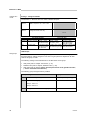
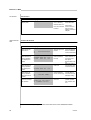
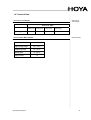
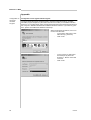
7 The “ProcessFLOW Control” Function .................................................................................. 40 Overview ..................................................................................................................................... 40 Starting the “ProcessFLOW Control” Function manually ............................................................ 41 Ending/Interrupting the “ProcessFLOW Control” Function ......................................................... 41 Instructions for the “ProcessFLOW Control” Function ................................................................ 42 Create Program sequence for “ProcessFLOW Control” Function Manually ............................... 43 Sample Programmed Sequence with the “ProcessFLOW Control” Function ............................. 44 Deleting a “ProcessFLOW Control” Function Program Completely ............................................ 44 8 PLC Operation ........................................................................................................................... 45 Overview ..................................................................................................................................... 45 PLC Inputs IN1 to IN4 ................................................................................................................. 45 PLC Input REQ .......................................................................................................................... 46 PLC Input Run ............................................................................................................................ 46 PLC Outputs LED1-LED4 ........................................................................................................... 46 PLC Output DEV ......................................................................................................................... 46 Release Input for Safety Circuit .................................................................................................. 46 Pin Configuration, PLC Interface (5) ........................................................................................... 47 9 RS232 Interface ......................................................................................................................... 48 Overview ..................................................................................................................................... 48 Pin Configuration – RS232 Plug (4) ............................................................................................ 48 Communication Programs .......................................................................................................... 48 Transmission Parameters ........................................................................................................... 49 RS232 Instructions ...................................................................................................................... 49 Configuration File for RS232 ....................................................................................................... 51 Programming the “ProcessFLOW Control” Function Via RS232 ............................................... 52 Querying Warnings, Errors and Unit Status via RS232 ............................................................. 53 Send Device Report via RS232 DRPT Instruction: ..................................................................... 54 10 Service, Maintenance and Cleaning ........................................................................................ 55 Overview ..................................................................................................................................... 55 Maintenance ............................................................................................................................... 55 Cleaning ...................................................................................................................................... 55 Cleaning the Surface of the Unit ........................................................................................... 55 Software Updates ....................................................................................................................... 56 11 Ordering Data for Units, Replacement Parts and Accessories ............................................ 57 Ordering ...................................................................................................................................... 57 12 Warning ...................................................................................................................................... 58 Overview ..................................................................................................................................... 58 Status LED Flashing ................................................................................................................... 58 # HOYA