1
OPERATION__________________________________
Automatic brewing
Note
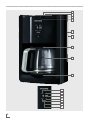
██ In order to use the auto brew function you must
first set the clock.
Setting the clock
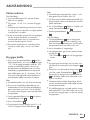
1 Press the settings button for hours N to set the
current hour.
–Press and hold the button to advance the
numbers quickly.
2 Press the settings button for minutes M to set the
current minute.
–Press and hold the button to advance the
numbers quickly.
Setting the auto brew
function
1 Follow the steps 1 - 8 in the “Brewing Coffee”
section.
Notes
██ When the brew cycle begins, the Auto on
button K will turn off and the On/Off button
P will illuminate to indicate the coffee maker
is in operation.
██
To shut the auto brew function off, simply press
the Auto on button K again. The light will turn
off.
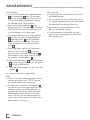
6 Remove the glass jug H from the warming
plate I , as soon as the brewing process has
finished and the glass jug H is filled.
The coffee is ready.
7 To turn the appliance of, push the On/Off
button P .
Note
██ For a better aroma, use aroma button O
which activates a unique brewing process
that enhances the flavor and aroma of your
coffee. To reach this rich flavor, the coffee
maker advances through several continuous
cycles.
2 Press the Program button J to set the desired
auto brew time.
–Program button illuminates.
3 Set the time you want the appliance to begin
brewing by using the Settings button for hours
N and the Settings button for minutes M .
Note
██ To check your auto brew start time, simply
press the Program button J . The set time will
be displayed for a few seconds on the display
L . It will automatically return to current time.
4 Press the Auto on button K .
–The Auto on button K will illuminate.
5 The coffee maker will automatically begin
brewing at the preset time.
ENGLISH 19