1
15. Comfort and set-back temperatures
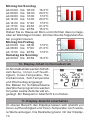
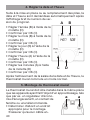
The comfort/set-back temperature button ( ) provides
an easy and convenient way of switching between these
two temperatures. The factory settings are 21.0°C and
17.0°C respectively. To adapt them, proceed as follows:
• Press and hold down the comfort/set-back temperature
button ( ) for more than 3 seconds.
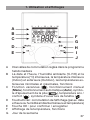
• The sun symbol ( ) will appear on the display along
with the current comfort temperature.
• Use the setting wheel to modify the temperature; press
OK to confirm.
• The moon symbol ( ) will appear together with the setback temperature.
• Use the setting wheel to modify the temperature; press
OK to confirm.
The temperature can even be modified in Auto mode
at any time by using this button. The new setting will
be retained until the program’s next switching time.
16. Setting the holiday function
If you want a fixed temperature to be maintained for a set
period of time while you are on holiday or during a party,
you can make use of the Holiday function.
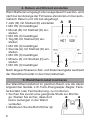
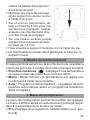
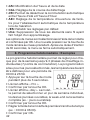
• Press and release the mode button repeatedly until the
suitcase symbol ( ) appears on the display.
• Use the setting wheel to set the end of the time period
during which the temperature is to be maintained.
• Press the OK button to confirm.
• Then use the setting wheel to set the date.
• Press the OK button to confirm.
• Use the setting wheel to set the temperature; press OK to
confirm. The display will flash to confirm your settings.
The set temperature will remain in force until the spe30