1
LC-42LB261U/LC-50LB261U Sharp 42"/50" LED TV
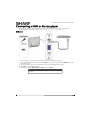
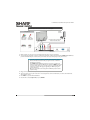
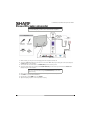
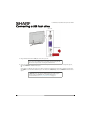
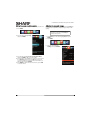
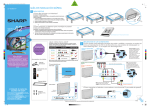
DVI (same as HDMI but requires an audio connection)
Note
You must use the HDMI 3/DVI jack to connect a computer using DVI. If you
use another HDMI jack, you will not hear sound from the TV speakers.
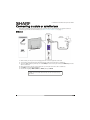
Side of TV
HDMI cable
with HDMI-DVI
adapter
On your TV
HDMI cable
connector
HDMI 3/DVI
jack
Audio cable
connector
Audio cable
PC/DVI
AUDIO IN
jack
Back of TV
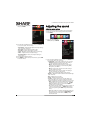
1 Make sure that your TV’s power cord is unplugged and the computer is turned off.
2 Connect an HDMI-DVI adapter (not provided) to one end of an HDMI cable (not provided), then connect the adapter to
the DVI OUT jack on the computer.
3 Connect the other end of the cable to the HDMI 3/DVI jack on the side of your TV.
4 Connect an audio cable (not provided) to the PC/DVI AUDIO IN jack on the back of your TV and to the AUDIO OUT
(headphone) jack on the computer.
Note
When you connect the audio using the PC/DVI AUDIO IN jack, the audio
output is analog.
5
6
7
8
30
Plug your TV’s power cord into a power outlet, then turn on your TV and the computer.
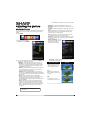
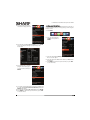
Press INPUT to open the INPUT SOURCE list.
Press S or T to select HDMI 3, then press ENTER.
Adjust the display properties on the computer, if necessary.