1
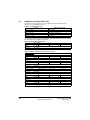
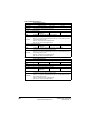
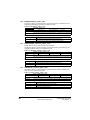
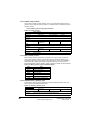
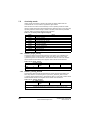
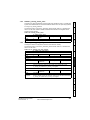
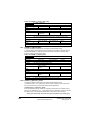
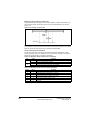
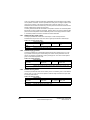
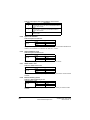
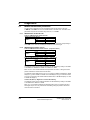
Index: 0x1C12
•
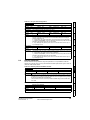
Sub index: 0x00
•
Size: 1
•
Value: 1
Introduction
•
Sub index: 0x01
•
Size: 2
•
Value: 0x1600
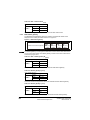
Setting object 0x1C12, sub-index 1 to a value of 0x1600 (as above) maps RxPDO1 to
the process data output sync.
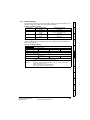
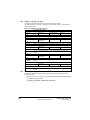
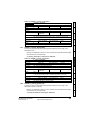
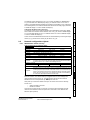
Assigning TxPDO to the sync manager
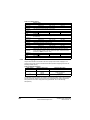
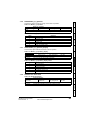
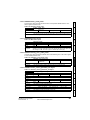
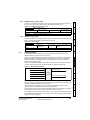
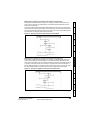
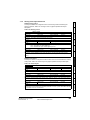
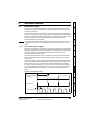
To assign TxPDO1 to sync manager 3 PDO assignment set the values below to the
following objects:
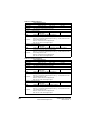
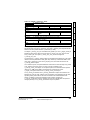
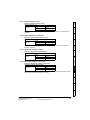
Sub index: 0x00
•
Size: 1
•
Value: 2
Drive profile (DSP-402)
support
Index: 0x1C13
•
Protocols
•
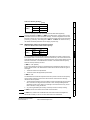
Setting object 0x1C13, sub-index 0 to a value of 2 (as above) indicates that two
TxPDOs will be assigned to the sync manager 3 assignment.
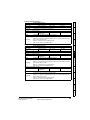
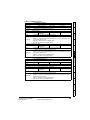
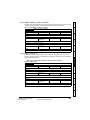
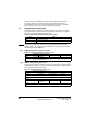
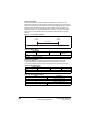
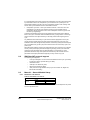
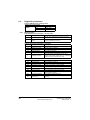
Sub index: 0x01
•
Size: 2
•
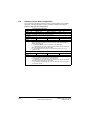
Value: 0x1A00
•
Index: 0x1C13
•
Sub index: 0x02
•
Size: 2
•
Value: 0x1A05
Diagnostics
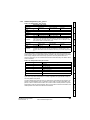
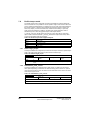
Index: 0x1C13
•
Advanced
features
•
Electrical
Getting started
installation
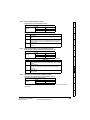
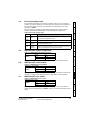
Index: 0x1C12
•
Mechanical
installation
Setting object 0x1C12, sub-index 0 to a value of 1 (as above) indicates that one RxPDO
will be assigned to the sync manager 2 assignment.
•
Safety
information
Assigning RxPDO to the sync manager
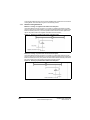
To assign RxPDO1 to sync manager 2 PDO assignment set the values below to the
following objects:
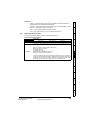
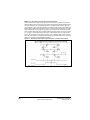
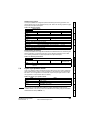
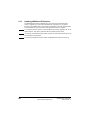
Download the configuration to the master.
Values written to parameters over RxPDOs should now be viewable using the drive’s
keypad so long as the master has put the slave into the operational state; also,
parameter values changed using the drive keypad will be updated on the master.
Glossary of
terms
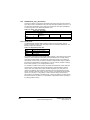
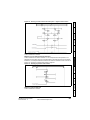
After downloading the configuration to the master the LED(s) on the front of the SMEtherCAT should flash, depending on the port(s) connected.
Quick reference
Setting object 0x1C13, sub-index 1 to a value of 0x1A00 and sub-index 2 to a value of
0x1A05 (as above) maps TxPDO1 and TxPDO6 to the process data input sync.
Index
SM-EtherCAT User Guide
Issue Number: 5
www.controltechniques.com
17