1
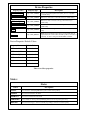
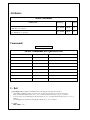
Device Properties
Property name
Property type
Description
DIODeviceName
Tango::DEV_STRING
Name of the underlying DIO device [DIO_7432 or compatible no default value]
DIODeviceCtrlLine
Tango::DEV_STRING
DIO device’s line used to control the screen [no default value]
DIODeviceUpLine
Tango::DEV_STRING
DIO device’s line connected to the up position detector [no
default value]
DIODeviceDownLine Tango::DEV_STRING
DIO device’s line connected to the down position detector [no
default value]
Logic
Tango::DEV_STRING
Use "HIGH" for active high or "LOW" for active low [no default
value]
Timeout
Tango::DEV_SHORT
ARMO insertion/extraction timeout [in seconds]. If this timeout
expired before the screen reaches its stable position [i.e inserted or
extracted] , its state is changed from MOVING to FAULT.
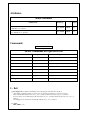
Device Properties Default Values:
Property Name
Default Values
DIODeviceName
No default value
DIODeviceCtrlLine
No default value
DIODeviceUpLine
No default value
DIODeviceDownLine No default value
Logic
No default value
Timeout
No default value
There is no Class properties.
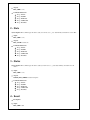
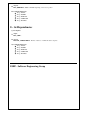
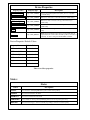
States:
States
Names
Descriptions
FAULT
Not connected to underlying DIO device [can’t control screen position]
INSERT
The screen is inserted into the beam
EXTRACT
The screen is extracted from the beam
UNKNOWN
Can’t conclude on screen position [underlying device does not respond or gave error]
MOVING
The screen is moving [i.e. device is currently responding to an insert or extract request]