1
7
Configuring the VP-728 via the OSD MENU
Screens
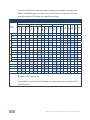
The VP-728 uses an on-screen display (OSD) menu for system configuration. The
menu appears as an overlay over any images that are output from the VP-728.
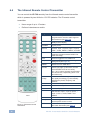
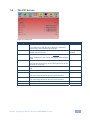
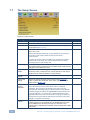
There are eight sub-menus that are used to configure the VP-728. You can activate
and navigate these menus from the front panel buttons, or from the IR remote
control.
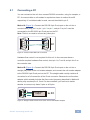
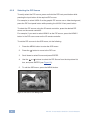
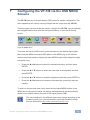
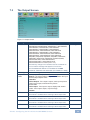
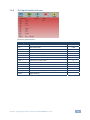
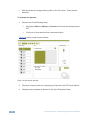
Figure 8: MENU Items
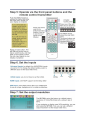
To access and use the OSD menus, push the button for the desired input signal,
then press the MENU front panel OSD button or the MENU key on the infrared
remote control transmitter to display the main MENU screen which shows the eight
interactive icons.
x
Press the W or X buttons to select the desired sub-menu, and then press
ENTER
x
Press the S or T buttons to select the menu item to be adjusted, and then
press ENTER
x
Press the S or T buttons to make the adjustment and then press ENTER, or
x
Press the W or X buttons to increase or decrease the (numerical) value as
needed
To return to the previous menu level, press the front panel MENU button or the
MENU key on the remote control. All settings and adjustments are automatically
saved in non-volatile memory for each of the inputs (except USB).
i
The values defined in the different menus may change according to the
firmware version (you can download the up-to-date firmware version
from our Web site at http://www.kramerelectronics.com).
VP-728 - Configuring the VP-728 via the OSD MENU Screens
21