1
X350 and X550 User Manual
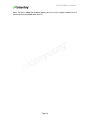
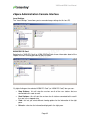
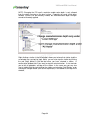
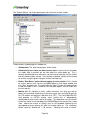
Export List: Exports a list (tab or comma delimited text file) that can be used to
keep a record of which users (if any) are logged-in to each station at a point in
time.
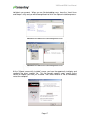
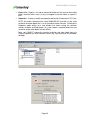
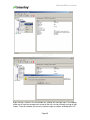
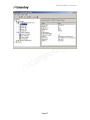
Properties: Display or modify the properties defined for that particular PCI Card.
NOTE: All stations attached to the same X350/X550 PCI card will use the same
resolution and color depth that is set in the Administration Console. Selecting the
Properties option brings up a new window that allows setting the common
monitor resolution and color depth. (A system reboot is required before the new
resolution and/or color depth can take effect.)
Note: you CANNOT change the monitor resolution and color depth from the
Display Properties on each individual station (e.g. right clicking on the Windows
desktop).
Page 33