1
Initial installation
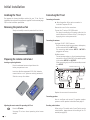
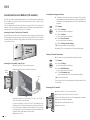
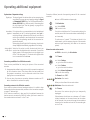
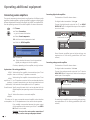
Digital Link If you have registered and connected a recorder in the
Plus connection wizard, the Digital Link Plus transmission
begins at the end of the sound components wizard. If
a Digital Link Plus capable recorder is connected, the
station list of the analogue stations is transmitted to the
external recorder.
You can also call Digital Link Plus under TV menu →
Connections → Digital Link Plus.
If you have not connected a Digital Link Plus capable
recorder, you can abort the transmission.
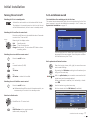
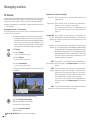
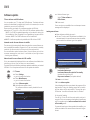
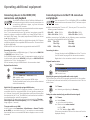
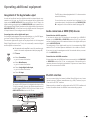
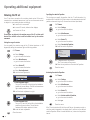
Positioning/aligning DVB-T antenna
If you are receiving one or more DVB-T stations with picture and sound
interference then you should change the installation location and alignment of the antenna. Ask your dealer to tell you which channels are used
to broadcast the DVB-T stations in your region.
➠ In normal TV mode, without other displays.
A DVB-T station is received and selected.
Call TV menu.
34Select Settings,
6go to the menu line below.
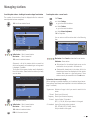
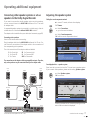
Explanations of the DVB-T antenna:
Room With good reception conditions a room antenna can be
antenna used for DVB-T (socket ANT2).
Active Under less favourable reception conditions, it is advisable
antenna to use an active antenna which has to be set accordingly
in the initial installation or in the TV menu → Connections
→ Antenna DVB → Antenna DVB-T (see DVB-T antenna
on page 12).
Unidirectional If the location is outside of the normal transmission
antenna range then a directional antenna can be used to improve
reception quality.
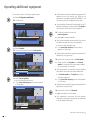
34Select Stations,
6go to the menu line below.
34Select Manual adjustment,
OK call manual adjustment.
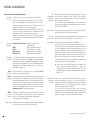
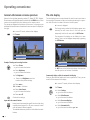
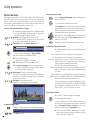
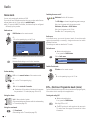
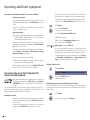
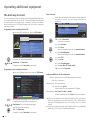
Signal source
Select the area in which you want the broadcaster to search here. You can
use the
button to automatically select station by station.
Manual adjustment
Signal source
Channel
Frequency
Bandwidth
Name
C/N 96
DVB-T
E05
177.50 MHz
7 MHz
12 Test
Level 99
DVB-C
Overwrite station
Search
DVB-S
A
END
INFO
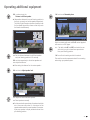
The signal source is already on DVB-T due to the station
preselection.
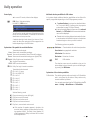
Position and align the antenna in such a manner that
maximum values for C/N and Level are obtained.
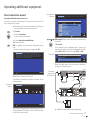
Blue button: Start search.
Search for DVB-T stations one after another and compare
values for C/N and Level.
Then position/align the antenna to the weakest station
so that maximum values for C/N and Level are obtained.
Thereafter perform an automatic search for all DVB-T
stations, see page 24.
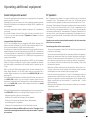
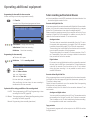
Explanation of the setting possibilities:
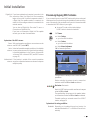
Bandwidth Depending on the selected channel and country the
associated bandwidth of 7 or 8 MHz will be set automatically.
13 -